
截图
介绍
中文介绍正在准备中,下面暂时显示原文。
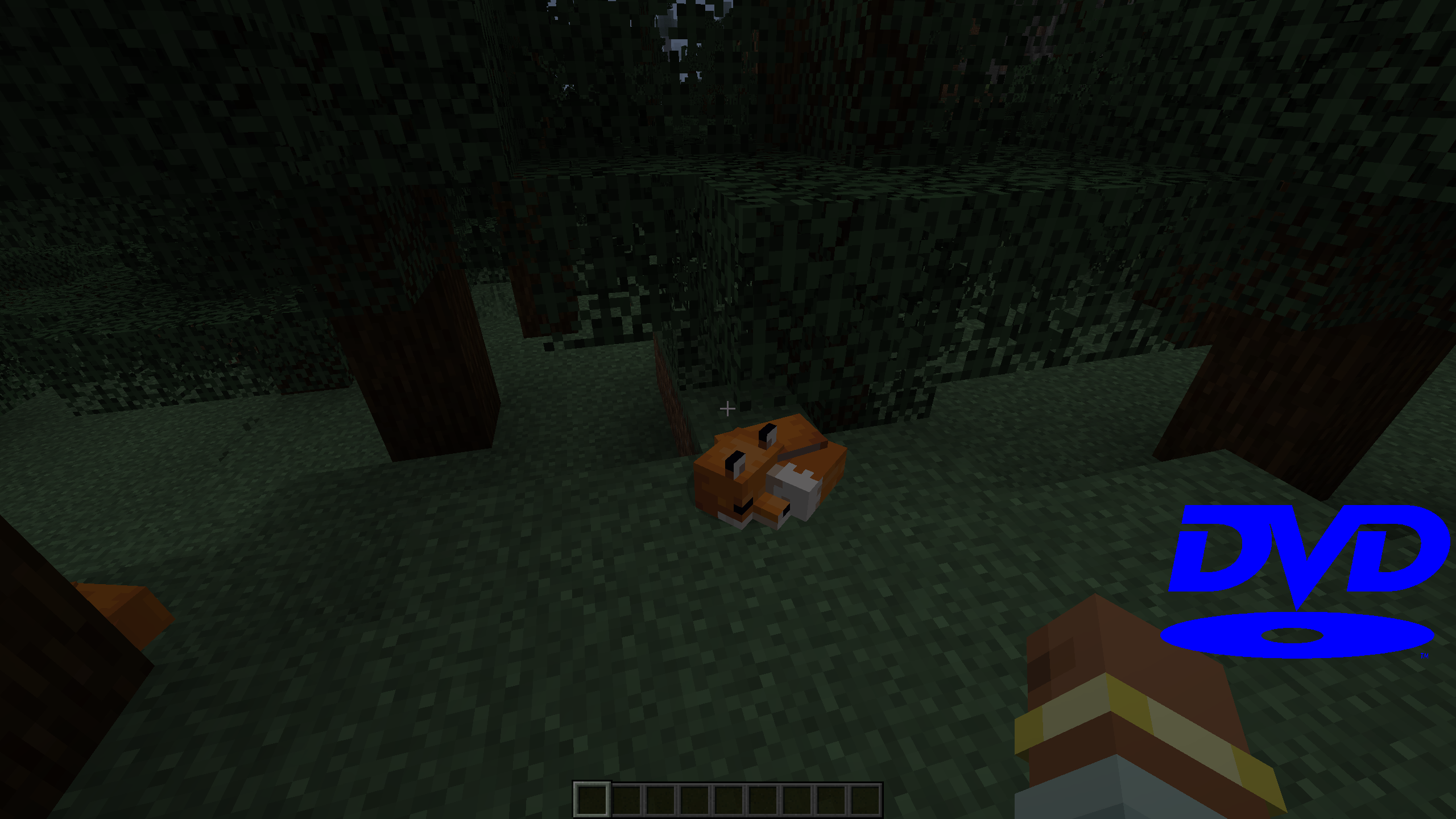
“Nostalgia DVD” takes Minecraft players on a trip down memory lane by introducing the iconic DVD screensaver experience to the game. Relive the days of watching your computer screen as the DVD logo gracefully bounced from corner to corner, with this whimsical addition to your Minecraft world.
With the Nostalgia DVD Mod installed, you can use the /dvdtoggle command to activate/deactivate the screensaver. You can still continue playing while the screensaver is running because it renders with a slightly transparent background.
Unfortunately I couldn't figure out how to adjust the speed of the logo. The speed is based on your FPS at the moment.
If you now how to fix that please feel free to leave a comment (this is one of my first mods so i have little experience)
常见问题
Nostalgia DVD 支持哪些 Minecraft 版本?
Nostalgia DVD 支持 Minecraft Java 版 1.20.1–1.20.4,共 4 个版本,可用的加载器:Forge。下载时注意选择和你游戏版本一致的文件。
Nostalgia DVD 怎么安装?
先用 PCL2 或 HMCL 启动器安装对应版本的 Forge,再把下载的 .jar 文件放进游戏目录的 mods 文件夹,重新启动游戏即可。开启了版本隔离的,mods 文件夹在 versions/版本名 下面。
评论
登录后评论和评分