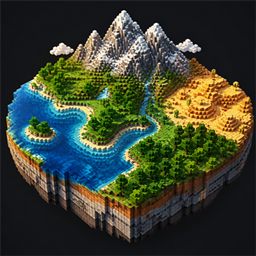
Better World Generation
Shape oceans, continents, mountains, terrain, and climate from Minecraft's Create World menu while preserving vanilla seed-based generation.
介绍
Better World Generation
Shape the character of your Minecraft worlds directly from the Create World screen.
Better World Generation expands vanilla world creation with simple sliders for oceans, continents, mountains, terrain, and climate. It does not replace Minecraft’s procedural generator or create fixed maps. Your world remains completely seed-based – your settings only influence what kinds of terrain and biomes are more likely to appear.
Leave every slider at Vanilla and world generation remains unchanged.
Land & Water
– Ocean Amount – create land-heavy worlds or worlds dominated by water.
– Continent Size – choose between small scattered landmasses and broad continents.
– Ocean Depth – make ocean floors generally shallower or deeper.
Terrain
– Mountain Amount – control how frequently mountainous regions appear.
– Mountain Height – adjust the typical height of mountain ranges.
– Mountain Size – change the horizontal scale of mountain regions.
– Terrain Roughness – produce smoother terrain or more rugged, cliff-heavy landscapes.
Climate & Biomes
– Temperature – bias biome placement toward colder or hotter climates.
– Humidity / Dryness – favor wet, lush regions or dry biomes.
– Climate Region Size – control how large climate and biome regions tend to be.
Presets and Tools
– Reset every option to Vanilla at any time.
– Randomize all generation settings for a surprise world.
– Save and load your own named presets.
– Choose from built-in presets.
– View a seed-based statistical preview while configuring the world.
Per-World Generation
Every world stores its own Better World Generation settings. This allows different saves in the same installation to use completely different terrain styles.
The changes apply only to the Overworld. The Nether and End remain untouched, and the terrain controls are designed to preserve vanilla caves and aquifers.
How to Use
1. Select Create New World.
2. Open the World tab.
3. Select World Generation…
4. Adjust the sliders or select a preset.
5. Create the world normally.
The preview is an approximation of the selected world’s statistical character, not an exact map. Individual mountains, coastlines, and biomes are still determined procedurally from the seed.
Important
It is not recommended to use this mod alongside others. This mod is an experiment with vanilla generation and can lead to very poor results depending on the settings.
常见问题
Better World Generation 支持哪些 Minecraft 版本?
Better World Generation 支持 Minecraft Java 版 1.21.1,可用的加载器:NeoForge。下载时注意选择和你游戏版本一致的文件。
Better World Generation 怎么安装?
先用 PCL2 或 HMCL 启动器安装对应版本的 NeoForge,再把下载的 .jar 文件放进游戏目录的 mods 文件夹,重新启动游戏即可。开启了版本隔离的,mods 文件夹在 versions/版本名 下面。
评论
登录后评论和评分