介绍
Hi all!
Have you ever wanted to get the seeds out of the melons you eat in Minecraft? No? Then maybe I’m just weird like that 😛 Anyways…
Mod content
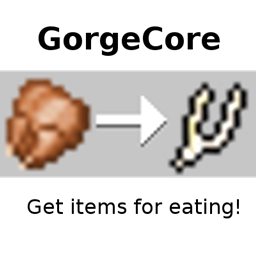
This mod gives you items for eating certain foods. It also adds a new item: the wishbone. Right-click to break it and hope for the best!
Built-in recipes:
- Melon->Melon seeds
- Speckled melon->Melon seeds
- Raw chicken->Wishbone
- Cooked chicken->Wishbone
Recipe Editor
If you don’t want to edit JSON files (like if you need to add an item with lots of NBT), you can use the in-game GUI.
You can open it with the ‘/gorgecore add …’ or ‘/gorgecore edit …’ command. The first slot is the input (food/drink), the second is the output.
You can also delete any of the recipes with ‘/gorgecore delete …’, including built-in recipes.
Config
It is possible to add/remove recipes through the config directory. If you change it while Minecraft is running, you either have to close and reopen it (recommended) or use ‘/gorgecore reload’.
If you need to get the original recipes back, just delete the “gorgecore-recipes” directory and the mod will re-create it during the next startup.
You can specify one recipe per JSON file, and it needs to follow this format:
- The root is an object with 2 keys: “input” and “output”
- Those keys’ values are also objects and they describe the items like so:
- id: the item’s id as a string (ex. “minecraft:dirt”)
- Damage: the damage value (metadata) of the item
- Count: item count, ignored for input
- tag: an optional NBT tag
For addon creators: config is read during FMLModInit. Either change it during FMLPreInit, or use the ‘required-before:’ dependency-directive.
Disclaimer
This mod is WIP! If you find bugs, report to me either here, or on GitHub
常见问题
GorgeCore 支持哪些 Minecraft 版本?
GorgeCore 支持 Minecraft Java 版 1.10.2–1.12,共 2 个版本,可用的加载器:Forge。下载时注意选择和你游戏版本一致的文件。
GorgeCore 怎么安装?
先用 PCL2 或 HMCL 启动器安装对应版本的 Forge,再把下载的 .jar 文件放进游戏目录的 mods 文件夹,重新启动游戏即可。开启了版本隔离的,mods 文件夹在 versions/版本名 下面。


评论
登录后评论和评分