Epic Fight X Immersive Eating Compat
一个轻量级兼容模组,在手持食物时从 **Epic Fight 的第三人称战斗** 平滑切换到 **第一人称沉浸式进食动画**,之后返回之前的视角。
截图
介绍
Epic Fight × Immersive Eating Compat
***This mod feature will be available via Epic FIght X Twilight Forest Compat 1.1.7 update having Immersvie Eating an optional dependency – if you havee EF X TF compat already installed no need for this mod when the 1.1.7 is realeased, just install Immersive Eating mod***
A lightweight compatibility mod for Epic Fight and Kaleidoscope Cookery: Immersive Eating, designed to make eating feel natural even while using Epic Fight’s third-person combat camera.
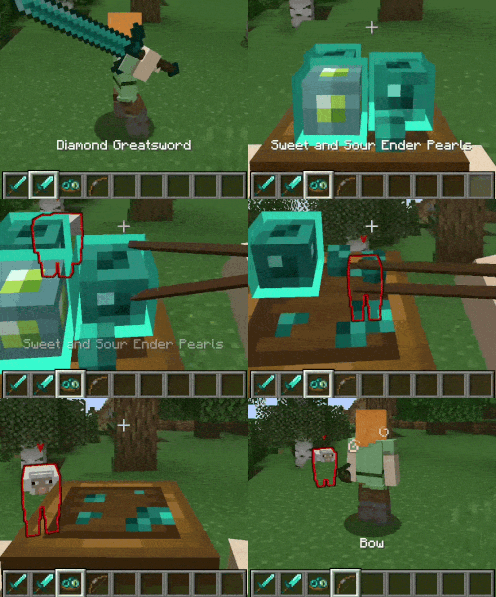
When you are fighting or exploring in third person and switch to a food item, the mod automatically transitions your camera into first person so you can properly see Immersive Eating’s custom eating animations.
Instead of instantly snapping between perspectives, the camera uses a short, smooth transition to make the change feel more natural.
Once you switch away from the food item, your camera automatically returns to the perspective you were using before.
Features
- Automatically switches from third person to first person when holding food.
- Uses a short, smooth camera transition instead of an instant perspective snap.
- Remembers your previous camera perspective.
- Automatically restores your previous view when you stop holding food.
- Allows Kaleidoscope Cookery: Immersive Eating animations to properly play while Epic Fight is installed.
- Works seamlessly alongside Epic Fight’s combat and mining modes.
- No manual camera switching required.
Fight in third person, eat in first person, and return to combat without interrupting the flow.
Required Mods
- Epic Fight
- Kaleidoscope Cookery
- Kaleidoscope: Immersive Eating
常见问题
Epic Fight X Immersive Eating Compat 支持哪些 Minecraft 版本?
Epic Fight X Immersive Eating Compat 支持 Minecraft Java 版 1.20.1–1.21.1,共 2 个版本,可用的加载器:Forge / NeoForge。下载时注意选择和你游戏版本一致的文件。
Epic Fight X Immersive Eating Compat 怎么安装?
先用 PCL2 或 HMCL 启动器安装对应版本的 Forge / NeoForge,再把下载的 .jar 文件放进游戏目录的 mods 文件夹,重新启动游戏即可。开启了版本隔离的,mods 文件夹在 versions/版本名 下面。
Casmier 的其他作品
查看全部 →
Epic Fight × Twilight Forest Compat
Epic Fight × Twilight Forest Compat 是一款兼容附属模组,为 Epic Fight 与暮色森林衔接战斗机制,重点优化现代武器战斗和招式整合。

I Can Take A Horde
“I Can Take a Horde”是一个服务端模组,能在不冻结生物或破坏战斗的情况下降低敌对生物AI开销。它使用有上限的前线领导者、错开的跟随者以及简化的寻路,这样大群生物就不会迫使附近所有生物都运行完整AI。
Epic Fight: Combo Continuity
即使你在攻击之间穿插闪避等兼容动作,也能保持 Epic Fight 的连招不断。

Epic Fight: Combo Triggers
Adds arcade-style combo triggers and multiple innate skills to Epic Fight, reducing keybind clutter and letting weapons execute abilities through customizable directional combinations.
评论
登录后评论和评分