
Block Memory
Block Memory is a lightweight, server-side Forge mod designed for moderators and administrators who need clear, reliable block, incident, and live activity alert information without digging through logs. :D
截图
介绍

This Mod was brought to you by the RoughDayGames Development group. To get help with the mod join the discord: RoughDayGames
Block Memory
Block Memory is a server-side moderation and investigation mod made to help staff work out what happened on a server without digging through huge log files.
The idea behind it is simple: if Block Memory knows something, it tells you. If it cannot confirm it, it says so instead of guessing. Staff get the information and context, then make their own decision.
What can it help with?
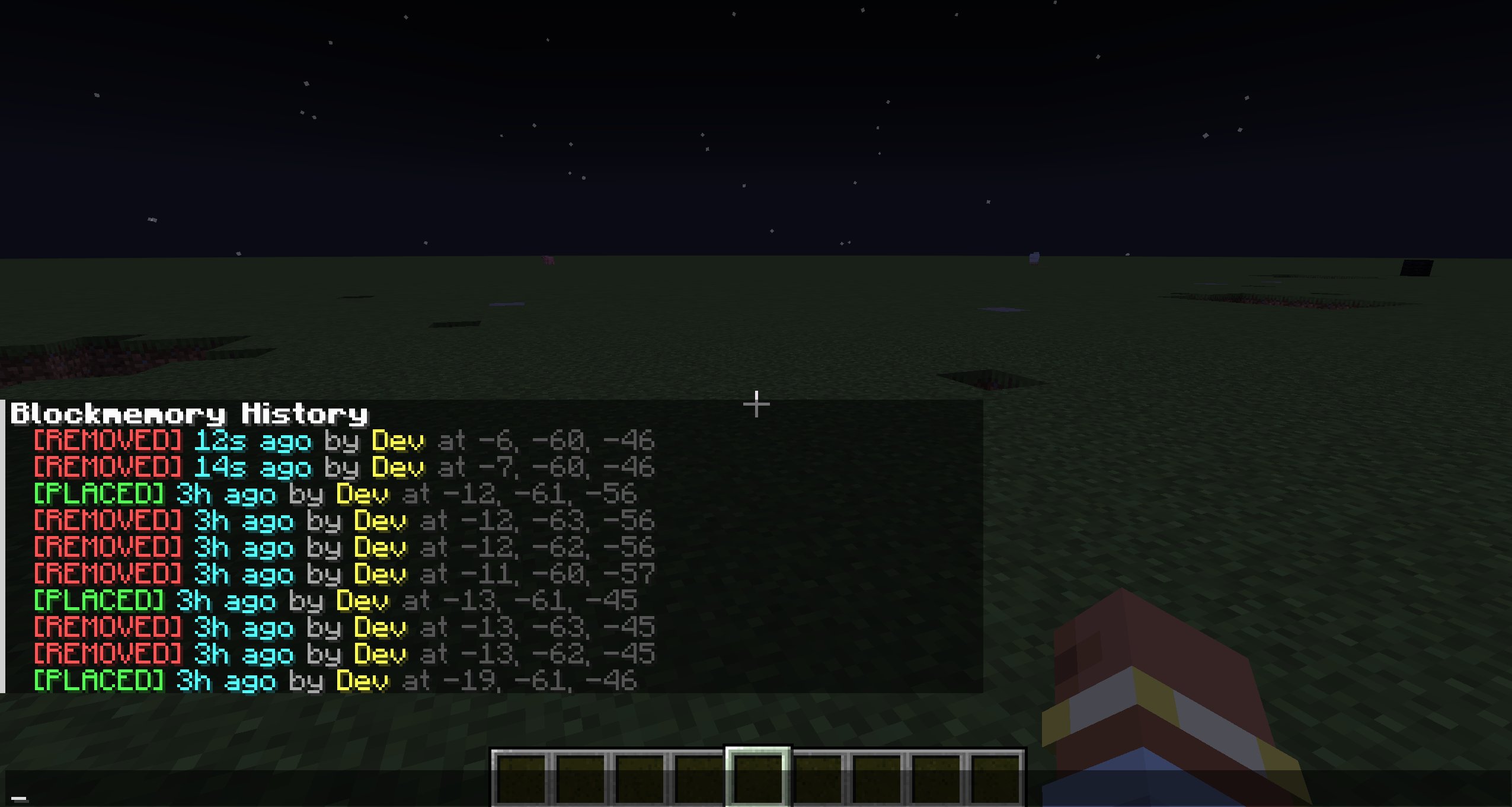
• See who placed or removed tracked blocks.
• Investigate supported container deposits and withdrawals.
• Search activity by player, time, location, block or item.
• Review recorded hopper transfers and machine changes.
• Step through saved journal events with private visual markers.
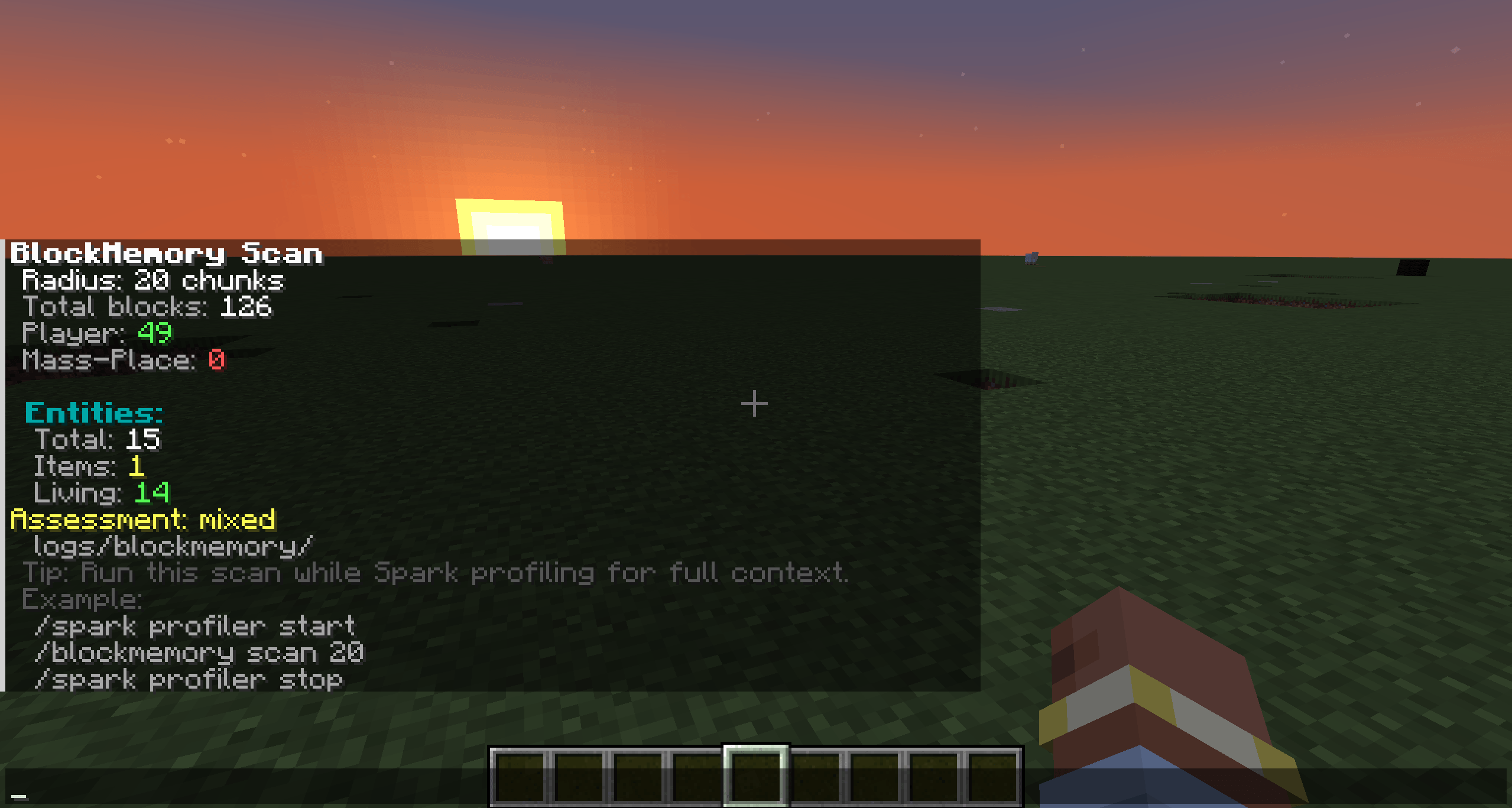
• Check nearby activity and player presence.
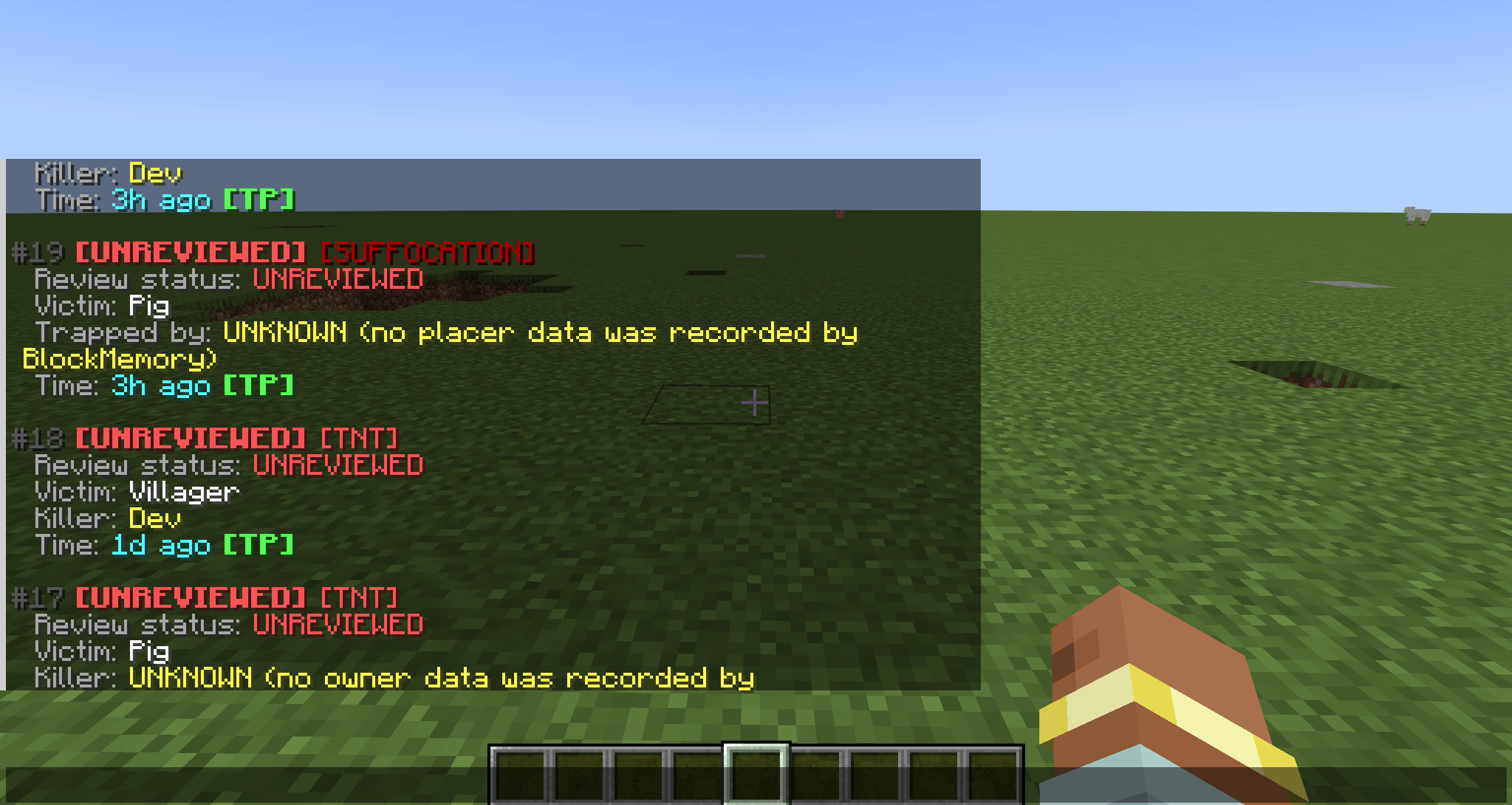
• Track TNT and suffocation incidents.
• Create watched and suppressed areas.
• Save, claim, review and add notes to investigations.
• Keep track of staff work through the queue and audit history.
• Use Doctor and Journal Status for diagnostics and recording information.
Block Memory 1.11
Version 1.11 adds container history, an investigation journal, machine monitoring, combined search and visual investigation tools. It also improves Help pages and staff displays, alongside the existing archive, restore and data-management tools.
Minecraft: 1.20.1
Loader: Forge
Block Memory: 1.11.0.-1.20.1
Java: 17
The Fabric version is maintained separately. This 1.11 update is for Forge and the fabric version will be out with time.
Block Memory uses the custom Setokaiba218 Project Licence and is not licensed under MIT.
Any feedback, suggestions or useful bug reports are appreciated!
Full Feature List:
Block Memory gives staff recorded evidence and context. Information that cannot be confirmed stays unknown.
Block investigation
• Track direct player block placement and removal.
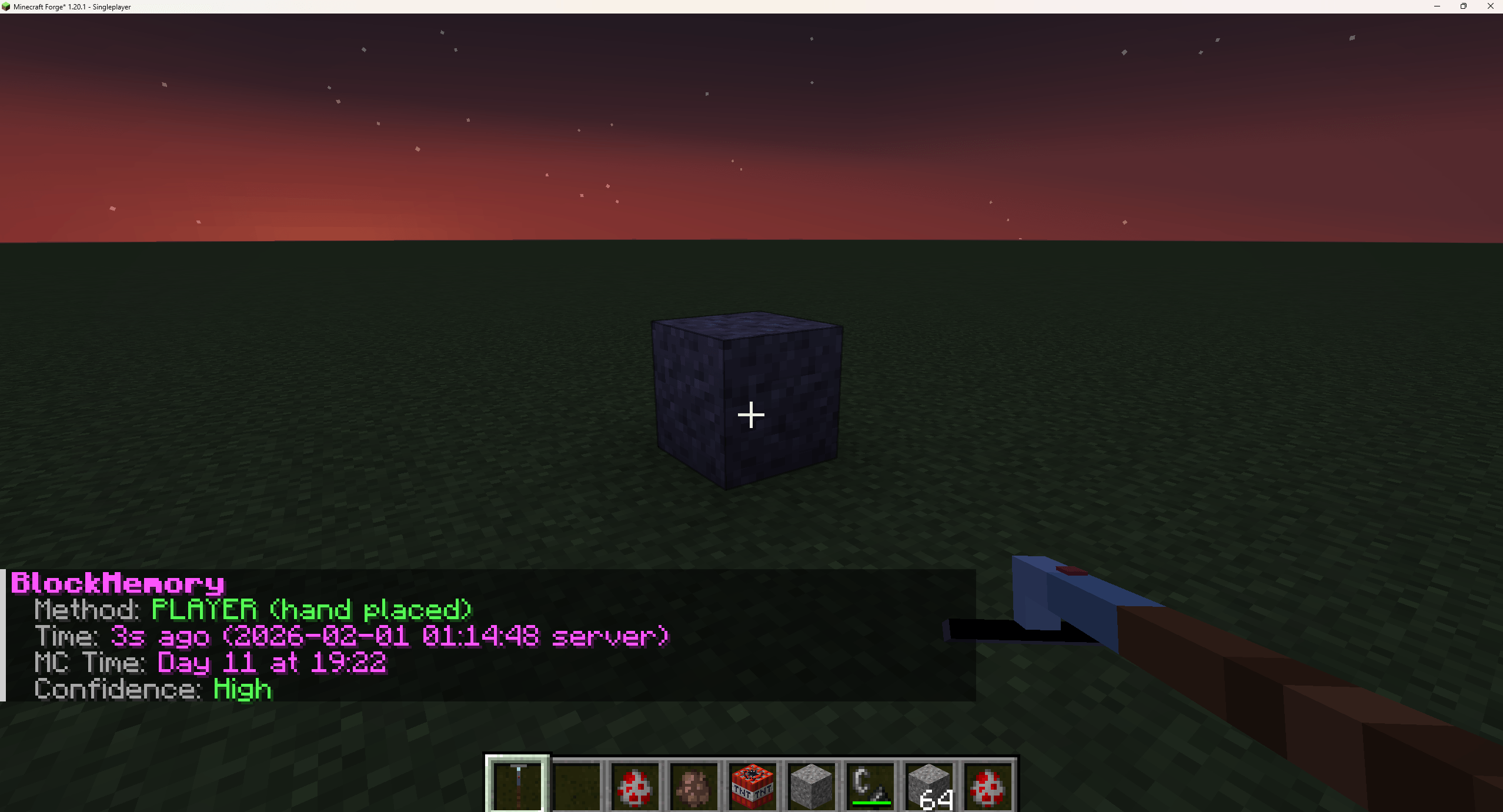
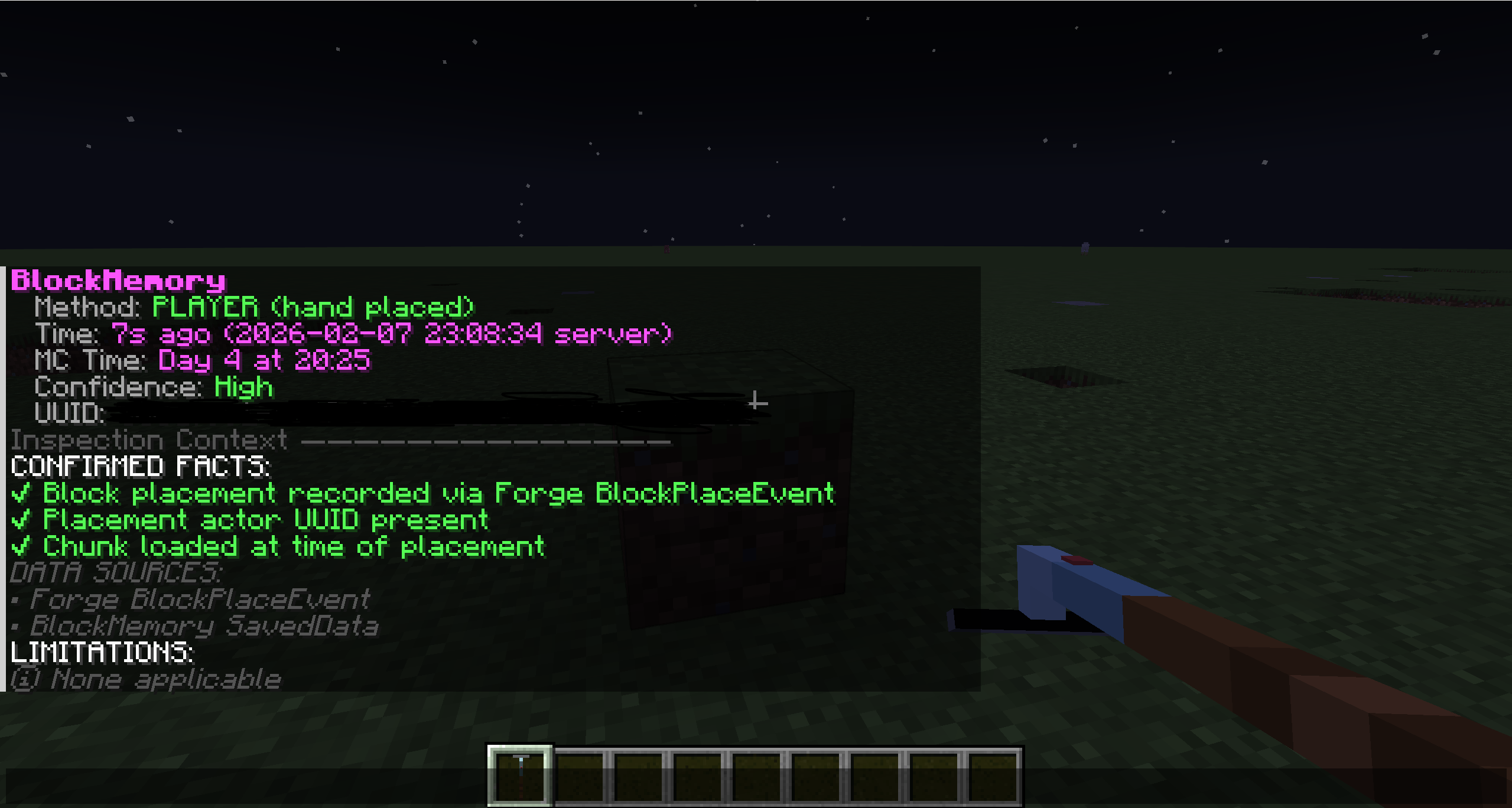
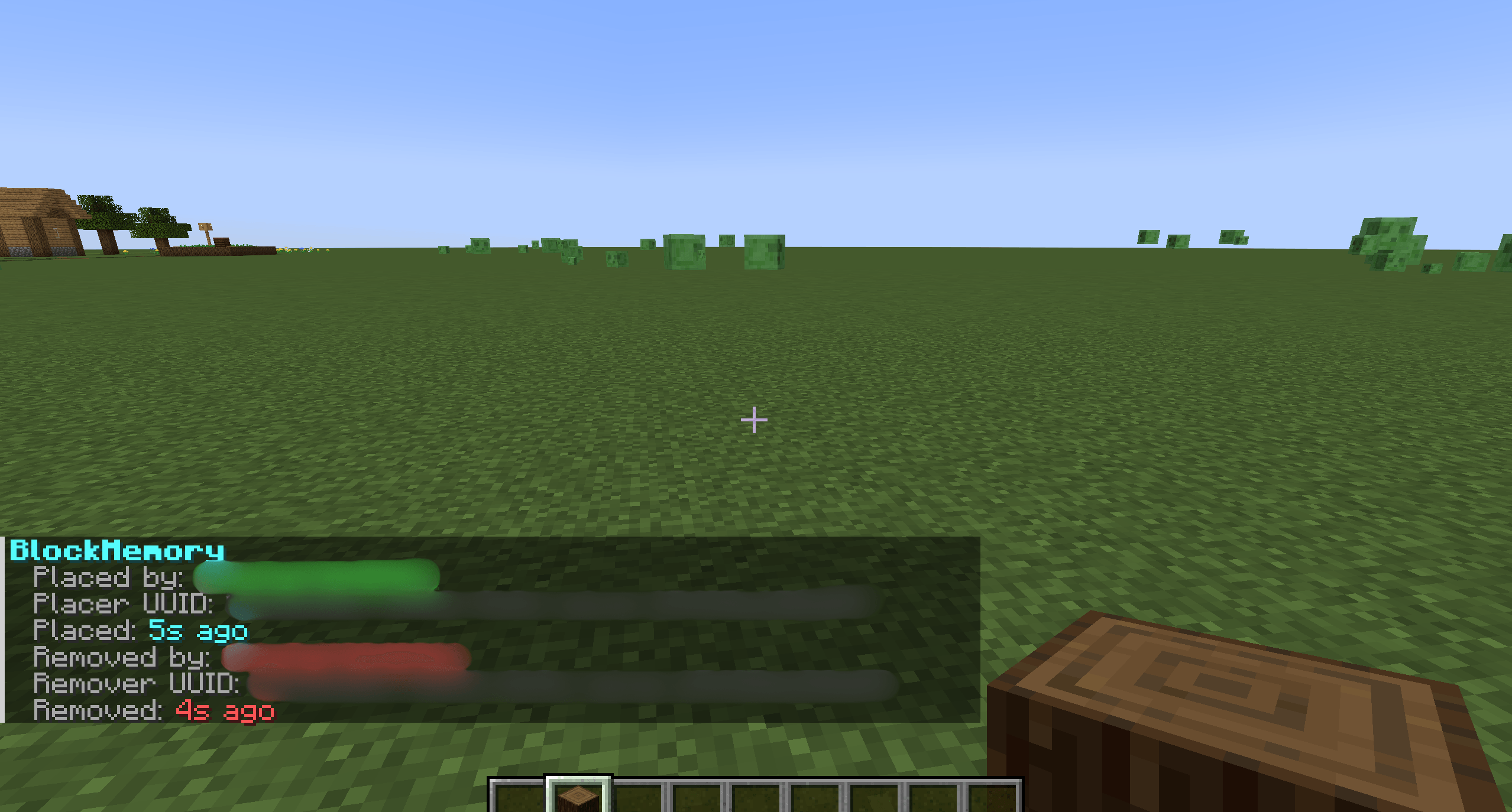
• Check recorded players, UUIDs, times and placement/removal methods.
• Inspect tracked blocks with the Block Scanner or commands.
• Look at nearby activity and player activity summaries.
• View recent actions and top actors.
• Run configurable scans and generate reports or exports.
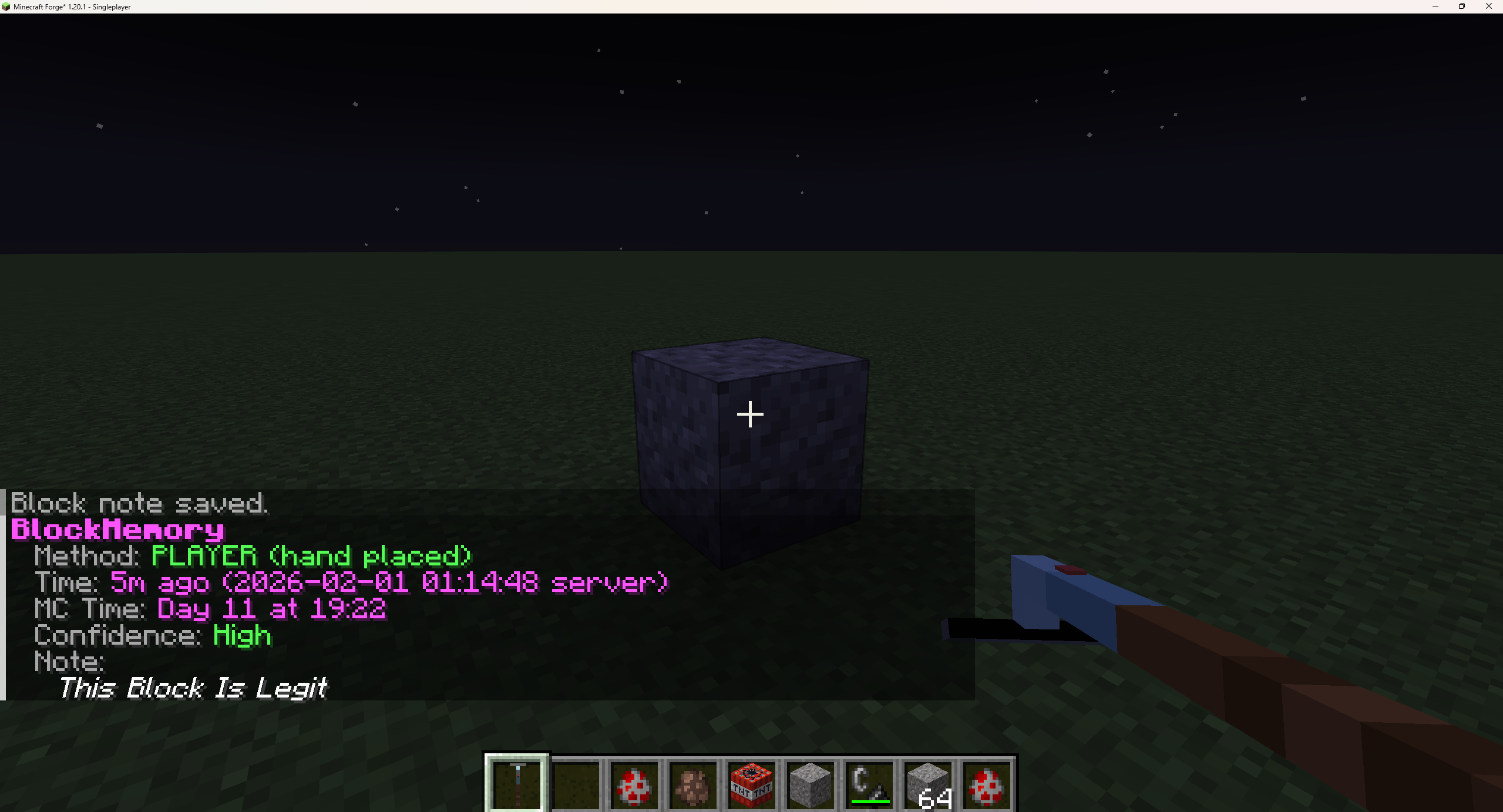
• Add staff notes to block records.
• Use clickable details and copy actions where supported.
• Set a personal timezone for displayed timestamps.
New placement and removal records retain their own block IDs for historical filtering. Older records without a saved type remain unknown.
Block history retains placement/removal information per position. It does not keep every repeated place/break cycle at that position.
Item and container history
Staff can investigate recorded item movements in supported containers, including normal supported block-backed inventories and double containers.
Records can show:
• The deposited or withdrawn item.
• The quantity and direction of the movement.
• The container’s block type and position.
• The time of the change.
• The directly recorded player name and UUID.
• The capture source and related records from the same operation.
Deposits and withdrawals remain separate, even when one operation changes several items. Directly captured names also enter the saved username lookup for later investigations.
Look at a supported container and use:
/Blockmemory Containers
/Blockmemory Journal
/Blockmemory Journal Player <nameOrUUID>
/Blockmemory Journal Batch <id>
/Blockmemory Journal Inspect <id>
/Blockmemory Journal Export
/Blockmemory Journal Status
Container openings without an inventory change do not create item movement records. Breaking a chest records the block action; it does not identify who later collected the spilled items.
Custom storage interfaces, entity inventories, virtual storage and mod-specific packets need individual verification or integrations. A chest-like screen alone does not guarantee support.
Combined search
Search available block and journal records together in your current dimension. Filters cover player names or UUIDs, time windows, exact dates, radius, saved areas, action types, block IDs and item IDs.
/Blockmemory Search Help
/Blockmemory Search player:Alex time:24h action:remove block:minecraft:stone radius:32
/Blockmemory Search time:24h action:withdraw item:minecraft:diamond radius:32
/Blockmemory Search area:”Town Hall” time:7d action:setting
Replace the example player and saved area with ones from your server. Filters can appear in any order and must match the same action. Several action types can be selected together. Archived saved areas can also supply search bounds without being restored.
Results include hover information, Copy and journal Details buttons. Searches retain up to the newest 500 matches, with 15 rows per page. The search location and results stay fixed while paging.
Results expire after five minutes or when replaced by a new search. Buttons check the original staff member, dimension and current permissions. Narrow the filters when you need older results beyond the retained limit.
Hopper transfers and machine monitoring
Hopper transfers can be recorded as automated inventory movements. Selected blocks can also be monitored for later inventory and setting changes while their chunks are loaded.
/Blockmemory Monitor
/Blockmemory Monitor Add
/Blockmemory Monitor Remove
/Blockmemory Monitor Fields
/Blockmemory Machine
Setting capture covers block-state changes and explicitly configured block-entity fields. Monitor Fields helps staff inspect the installed machine’s field names before configuring them.
Automated transfers and changes found by monitors keep an unknown player. They are never assigned to the owner or someone standing nearby.
Visual investigation
Visual tools show private markers for saved journal events, helping staff step through recorded changes and their locations.
/Blockmemory Visual Start [minutes] [radius]
/Blockmemory Visual Next
/Blockmemory Visual Previous
/Blockmemory Visual Play
/Blockmemory Visual Pause
/Blockmemory Visual Stop
The radius is measured in blocks. Playback uses saved evidence; it does not reconstruct a complete scene or restore blocks and items.
Context and presence
• View nearby block activity around an investigated event.
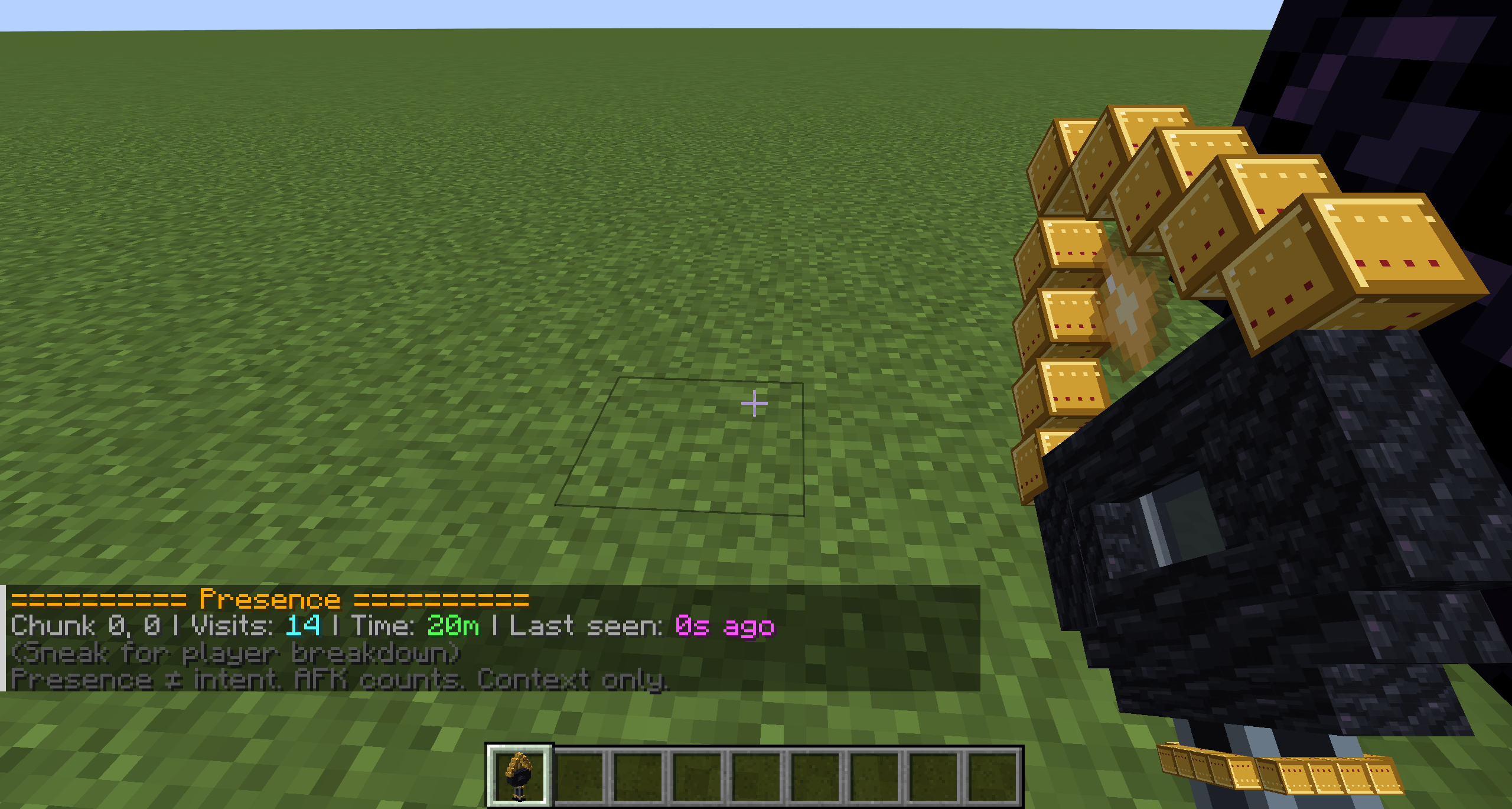
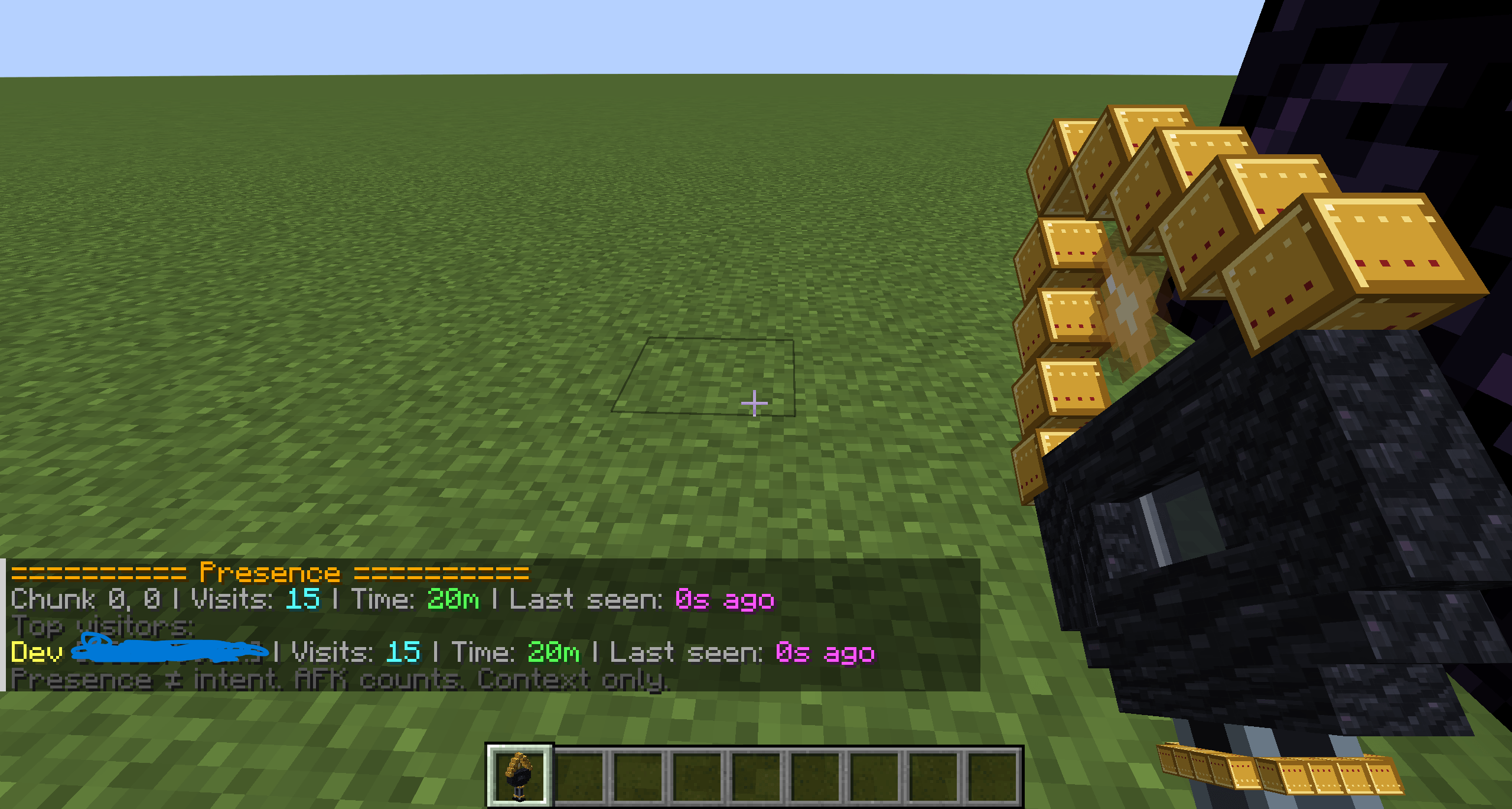
• Use the Presence Wand to check recorded chunk visits.
• See visit counts, time present and last-seen information.
• Use presence as supporting context during an investigation.
Being nearby is not proof that a player caused an event. Presence records can include time spent AFK.
Incidents and alerts
Block Memory keeps persistent TNT and suffocation incident records, along with neutral alerts for bursts of block removal.
• Inspect incidents and alerts by their saved IDs.
• Generate reports and copy investigation information.
• Claim and unclaim investigations.
• Keep incident review states and staff notes.
• Configure removal-burst thresholds and time windows.
• See relevant saved-area information.
• Archive records and restore them when needed.
• Permanently delete archived records through the confirmation workflow.
Alerts report activity for staff to investigate. They do not automatically decide whether a player has done something wrong.
Saved areas
Create watched areas for important locations and suppressed areas to reduce alert noise from expected activity.
• Identify areas by ID or name.
• Inspect their bounds and check which areas contain your position.
• Preview boundaries with particles.
• Rename, resize, expand and shrink existing areas.
• Set vertical Y ranges.
• Archive, restore or permanently delete areas through the staff workflow.
/Blockmemory Area Here
/Blockmemory Area Preview <idOrName>
/Blockmemory Area Rename <idOrName> <newName>
/Blockmemory Area Resize <idOrName> Pos1
/Blockmemory Area Resize <idOrName> Pos2
/Blockmemory Area Expand <idOrName> <chunks>
/Blockmemory Area Shrink <idOrName> <chunks>
Saved area Remove archives the area. Archived watched and suppressed areas no longer affect burst matching.
Staff queue and audit history
/Blockmemory Queue brings relevant alerts and incidents together, including claim information, clickable shortcuts and staff join notifications where configured. Archived records leave the active queue.
/Blockmemory Audit records supported staff management actions with the staff member, action, target, dimension, time and a short summary. Filters are available for staff, alerts, incidents and saved areas.
Audit entries remain available when the original record is permanently deleted, subject to the audit retention settings. Older staff actions are not invented when loading an older world.
Safer deletion and data management
Alerts, incidents and saved areas must be archived before permanent deletion. Confirmation expires after 60 seconds and is tied to the same staff member, target and dimension. Pending confirmations disappear when the server restarts.
Block and staff data management includes statistics, retention settings, prune previews and confirmed manual pruning:
/Blockmemory Data Stats
/Blockmemory Data Prune Preview
/Blockmemory Data Prune
Retention values of 0 keep that category indefinitely. Protected block/staff records are kept, including active records and the applicable staff-noted records. Audit history is kept indefinitely by default. Pruning is bounded and runs manually.
The journal has its own limits and pruning workflow:
/Blockmemory Journal Status
/Blockmemory Journal Prune Preview <days>
/Blockmemory Journal Prune Confirm <days>
The default journal limit is 50,000 records per dimension. Recording pauses at configured capacity rather than deleting old records. Use Journal Status to check recording settings, storage limits and capture gaps.
Doctor and support reports
/Blockmemory Doctor checks configuration and existing block/staff data and writes TXT and JSON support reports. These include version information, saved-data schema checks, active/archive counts, audit information, queue health, retention settings and saved-area checks.
Reports are written to:
logs/Block Memory/Block Memory-doctor-latest.txt
logs/Block Memory/Block Memory-doctor-latest.json
The new journal’s capacity and capture-gap counters are available through Journal Status; they are not yet included in Doctor.
When reporting a problem, include your Minecraft, Forge and Block Memory versions, the action or command involved and steps to reproduce it. Review reports before sharing server-specific information publicly.
Configuration, permissions and saved data
Forge uses per-world configuration at:
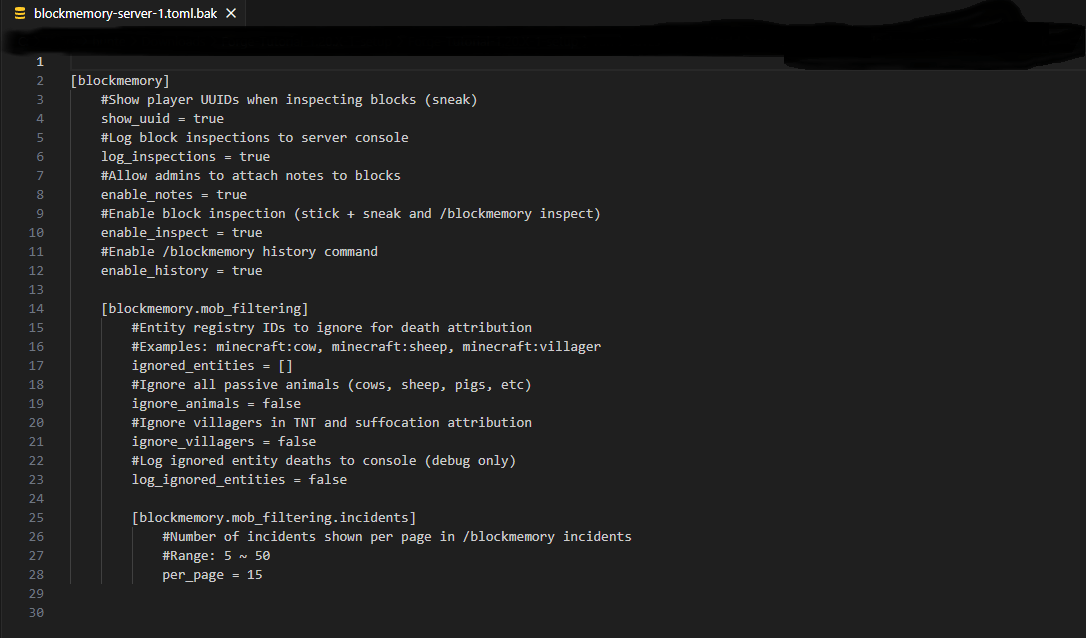
<world>/serverconfig/blockmemory-server.toml
Settings cover investigation features, alerts, incidents, areas, notifications, retention and journal capture/storage limits.
Permission nodes and operator/admin access control staff tools. The new journal and visual permissions are:
blockmemory.investigation.view
blockmemory.investigation.manage
blockmemory.visual.view
Give investigation access to trusted staff. Main Help follows the caller’s permissions and provides paged examples, hover descriptions and commands that can be edited before submitting.
Investigation data is stored with the world, including block records, notes, presence, alerts, incidents, claims, saved areas, audit history and the journal. Saved data is versioned, with support for migrating supported older formats.
Keep a world backup before updating, and test this beta on a copy of an existing world before using it on your main server.
Utility tools
• Block Scanner.
• Presence Wand.
• Memory Stick.
• Block Memory creative tab, icon and item textures.
• In-game copy actions, reports and readable Help pages.
常见问题
Block Memory 支持哪些 Minecraft 版本?
Block Memory 支持 Minecraft Java 版 1.20.1,可用的加载器:Fabric / Forge。下载时注意选择和你游戏版本一致的文件。
Block Memory 怎么安装?
先用 PCL2 或 HMCL 启动器安装对应版本的 Fabric / Forge,再把下载的 .jar 文件放进游戏目录的 mods 文件夹,重新启动游戏即可。开启了版本隔离的,mods 文件夹在 versions/版本名 下面。
Setokaiba218 的其他作品
查看全部 →
DND Styled Origins
This datapack adds 10 new Origins races , it is a race selection based of DND races.

Crash Link
Crash reports made easy for both clients and dedicated servers, with mclo.gs uploads, support questions and support packets.

Fantasy Exhibition
Unearth ancient monoliths, brave alien dimensions, and dive into abyssal trenches—but beware the creeping Corruption.

Fantasy Exhibition S2
Venture into the unknown—where ancient monoliths whisper secrets and ocean abysses hide unspeakable horrors.
评论
登录后评论和评分