FPS BOOST -Fake-
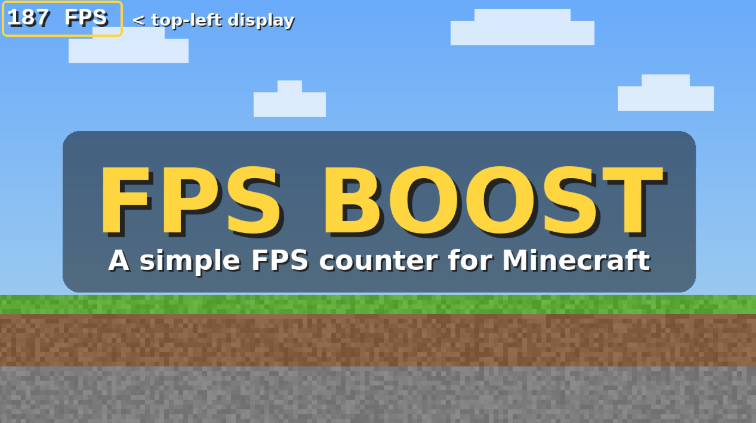
A simple FPS counter in the top-left corner. It adds +100 to the number, so it's fake: a joke mod that does not boost your real performance.
截图
介绍
# FPS BOOST fake **Heads up: this mod is fake.** It does not boost your FPS. It only shows a number on your screen, and that number is fake too. ## What it does FPS BOOST fake displays an FPS counter in the top-left corner of your screen. It measures the frames your game really renders each second, then adds +100 to the result. If you play at 60 FPS, the mod shows 160. Your real performance does not change at all. It’s a joke mod, made for fun. ## Features – Simple FPS counter in the top-left corner – Displayed value is boosted by +100 (fake!) – Hidden automatically when the F3 debug screen is open – Client-side only, nothing to install on servers – Lightweight, no configuration needed ## Why “fake”? Because we prefer to be honest: no overlay can magically add 100 FPS. If you want real performance gains, try an optimization mod such as Embeddium. This one just makes the number look better. Think of it as a harmless prank to show your friends, a gag for your videos, or simply a counter with a little extra confidence. ## Installation
常见问题
FPS BOOST -Fake- 支持哪些 Minecraft 版本?
FPS BOOST -Fake- 支持 Minecraft Java 版 1.16–26.3,共 40 个版本,可用的加载器:Fabric / Forge / NeoForge。下载时注意选择和你游戏版本一致的文件。
FPS BOOST -Fake- 怎么安装?
先用 PCL2 或 HMCL 启动器安装对应版本的 Fabric / Forge / NeoForge,再把下载的 .jar 文件放进游戏目录的 mods 文件夹,重新启动游戏即可。开启了版本隔离的,mods 文件夹在 versions/版本名 下面。

评论
登录后评论和评分