
Wintery Atmosphere
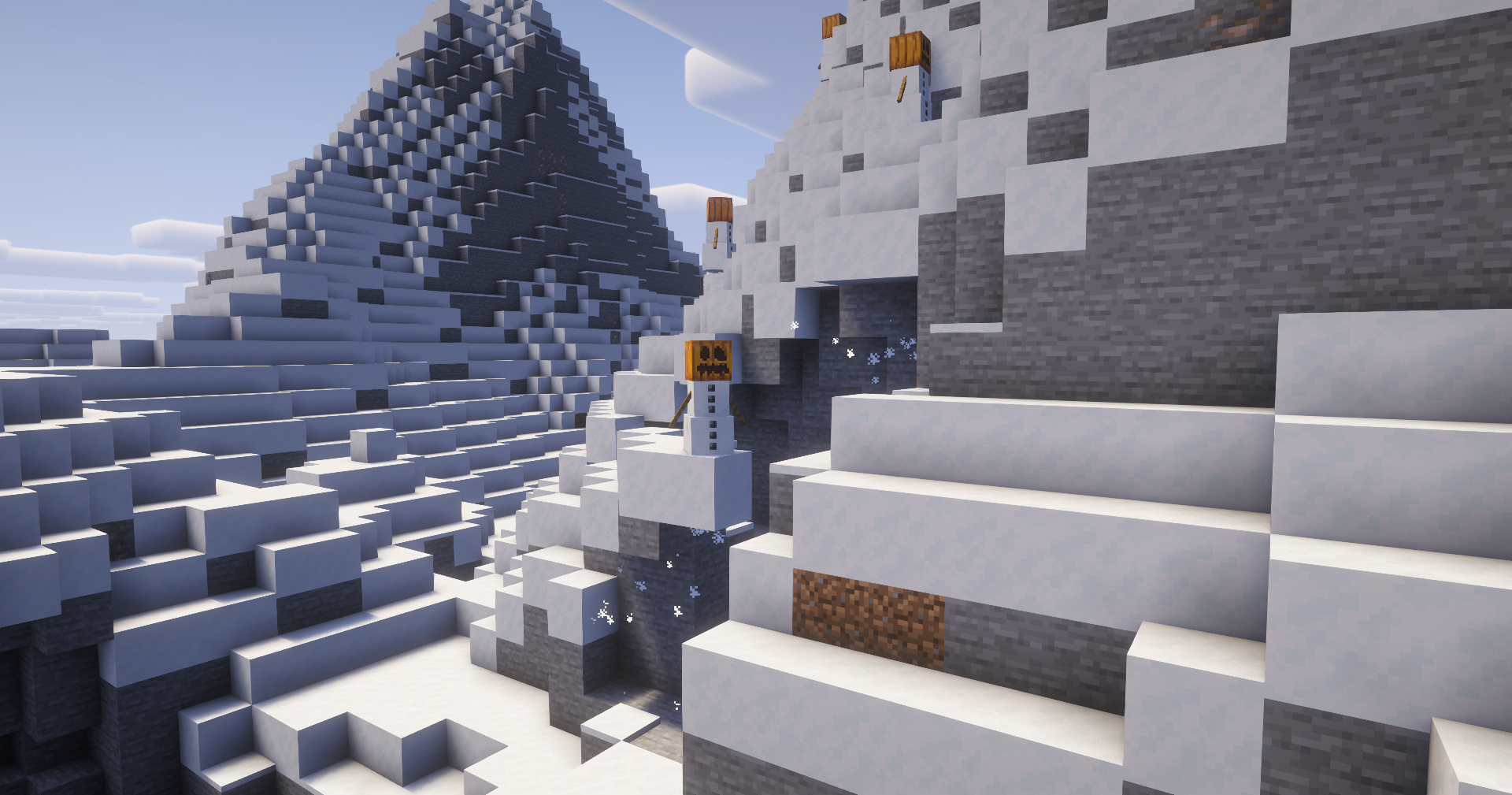
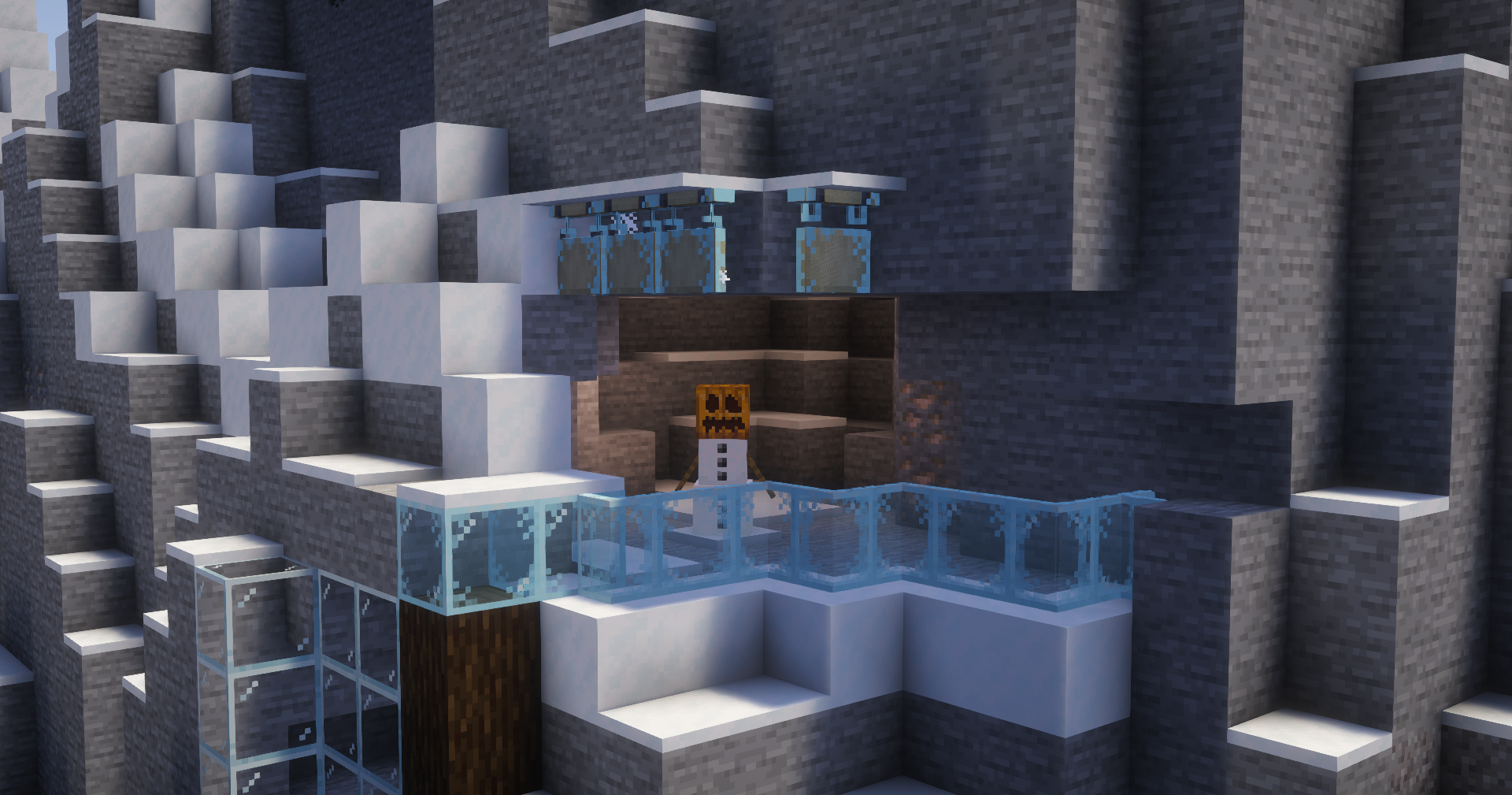
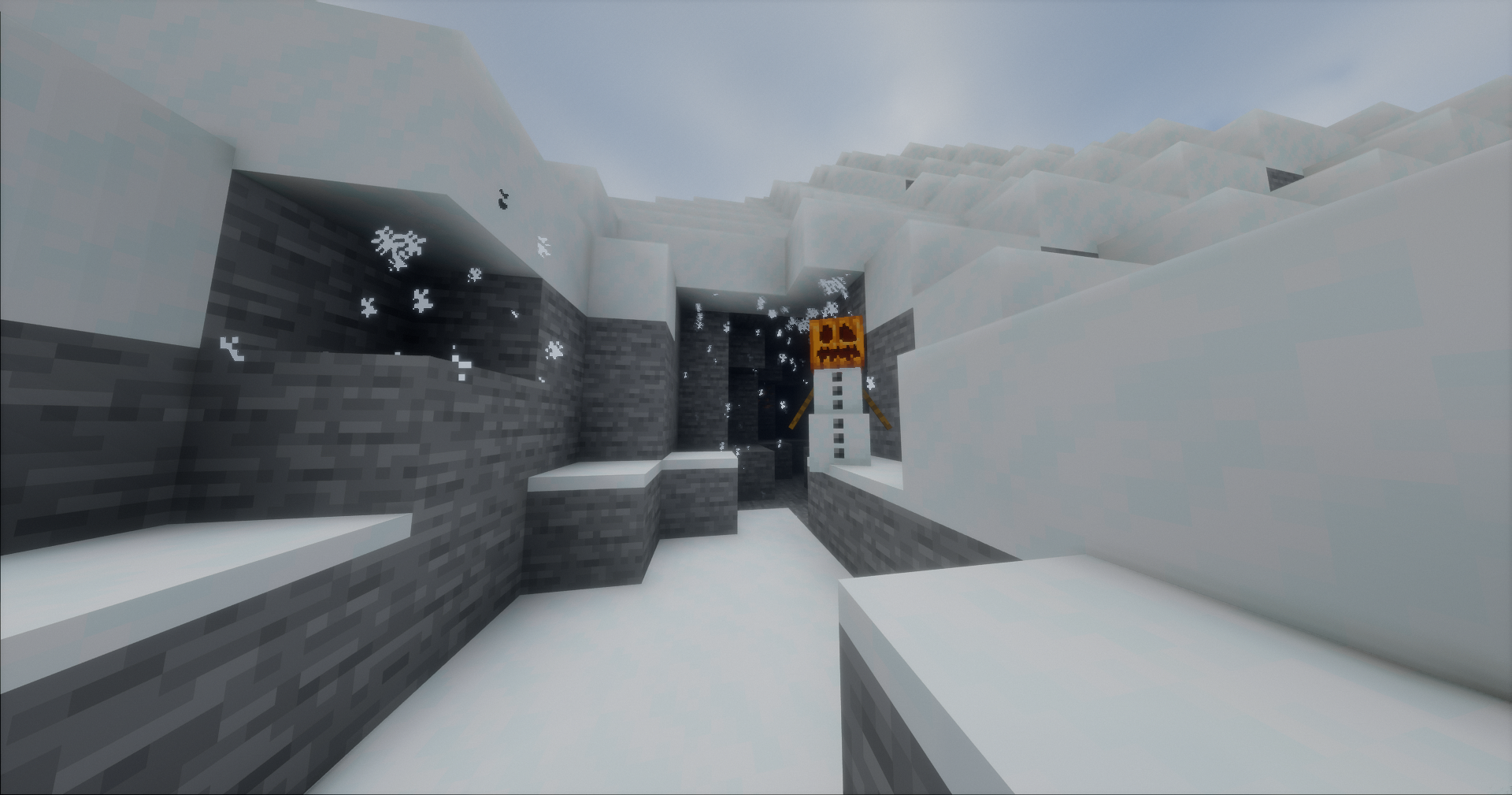
Adds snow particles falling from snow, snow blocks, and powder snow when there's air or transparent blocks underneath, plus frost overlays on glass and other clear surfaces near snow.
截图

介绍

A small client-side mod that makes snowy places feel alive.
Snowflakes drift from snowy overhangs, cliffs, and cave entrances. Frost quietly builds up on glass and other transparent surfaces near snow.
No new blocks. No items. No gameplay changes.
_Just a little more winter._

Snow naturally falls from:
- Snow layers
- Snow blocks
- Powder snow
- Hollow transparent blocks, such as glass panes
Particles appear wherever there is open space underneath, making snowy overhangs and cave entrances feel more natural.

Snow can leave a subtle layer of frost on nearby transparent surfaces.
Supported surfaces include:
- Glass
- Glass panes
- Other transparent full blocks
The effect stays purely visual and disappears when the conditions for frost are no longer met.

Signs and hanging signs can also become frosted over, adding another small detail to snowy builds.
Available on Minecraft 26.x.

Requires
For Fabric
For Quilt
- Quilted Fabric API (for 1.18.2, 1.19.4 and 1.20.1 for Quilt)
Designed to Stay Out of the Way
Wintery Atmosphere is fully client-side and lightweight.
It doesn’t add items, blocks, recipes, entities, or gameplay mechanics. It simply adds environmental details that make snowy areas feel a little less static.
Compatibility
Wintery Atmosphere supports Fabric, Quilt, and NeoForge. _Forge support coming soon :)_
- For 1.18.2, 1.19.4 and 1.20.1 there is a dedicated Quilt version, and after that, you’ll need to use the Fabric version.
- NeoForge versions don’t exist before 1.20.2 because NeoForge is relatively new, and it simply didn’t exist back then.
Why?
Because the Quilted Fabric API was discontinued, and the versions after the above mentioned don’t need the designated Quilted Fabric API because Quilt can read both Wintery Atmosphere and the Fabric API without issues after 1.20.1.
| Minecraft | Fabric | NeoForge | Forge | Quilt |
| — | — | — | — | — |
| 26.3 | ✅ | ✅ | ✅ | Fabric version works on Quilt |
| 26.2 | ✅ | ✅ | ✅ | Fabric version works on Quilt |
| 26.1.x | ✅ | ✅ | ✅ | Fabric version works on Quilt |
| 1.21.x-1.20.2 | ✅ | ✅ | ✅ | Fabric version works on Quilt |
| 1.20.1 | ✅ | ❌ | ✅ | ✅ |
| 1.20 | ✅ | ❌ | ✅ | ❌ |
| 1.19.4 | ✅ | ❌ | ✅ | ✅ |
| 1.19.3 | ✅ | ❌ | ✅ | ❌ |
| 1.19 | ✅ | ❌ | ✅ | ❌ |
| 1.18.2 | ✅ | ❌ | ✅ | ✅ |
| 1.18.1 | ✅ | ❌ | ❌ | ❌ |
| 1.18 | ✅ | ❌ | ❌ | ❌ |
常见问题
Wintery Atmosphere 支持哪些 Minecraft 版本?
Wintery Atmosphere 支持 Minecraft Java 版 1.18–26.3,共 32 个版本,可用的加载器:Fabric / Forge / NeoForge / Quilt。下载时注意选择和你游戏版本一致的文件。
Wintery Atmosphere 怎么安装?
先用 PCL2 或 HMCL 启动器安装对应版本的 Fabric / Forge / NeoForge / Quilt,再把下载的 .jar 文件放进游戏目录的 mods 文件夹,重新启动游戏即可。开启了版本隔离的,mods 文件夹在 versions/版本名 下面。运行环境:仅客户端。
Capybarabeef Studios 的其他作品
查看全部 →
Autumn Drop Backport
This mod aims to recreate the Dappled Forest and other features showcased during the latest Minecraft LIVE.

DevTools
A utility mod, that enables you to select different parts of your world and see information about them and debug them.

Command Helper
This mod helps players who want to explore the versatility of Minecraft commands without reading long documentation.
评论
登录后评论和评分