截图

介绍
 Want to add bazookas to minecraft but don’t want to download huge mods?
Want to add a little heavy weaponry to your gun mod?
Or just simply love rockets?
ARL, which is simple to operate and does not require complicated formulas, is your best choice!
Introduction
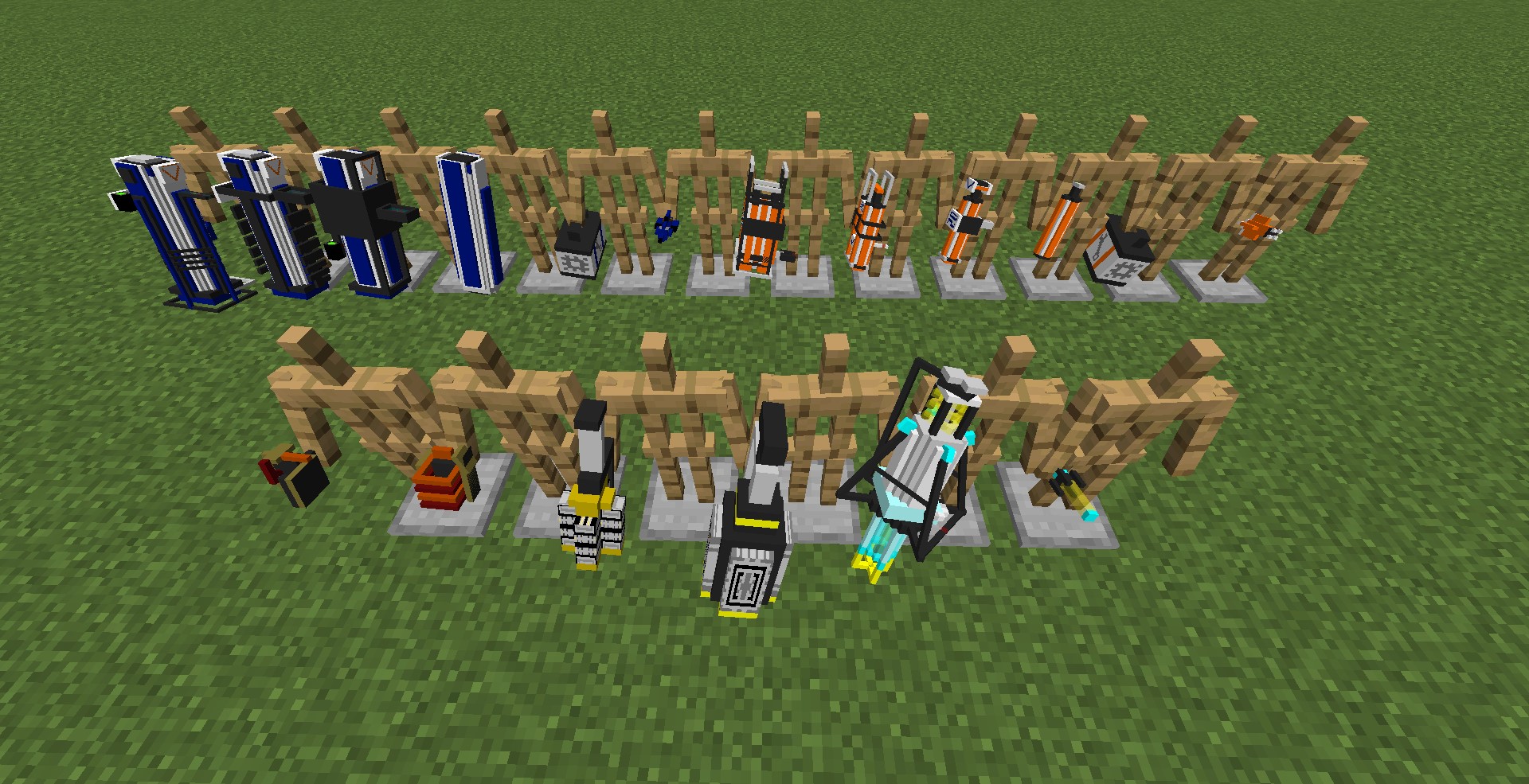
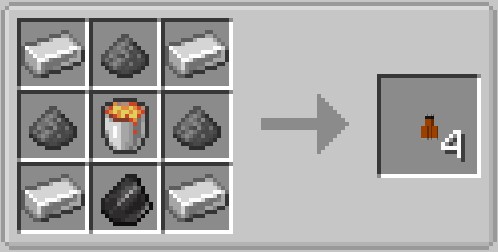
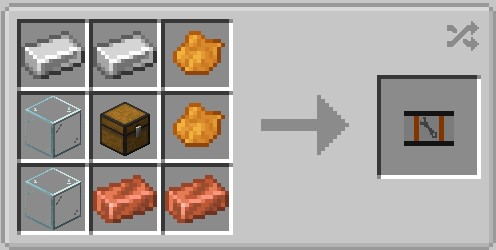
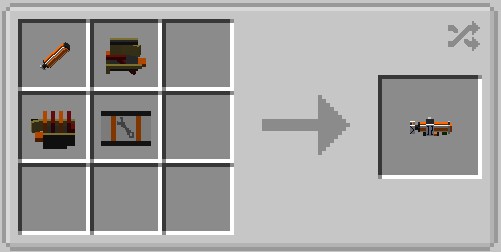
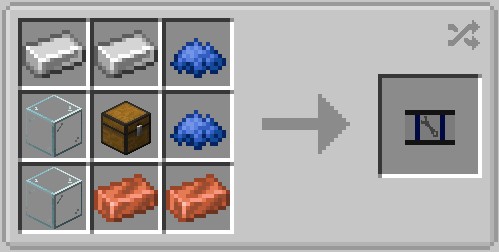
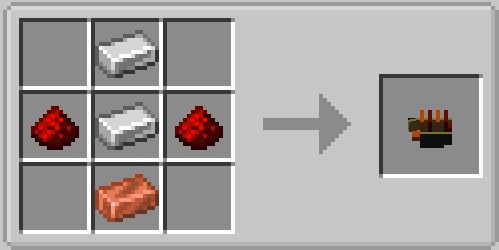
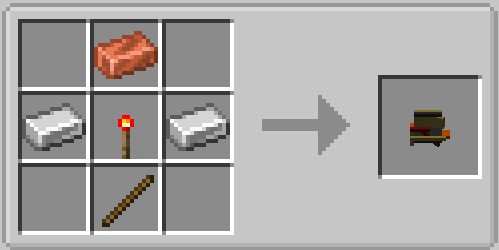
Based on the original minecraft materials can be used to synthesize rocket launcher parts, and use the material package (Parts kit) to upgrade.
The weapons provided by ARL will not break the balance of the game, which means that you can enjoy the fun of explosion and have the game experience at the same time.
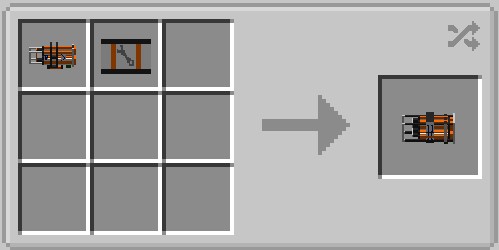
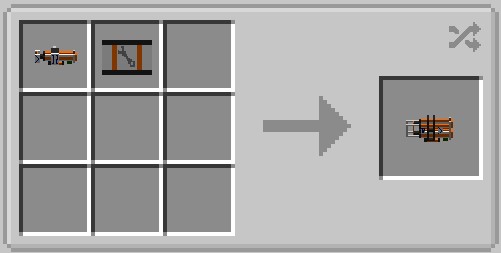
There are three versions of the rocket launcher. After you assemble the first one, the latter two can be upgraded through the parts kit. The rocket launcher added in the update will also be designed according to this model.
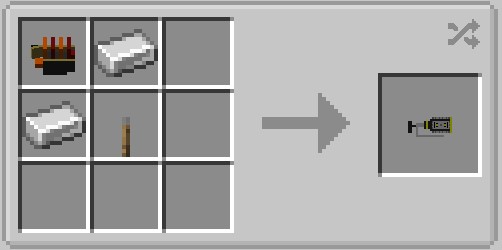
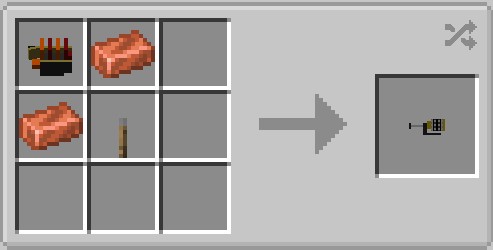
< Synthetic formula is in the “Images” >
Operate
Right click to shoot, long press to aim. The right hand is held, and the left hand is placed behind the back by default.
Some rocket launchers have a short-term night vision effect when used, and the effect can be obtained by pressing and holding the left button.

Version history
ARL_v1.0_1.19.2 (A)
release the first version
Already tested.
Basic rocket launcher and some parts
ARL_v1.1_1.19.2 (B)
Add new items
Already tested.
Added Tinder series rocket launcher
ARL_v1.2_1.19.2 (R)
Add new items
Already tested.
Add some convenience tools
If you have any questions, please send a message to [email protected]
Or leave a message directly in the module comment area
中文介紹放在MC百科,網站連結: https://www.mcmod.cn/class/9392.html。< 合成表放在圖片(Images) >
常见问题
Allen’s Rocket Launcher (ARL) 支持哪些 Minecraft 版本?
Allen’s Rocket Launcher (ARL) 支持 Minecraft Java 版 1.19.2,可用的加载器:Forge。下载时注意选择和你游戏版本一致的文件。
Allen’s Rocket Launcher (ARL) 怎么安装?
先用 PCL2 或 HMCL 启动器安装对应版本的 Forge,再把下载的 .jar 文件放进游戏目录的 mods 文件夹,重新启动游戏即可。开启了版本隔离的,mods 文件夹在 versions/版本名 下面。
评论
登录后评论和评分