截图
介绍
Backpack Attribute
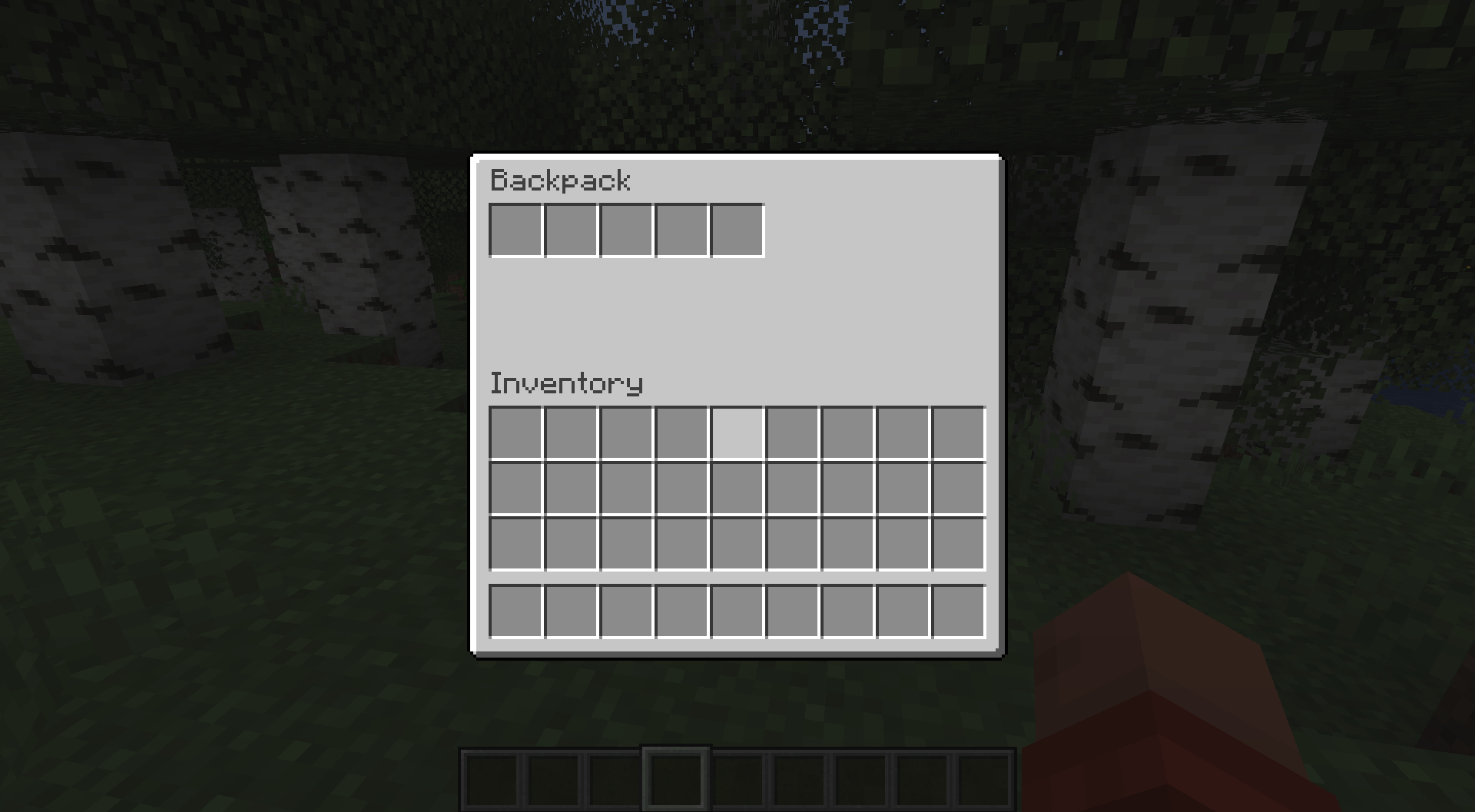
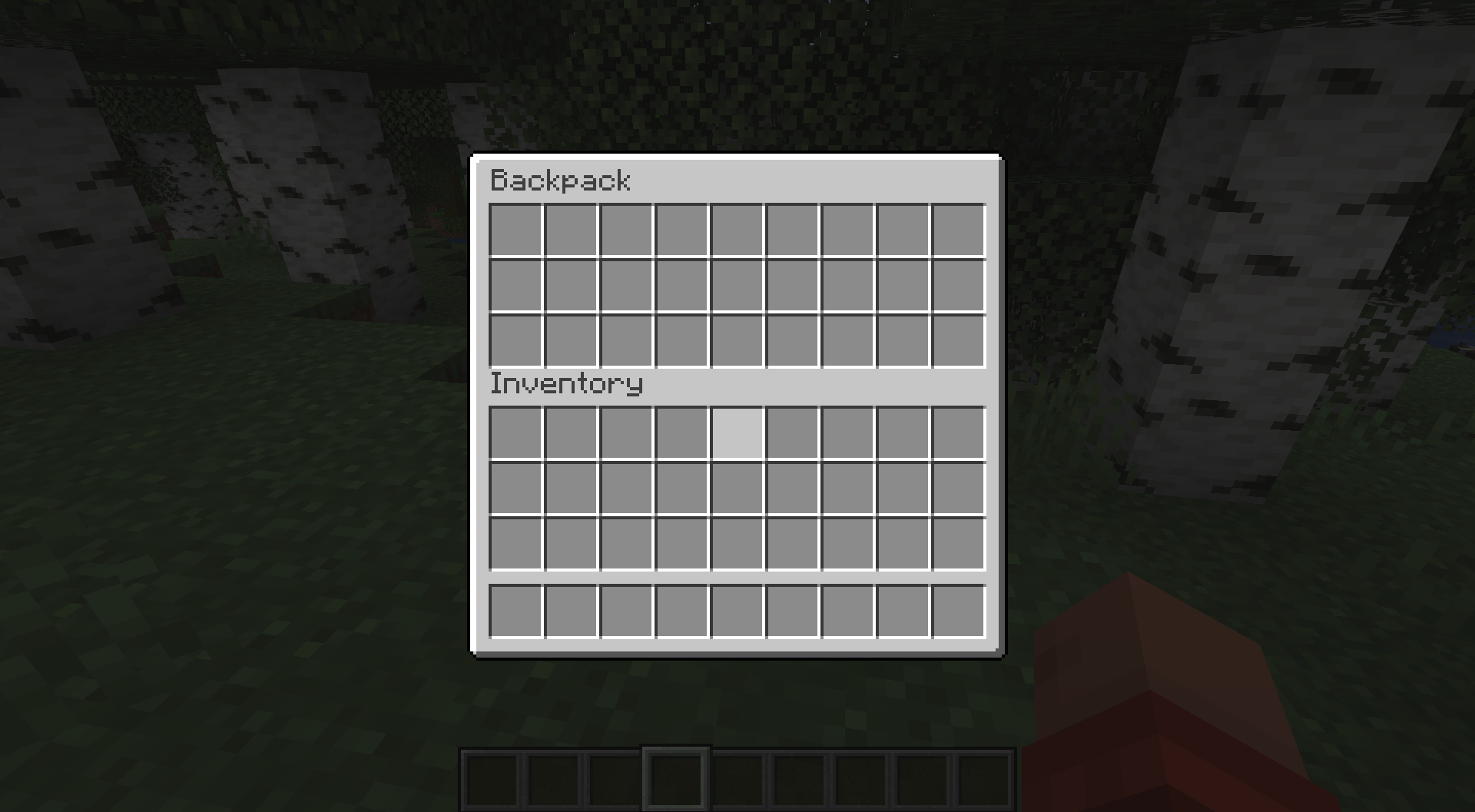
This is a different approach to a backpack in Minecraft. No backpack items are added, the backpack can be accessed at any time (depending on the config settings).
The player can open the new backpack screen via a hotkey (B by default).
The minimum amount of slots is 0, in which case the backpack screen won’t open. The player gets notified that they currently don’t have backpack slots.
The maximum amount of slots is 27.
Configuration
The value "default_backpack_slot_amount" in the server config file controls the amount of backpack slots each player has by default.
The entity attributes "generic.backpack_capacity" controls how many slots are added to/removed from the default amount. This is 0 by default, but with entity attribute modifiers (EAMs) it can be changed.
The background texture of disabled slots is not shown. This can be disabled in the client config.
"What happens to items in my backpack when my backpack gets smaller?"
When a backpack slot contains an item and becomes inactive, that item is moved to the normal inventory or dropped at the players location, when the inventory is full. This is announced to the player via a chat message.
"What happens to items in my backpack when I die?"
Two new game rules control what happens in the case of player death.
"keepBackpackInventory" defaults to false.
"clearBackpackInventoryOnDeath" defaults to false.
When "keepBackpackInventory" is set to true, the items stay in the backpack. This is similar to the vanilla gameRule "keepInventory".
When "keepBackpackInventory" is set to false, two outcomes are possible:
- When "clearBackpackInventoryOnDeath" is true, the items are destroyed.
- When "clearBackpackInventoryOnDeath" is false, the items are dropped on the players position.
Mod Compatibility
The backpack screen will not show disabled inventory slots, when "Inventory Size Attributes" is installed.
常见问题
Backpack Attribute 支持哪些 Minecraft 版本?
Backpack Attribute 支持 Minecraft Java 版 1.20.1–26.1.2,共 5 个版本,可用的加载器:Fabric。下载时注意选择和你游戏版本一致的文件。
Backpack Attribute 怎么安装?
先用 PCL2 或 HMCL 启动器安装对应版本的 Fabric,再把下载的 .jar 文件放进游戏目录的 mods 文件夹,重新启动游戏即可。开启了版本隔离的,mods 文件夹在 versions/版本名 下面。
TheRedBrain 的其他作品
查看全部 →
Shield API
制作带有自定义模型的盾牌,从未如此简单!

Bundle API
Bundle API 让模组作者可以轻松添加容量超过一组物品的收纳袋,袋中可存放由物品标签指定的物品。

Better Combat Extension
为“Better Combat”模组添加更多功能。

Slot Customization API
一个小型前置库,让模组能够动态调整物品栏槽位的位置,并启用或禁用槽位。
评论
登录后评论和评分