
截图
介绍
IMPORTANT!!!
If you have version 1.1 and you want to upgrade to 1.2.3 you might lose all the items from the mod.
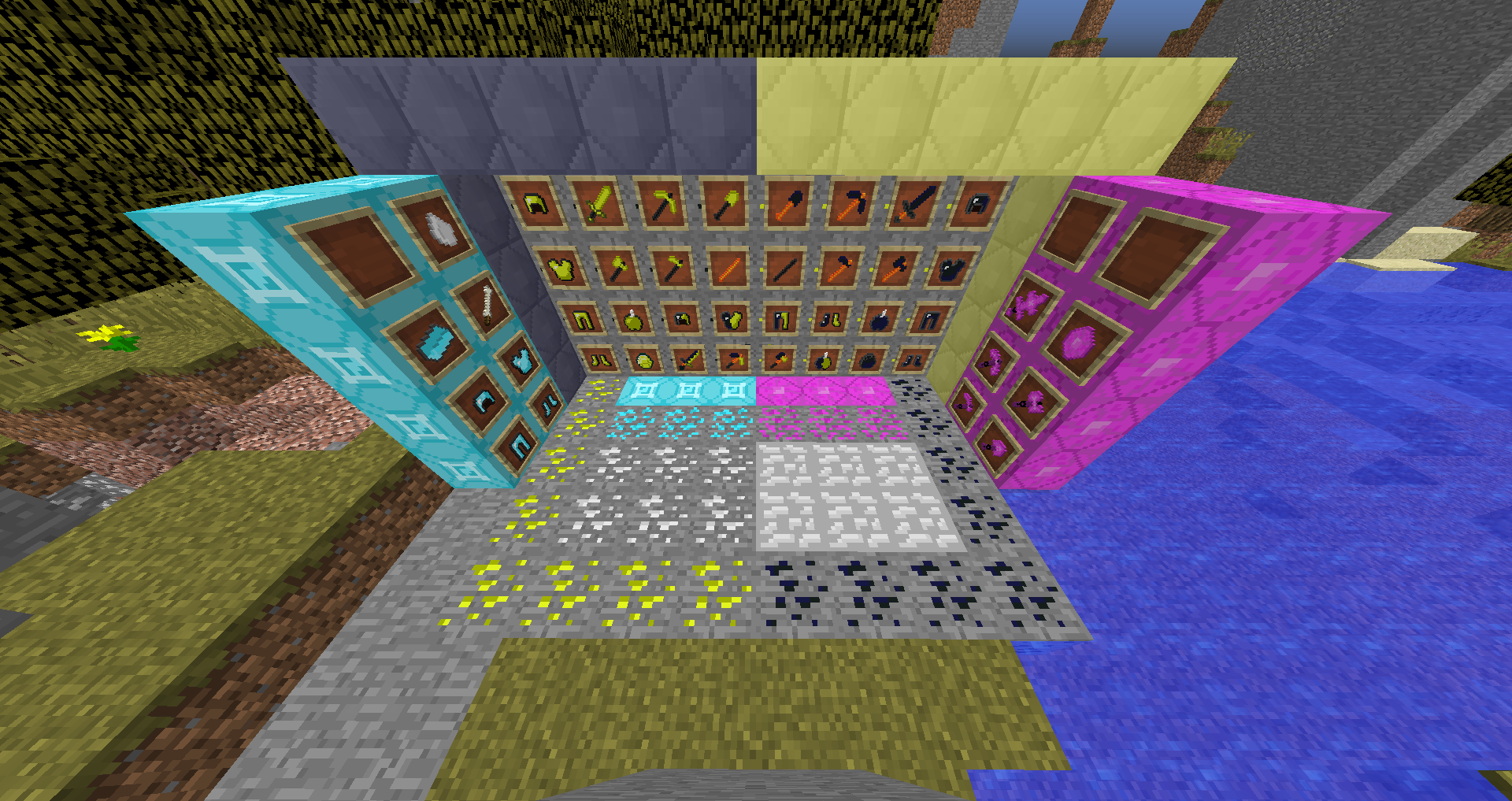
This mod adds 5 new ores, light ore, dark ore and more as well as 3 new Biomes
-Light ore is found between y=60 and y=70
-Dark ore if found between y=1 and y=4
-Both are pretty rare and need to be mined with a Diamond pick
-They drop their respective ores and need to be smelted.
-To craft armor, use the standard crafting style
-To craft tools, you will need a dark stick for light tools, and a light stick for dark tools.
-To craft these sticks use this:
(In Grid) 123
456
789
1 + 9 = empty
3,5,7 = stick
2,4,6,8 = blaze power for light, coal for dark
-You can also craft blocks with the gems, like diamond blocks.
-You can craft a Light and Dark tool by putting a dark and light version of the tool/armor in the left and right side of the crafting grid with a nether star in the middle. It’s a little expensive but has tons of cool enchants on it.
-Also adds 2 new biomes, a Dense Forest and a Gravel Galore biome.
-Light, Dark, and Light and Dark apples added, which provide awesome potion effects and can be crafted by putting an apple in the middle of the grid with the respective gem on the top and bottom.
-The mix version can be made by putting either one light and one dark apple in the grid, or an apple in the middle with gems on the sides and the top and bottom
-Vispin ore, whose drop can be used to smelt 12 blocks
-Aquafine ore, for crafting aquafine armor
-Venic ore, for Venic tools
-Bone biome, which has bone trees and zombie horses
-Meteorite for meteorite armor and tools, equal to diamond, but be careful with the meteorite chunks
-Phosrite ore is also added, with tools and armor better than any other
-Rings! Rings are also now added and when held in the offhand will provide various potion affects. They are hard to make but very worth it!
常见问题
Photosynthite 支持哪些 Minecraft 版本?
Photosynthite 支持 Minecraft Java 版 1.12.2,可用的加载器:Forge。下载时注意选择和你游戏版本一致的文件。
Photosynthite 怎么安装?
先用 PCL2 或 HMCL 启动器安装对应版本的 Forge,再把下载的 .jar 文件放进游戏目录的 mods 文件夹,重新启动游戏即可。开启了版本隔离的,mods 文件夹在 versions/版本名 下面。
评论
登录后评论和评分