
Furniture Plan
A single mod for minecraft survival, friendly to resourcepacks.
截图


介绍
About the Mod
This is a Minecraft mod based on Forge, aiming to provide players with more furniture choices to make your Minecraft world more colorful.
The mod’s inspiration came from our multiplayer Minecraft survival experience: at that time, my friend jing_qi was building a house and realized that a house without furniture always seemed somewhat monotonous and incomplete. Thus, the “Furniture Plan” was born.
Most items in this mod are carved with the “Graver” item, so players don’t need to memorize too many crafting recipes.
Some of the Blocks:
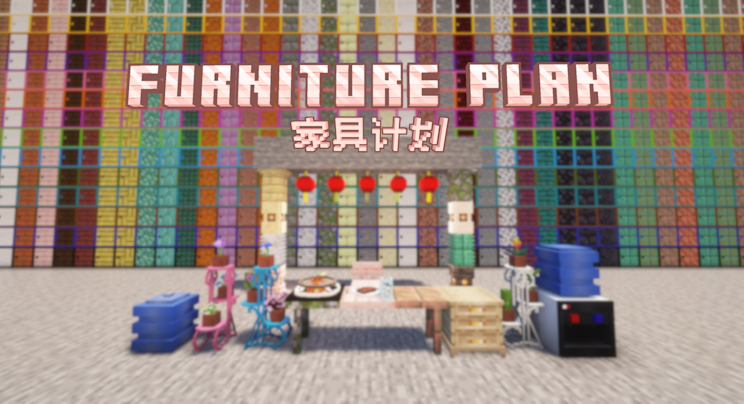
Pot holder: Probably the most exquisite multi-block decoration in this mod, for planting flowers.
Cupboard: This block took the longest to make, only for you to experience more detailed block interaction with drawer animations. Each cupboard has three drawers.
Chair: Chairs of various materials, players can sit down and enjoy a moment of relaxation.
Table: Tables of various materials, seems to be a nice decorative block.
Cabinet(with disguise block kind): Practical storage cabinets, holding an entire row more space than a single chest, making it more cost-effective. Of course, you can also hide it among a pile of blocks so that others won’t recognize it.
Columns: Decorative columns that add a unique aesthetic to buildings.
Tableware: Exquisite tableware to place food and drinks, making your dining table more perfect.
Table Lamp: Hotel-style table lamps to light up the room and add a touch of elegance.
Lantern: Originally intended to be released during the Lunar New Year, but it can also be used to decorate during any time you like.
Water Dispenser: MakerTechno felt proud of his drawing skills for the first time.(But still not finish yet.)
Also, welcome to our website:Ti works-Ti adventurers’ party
常见问题
Furniture Plan 支持哪些 Minecraft 版本?
Furniture Plan 支持 Minecraft Java 版 1.21–1.21.4,共 5 个版本,可用的加载器:NeoForge。下载时注意选择和你游戏版本一致的文件。
Furniture Plan 怎么安装?
先用 PCL2 或 HMCL 启动器安装对应版本的 NeoForge,再把下载的 .jar 文件放进游戏目录的 mods 文件夹,重新启动游戏即可。开启了版本隔离的,mods 文件夹在 versions/版本名 下面。运行环境:客户端和服务端都要装。
评论
登录后评论和评分