
Retromod
Retromod Is a Minecraft mod that allows you to play older mods on newer versions.
截图

介绍
Note About AI
Retromod does not use AI to translate mods. Even though AI was used in Development of this mod using intellij idea. Retromod uses algorithms and more complex and not complex stuff to translate mods. Again,
RETROMOD DOES NOT USE AI TO TRANSLATE MODS
Retromod lets you get mods that were made for older versions to work on newer ones. Retromod lets you take a mod built for 1.18 and get it to run on 26.3 without waiting for them to update it.
How to use 📥
So instead of putting the mods into the /mods folder, you put the old mod in retromod-input, or else Fabric will reject it instantly (for other loaders you don’t have to do this, but it is recommended). Then Retromod updates it and then moves it into mods.
Retromod works on Fabric, NeoForge, Quilt, and Forge.
So, What Works? 🔍
If you want the best results, these are the mods you want to use and translate. Content mods work the best out of all of them. Quality of life mods still have a relatively high success rate. The rest are libraries, recipe viewers, and still more.
Also there is a higher success rate when the gaps are smaller but not so much so I would say it works on big gaps also.
Links for More Help and Issue Reporting

Made By Bownlux, a Dev of RevivalSMP.net
Also, thank you to all of the Github Contributers
常见问题
Retromod 支持哪些 Minecraft 版本?
Retromod 支持 Minecraft Java 版 1.20–26.3,共 24 个版本,可用的加载器:Fabric / Forge / NeoForge / Quilt。下载时注意选择和你游戏版本一致的文件。
Retromod 怎么安装?
先用 PCL2 或 HMCL 启动器安装对应版本的 Fabric / Forge / NeoForge / Quilt,再把下载的 .jar 文件放进游戏目录的 mods 文件夹,重新启动游戏即可。开启了版本隔离的,mods 文件夹在 versions/版本名 下面。运行环境:客户端 / 服务端。
Bownlux 的其他作品
查看全部 →
Retromod
Retromod Is a Minecraft mod that allows you to play older mods on newer versions.
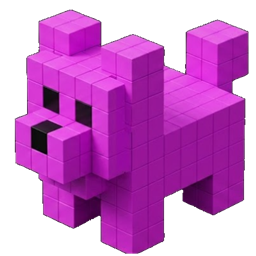
Petlings
Your virtual pet companion in Minecraft. Adopt, customize, and bond with AI-driven pets that follow you everywhere, across the game, the web and mobile.

Petlings
Petlings gives you a pet to interact and play with in Minecraft.
Petlings
Petlings gives you a pet to interact and play with in Minecraft.
评论
登录后评论和评分