
Easy Zoom
A lightweight, vanilla-friendly and configurable hold-to-zoom feature with no required item and no gameplay changes.
介绍
Easy Zoom
A lightweight, vanilla-friendly and configurable hold-to-zoom feature with no required item and no gameplay changes.
Hold C to zoom in and use the mouse wheel while holding C to adjust the magnification. The selected level can be remembered for the current Minecraft session or reset after every use.
The key can be changed in Minecraft’s normal Controls menu under the Easy Zoom category.
The generated config/easyzoom-client.toml lets you change:
- default, minimum and maximum magnification
- mouse-wheel step size
- whether the level resets when C is released
- whether Minecraft’s cinematic/smooth camera is temporarily used while zooming
- smooth transition behavior and speed
Cinematic camera is disabled by default. Easy Zoom does not add or bind a separate F8 cinematic mode.
常见问题
Easy Zoom 支持哪些 Minecraft 版本?
Easy Zoom 支持 Minecraft Java 版 1.19.2–26.3,共 6 个版本,可用的加载器:Fabric / Forge / NeoForge。下载时注意选择和你游戏版本一致的文件。
Easy Zoom 怎么安装?
先用 PCL2 或 HMCL 启动器安装对应版本的 Fabric / Forge / NeoForge,再把下载的 .jar 文件放进游戏目录的 mods 文件夹,重新启动游戏即可。开启了版本隔离的,mods 文件夹在 versions/版本名 下面。
HafnerMichl 的其他作品
查看全部 →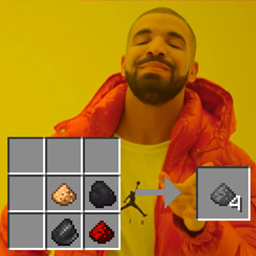
Craftable Gunpowder Recipe
一个微小的(Neo-)Forge模组,通过简单配方即可合成火药,材料摆放顺序随意。

Inventory Trash
A small QoL mod that adds a trash button to the singleplayer inventory, allowing you to destroy items.

Effective Farmer
A singleplayer farming QoL mod that increases the planting and harvesting area for wheat, beetroot, carrots, and potatoes to a 3x3x3 cube using normal crop items and a new Scythe tool.
Furnace-Cured Flesh (Flesh to Leather)
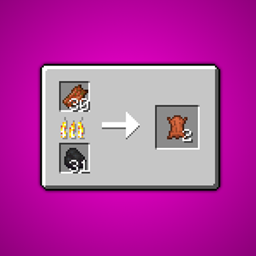
Furnace-Cured Flesh gives zombie drops a useful purpose: smelt one piece of rotten flesh into one piece of leather.
评论
登录后评论和评分