Zoo Signs!
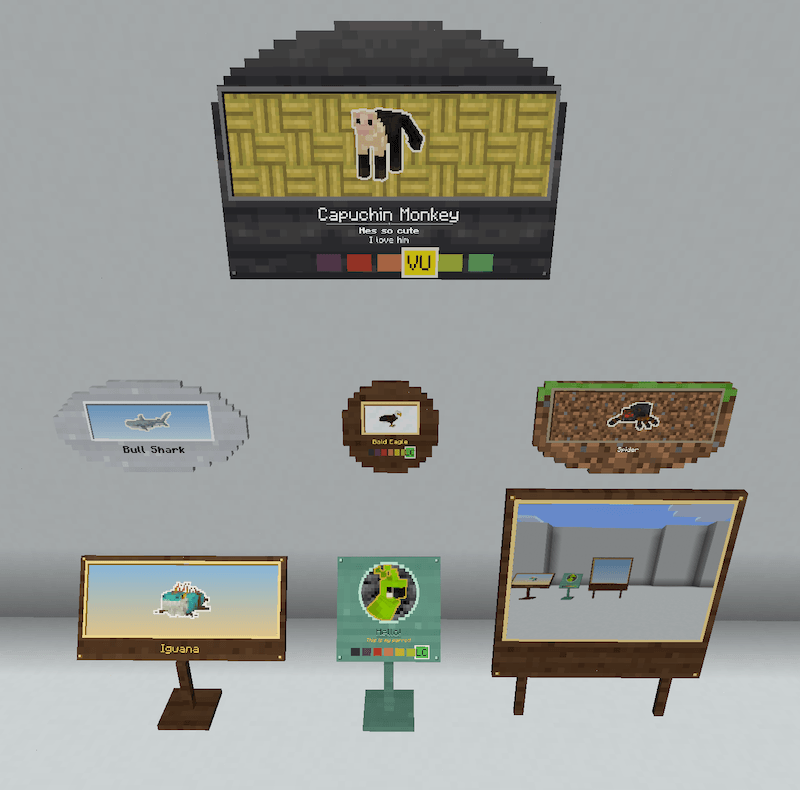
Adds Exhibit Signs and a Camera so you can display your favorite animals!
截图
介绍
Now included in Nature Workshop! (Most of my focus will be there now, go check it out!)
https://www.curseforge.com/minecraft/mc-mods/nature-workshop
Zoo Signs!
This is a spinoff of my upcoming Nature Workshop! mod, (a continuation of terrariums and aquariums). Will be included in the final Nature Workshop upload!
Compatible with all modded mobs and other camera mods!
A proper sign (and camera) for every animal in your zoo!
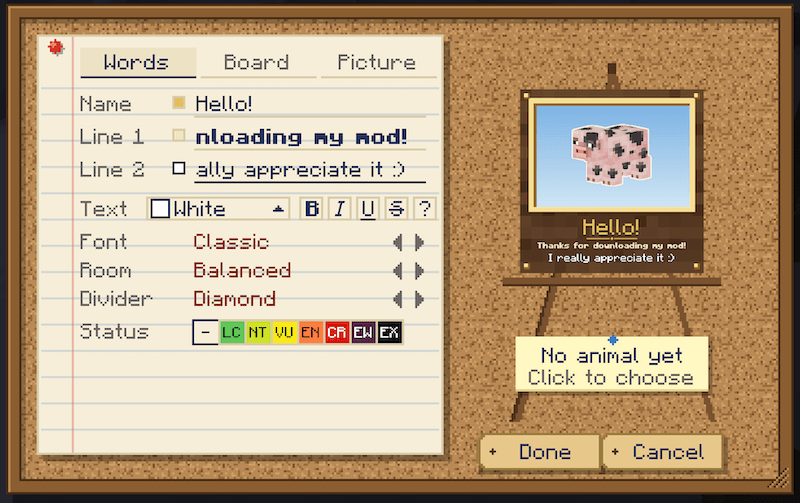
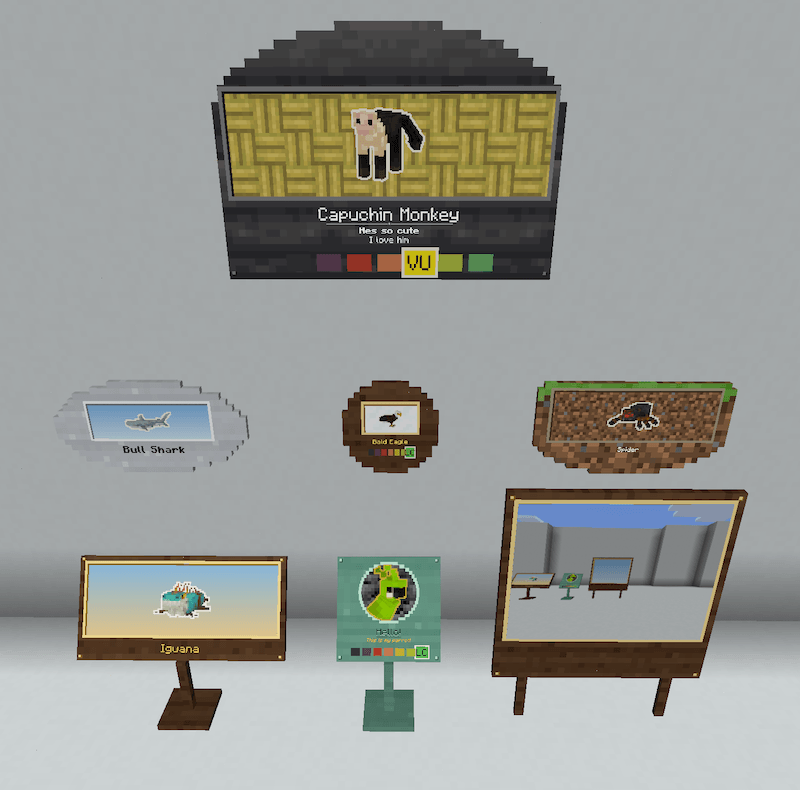
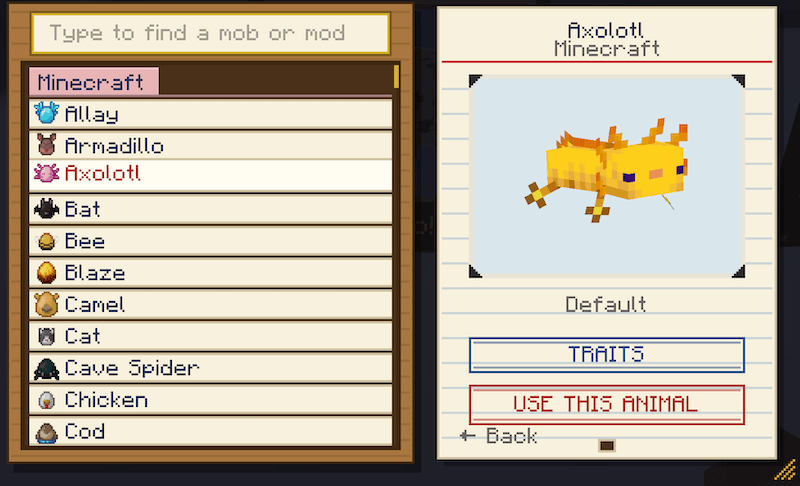
Exhibit signs!
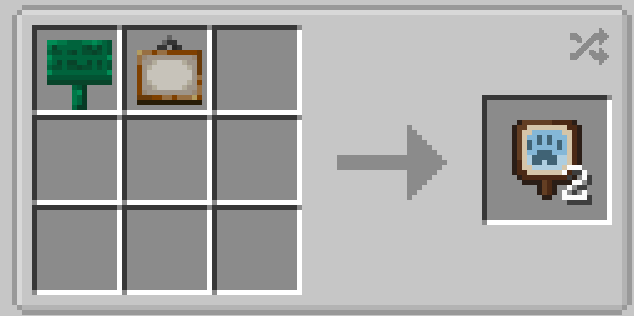
Craft with any sign and a painting!
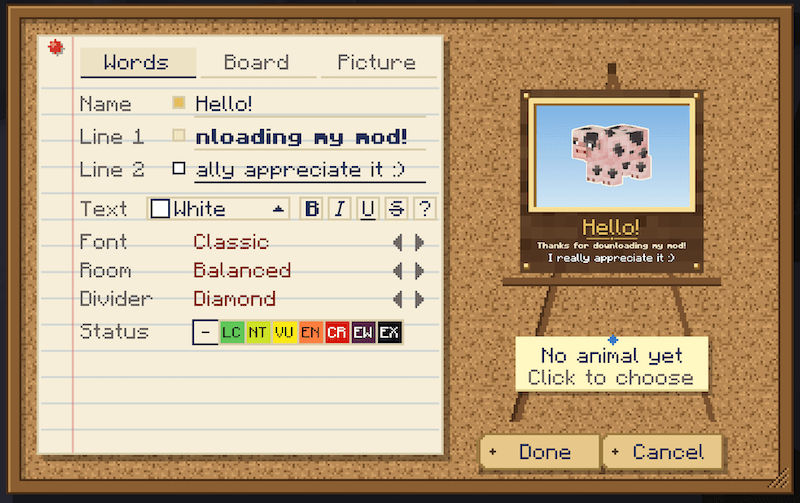
Copy any animal. Right-click an animal with an exhibit sign, then put the sign up. It shows that animal: its colour, its pattern, its markings.
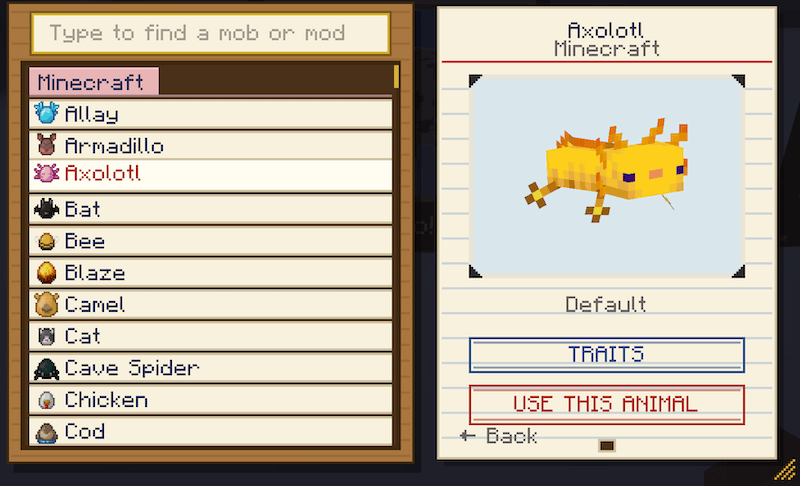
Or pick one! Right-click a placed sign and choose from the Animal Catalogue, every animal in your game sorted by mod and searchable by name.

The Trait Editor works out for itself what can change about an animal, so modded animals work without any setup.


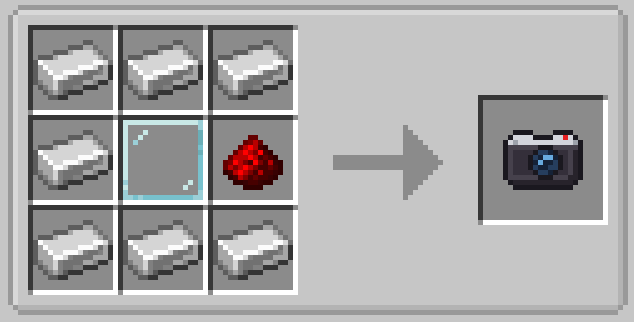
Hold right-click to raise the camera to your eye. The viewfinder shows exactly what will be in the shot, and the scroll wheel zooms. Let go to take the picture. Each one is printed on a sheet of paper from your inventory
Sneak + right-click switches the camera between:
- Photos: whatever’s in the frame, with your hand and HUD left out.
- Portraits: just the animal you’re pointing at, cut out on a clean background.
Right-click a photo to look at it. Right-click a sign with it to put it up in place of the animal, or hang it in an item frame, where it shows as a printed photo.
Compatible with Exposure, Camerapture, and Camera Mod!!
常见问题
Zoo Signs! 支持哪些 Minecraft 版本?
Zoo Signs! 支持 Minecraft Java 版 1.20.1–26.3,共 5 个版本,可用的加载器:Fabric / Forge / NeoForge。下载时注意选择和你游戏版本一致的文件。
Zoo Signs! 怎么安装?
先用 PCL2 或 HMCL 启动器安装对应版本的 Fabric / Forge / NeoForge,再把下载的 .jar 文件放进游戏目录的 mods 文件夹,重新启动游戏即可。开启了版本隔离的,mods 文件夹在 versions/版本名 下面。
ItsFadedMaybe 的其他作品
查看全部 →
Terrariums and Aquariums!
This mod adds fully interactable and customizable terrarium and aquarium blocks!
Biome Palette!
Change the color of your biomes (or just a few blocks)! Paint your world!

Nature Workshop!
Terrariums, Aquariums, Tree Blueprint, Trait Editor, and a whole collection of more tools designed to help you shape your world and the creatures in it!
Nature Workshop!
Terrariums, Aquariums, Tree Blueprint, Trait Editor, and a whole collection of more tools designed to help you shape your world and the creatures in it!
评论
登录后评论和评分