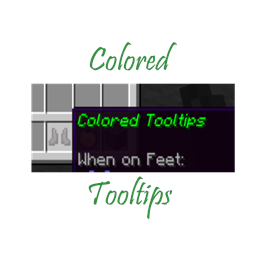
Colored Item Tooltips
Allows for tooltips to be colored for items and items with custom names
介绍
Colored Tooltips allows for the player to configure custom colors for items and items with custom names, as well as make new “rarities”. This is done through the config, which is why I highly suggest for the user to install ModMenu. However, to configure it, you do need to use valid JSON. For rarities, the syntax is this: {“id”: “example”, “color”: “<hex color code>”}, for items the syntax is: {“id”: “<item id, for example: minecraft:wooden_sword>”, “<color or rarity>”: “<color hex code or rarity id>”}, for names the syntax is: {“name”: “item name”, “color or rarity”: “<color or rarity id>”}. This can be configured with or without modmenu, but again I highly suggest using modmenu. If you have any questions, reach out to me over CurseForge or Discord. My discord is gamma_02#5181, and my curseforge is gamma_02.
常见问题
Colored Item Tooltips 支持哪些 Minecraft 版本?
Colored Item Tooltips 支持 Minecraft Java 版 1.18–1.19.4,共 8 个版本,可用的加载器:Fabric。下载时注意选择和你游戏版本一致的文件。
Colored Item Tooltips 怎么安装?
先用 PCL2 或 HMCL 启动器安装对应版本的 Fabric,再把下载的 .jar 文件放进游戏目录的 mods 文件夹,重新启动游戏即可。开启了版本隔离的,mods 文件夹在 versions/版本名 下面。
gamma_02 的其他作品
查看全部 →
Create: Bigger Storage Updated to Create 6
这是 Create: Bigger Storage 的附属模组,让它兼容 Create 6。 本模组**未使用任何来自 Dreams and Desires 的原始资源!**

Create: Dreams n’ Desires Updated to Create 6
这是 Create: Dreams n' Desires 的附属模组,可使其兼容 Create 6。**本模组未使用 Dreams and Desires 的任何原始资源!**
Create – Forge Frontier Core
Mod that provides various content and tweaks to other mods for the Create: Forge Frontier modpack

Moss Fix
Simple server-side mod to fix moss generation.
评论
登录后评论和评分