buildertools
作者:phko
Client-side building toolkit: select areas, save and load .schem, .litematic and .nbt schematics, and build from ghost-block placements with a material checker.
介绍
中文介绍正在准备中,下面暂时显示原文。
Client Builder Tools https://ko-fi.com/phko
** Select an area, save it as a schematic, load it anywhere and build it block by block, with ghost-block previews and a live material checker.
Works on **any server**, including vanilla servers. The server doesn’t need the mod, and the mod sends no packets and never places blocks for you.
—
## ✨ Main Features
### 📐 Area Selection – no special item needed
– Press **`B`** to enter **Builder Mode**: **left-click** sets Pos 1, **right-click** sets Pos 2, with any item or an empty hand.
– Your clicks are intercepted, so nothing is broken or used while you select.
– Or use a selection tool (a stick by default, configurable) or the `//pos1` / `//pos2` commands.
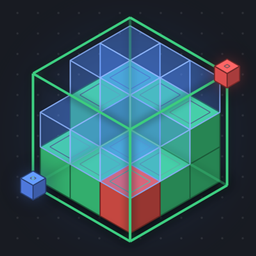
– Pos 1 is shown in **blue** and Pos 2 in **red**, the selection as a **green wireframe**, and its size (X × Y × Z) in the HUD.
### 💾 Save & Load Schematics in all common formats
| Format | Load | Save | Compatible with |
|—|:—:|:—:|—|
| `.schem` (Sponge v1–v3) | ✔ | ✔ | WorldEdit, FAWE, many schematic websites |
| `.litematic` | ✔ | ✔ | Litematica |
| `.nbt` | ✔ | ✔ | Structure Blocks, Create |
| `.schematic` (MCEdit, pre-1.13) | ✔ | – | MCEdit, Schematica, old WorldEdit |
| `.mcstructure` | ✔ | – | Bedrock Edition (blocks translated to Java) |
– **Old schematics are upgraded automatically.** Blocks from older Minecraft versions are converted to their current names.
– Large copies are spread over several ticks, so even **millions of blocks** copy without freezing your game.
### 🧱 Placements with Ghost Blocks
– Load a schematic and it appears in the world as **translucent ghost blocks**.
– **Move, rotate and mirror** the placement freely.
– Look at a block and press **`M`** to place the schematic right there.
– Adjust ghost-block **brightness (20–200 %)** and **opacity (5–100 %)** live with sliders.
### ✅ Material Checker
Every block of the placement is compared with the world around you:
– 🟩 **Green**: correct block
– 🟥 **Red**: wrong block or wrong state (e.g. a stair facing the wrong way)
– 👻 **Ghost block**: still missing
The counts are shown live in the HUD, so you always know what’s left to build.
### 🗂️ Layer Rendering
Build complex structures one layer at a time. Show **all layers**, a **single layer**, **everything below** a layer, or a **custom range**. Switch layers with **Page Up / Page Down** or **Alt + Mouse Wheel**.
### 🖥️ Builder Menu (`R`)
A clean, dark menu with three tabs. The game keeps running behind it, so every change is visible right away.
– **Schematics**: searchable list of all files in `.minecraft/schematics/`, with format badges and file sizes. One click to **Load & Place**.
– **Placement**: info card with a live material check, sliders, a move pad (step ×1 / ×5 / ×10), rotate, mirror and layer controls.
– **Selection**: Pos 1 / Pos 2, size, block count, copy, and save with a choice of format.
### 📊 Compact HUD
In Builder Mode, a small card shows your selection, clipboard, placement, active layers and material-check counts. Copy progress is shown with a progress bar.
—
## ⌨️ Default Keys
All keys can be changed under *Options → Controls → Key Binds → Client Builder Tools*.
| Key | Action |
|—|—|
| `R` | Open / close the Builder Menu |
| `B` | Toggle Builder Mode (click selection + HUD) |
| `M` | Place schematic at crosshair / move it there |
| `G` | Toggle ghost blocks |
| `Page Up` / `Page Down` | Layer up / down |
| `Home` | Cycle layer mode |
| `Alt` + Mouse Wheel | Change layer |
## 💬 Commands (client-side)
| Command | Description |
|—|—|
| `//pos1`, `//pos2` | Set a corner (look target, your position, or coordinates) |
| `//copy` | Copy the selection to the clipboard |
| `//schem save <name> [schem\|litematic\|nbt]` | Save the clipboard |
| `//schem load <name>` / `//schem list` | Load / list schematics |
| `//placement place\|remove\|move\|rotate\|mirror` | Manage the placement |
| `//layer mode\|set\|range\|up\|down` | Control layer rendering |
| `//builder ghost\|brightness\|opacity\|reload\|help` | Settings and help |
—
## 📦 Requirements
– **Minecraft 26.3**
– One of: **Fabric** (+ Fabric API), **Quilt** (+ Fabric API), **NeoForge** or **Forge**
– Client only. Do **not** install it on a server.
## ❓ Good to know
– **Copied block data:** The server doesn’t send all block-entity data (e.g. chest contents) to clients, so copies only contain what your client knows.
– **WorldEdit servers:** If the server also has WorldEdit, this mod’s `//` commands take priority on your client.
– **Rendering:** Tested on OpenGL. Vulkan is not tested yet.
– **Settings:** All options are in `.minecraft/config/client_builder_tools.json`. Use `//builder reload` to apply changes.
– **Languages:** English and German.
—
*Licensed under MIT.* Feedback and bug reports are welcome!
常见问题
buildertools 支持哪些 Minecraft 版本?
buildertools 支持 Minecraft Java 版 26.1–26.3,共 5 个版本,可用的加载器:Fabric / Forge / NeoForge / Quilt。下载时注意选择和你游戏版本一致的文件。
buildertools 怎么安装?
先用 PCL2 或 HMCL 启动器安装对应版本的 Fabric / Forge / NeoForge / Quilt,再把下载的 .jar 文件放进游戏目录的 mods 文件夹,重新启动游戏即可。开启了版本隔离的,mods 文件夹在 versions/版本名 下面。
phko 的其他作品
查看全部 →
LightLevelOverlay
by phko
A mod to showcase places where hostile mobs can spawn.
3,267
9 天前
CurseForge

A Lightweight Skyblock
by phko
A lightweight modded Skyblock experience with technology mods.
1,716
4 天前
CurseForge

Technik und Co. for all
by phko
A Minecraft Modpack with Mekanism, AE2 and many more Technic mods
813
4 天前
CurseForge

MeinVillagerColoniesPack
by phko
A modded MineColonies Modpack
461
4 天前
CurseForge
评论
登录后评论和评分