
Villager Cycle
A Minecraft Fabric mod that adds a button to refresh villager trades.
截图

介绍
Villager Cycle




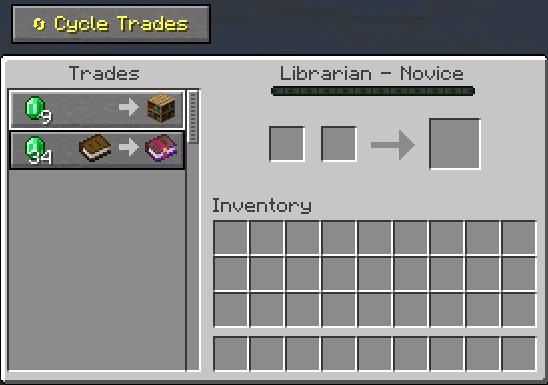
A Quality of Life mod for Minecraft Fabric that adds a button to villager trading screens, allowing you to refresh their trades before making any purchases.
Features
- Cycle Trades Button: Customizable button above the villager trading GUI
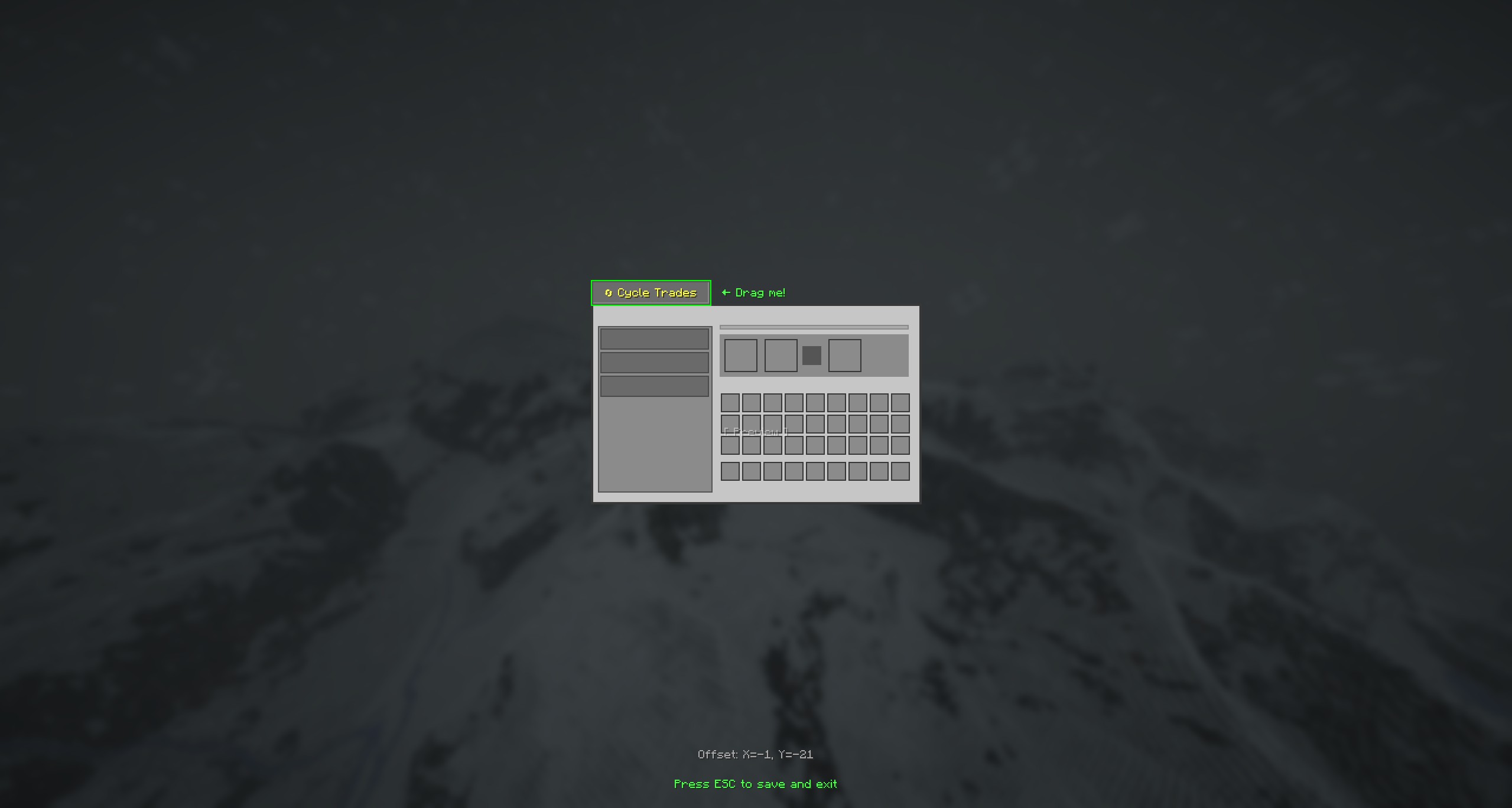
- Draggable Button Position: Reposition the button via drag screen
- Real-Time Updates: Trade offers refresh instantly without closing the GUI
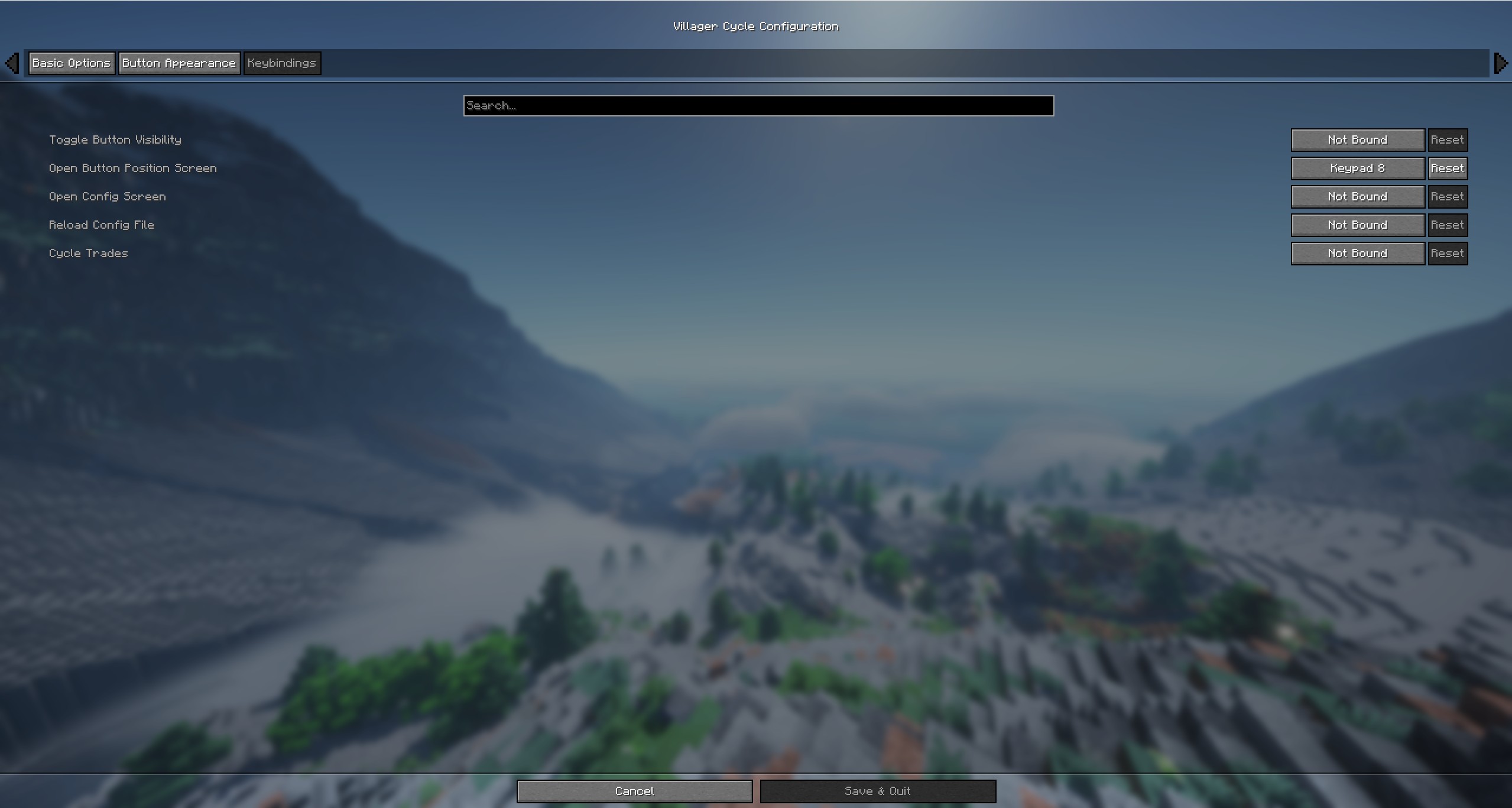
- Keybind Support: Keyboard and mouse button bindings for all mod functions
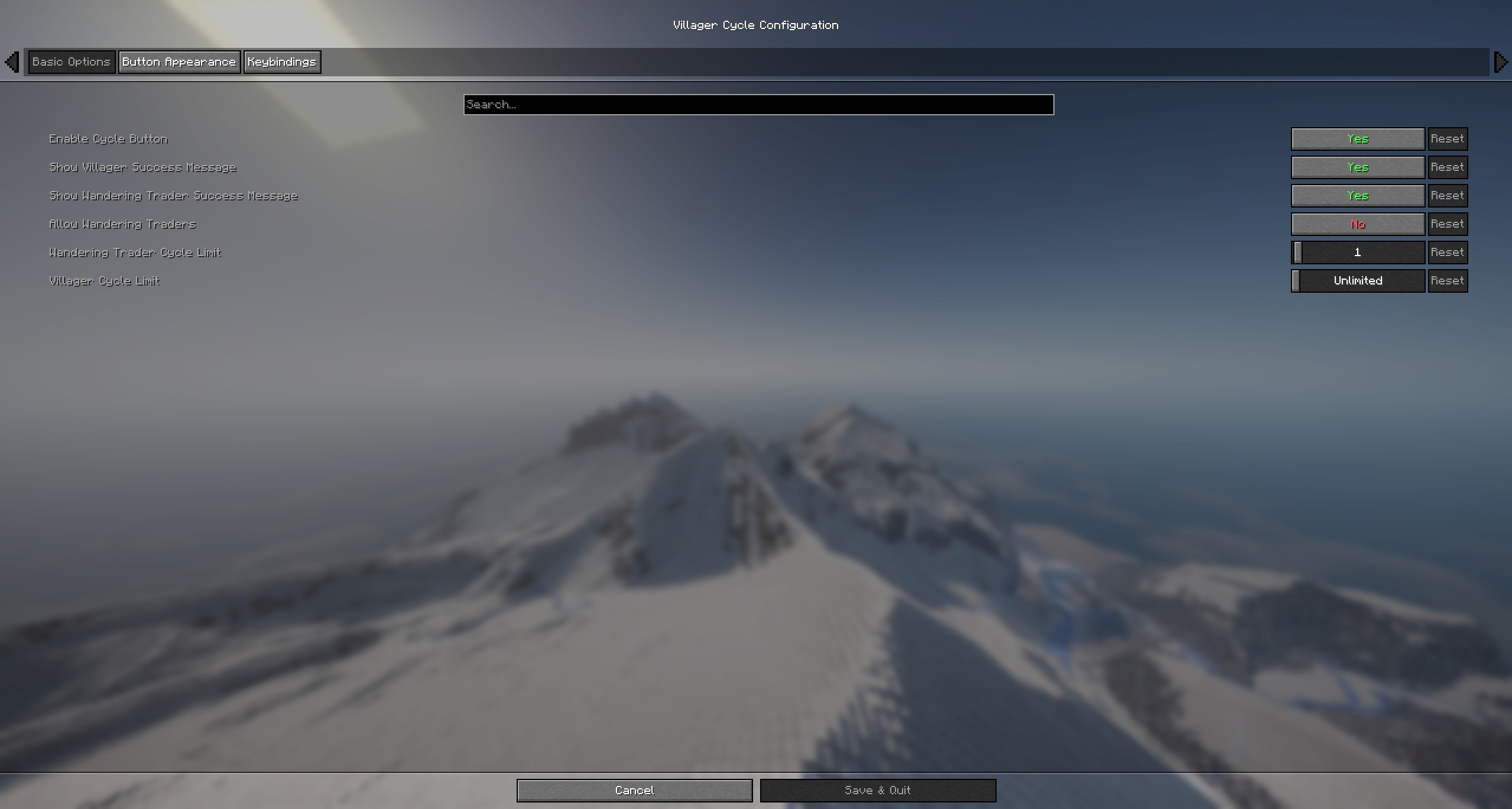
- Configurable Cycle Limits: Set limits on how many times trades can be cycled (per villager)
- Wandering Trader Support: Optional feature (operator-controlled on servers)
- Smart Validation: Only works on valid villagers (must have profession, not traded with)
- Server-Side Security: All validation happens server-side
- Anti-Exploit Protection: Clears trade input slots to prevent item duplication
Installation
- Download from Releases
- Place
.jarin your.minecraft/modsfolder - Required: Fabric API (version matched to your MC version)
- Recommended: Cloth Config 20.0.149+ (enhanced config UI, not available for MC 26.x)
- Recommended: ModMenu 16.0.0+ (in-game config access)
- Launch Minecraft with Fabric Loader 0.18.4+
How to Use
- Open a villager’s trading interface
- Click the “Cycle Trades” button (or use the keybind)
- The villager’s Level 1 trades will regenerate with new offers
Configuration
Config File Location
- Windows:
%appdata%\.minecraft\config\villagercycle.json - macOS:
~/Library/Application Support/minecraft/config/villagercycle.json - Linux:
~/.minecraft/config/villagercycle.json
Options
{
  "enableCycleButton": true,
  "allowWanderingTraders": false,
  "showSuccessMessage": true,
  "showWanderingTraderSuccessMessage": true,
  "villagerCycleLimit": -1,
  "wanderingTraderCycleLimit": 1,
  "buttonOffsetX": 6,
  "buttonOffsetY": -25,
  "buttonWidth": 100,
  "buttonHeight": 20
}
| Option | Default | Description |
|——–|———|————-|
| enableCycleButton | true | Show/hide the cycle button |
| showSuccessMessage | true | Show villager cycle success message (client-side) |
| showWanderingTraderSuccessMessage | true | Show wandering trader success message (client-side) |
| allowWanderingTraders | false | Enable wandering trader cycling (operator only on servers) |
| villagerCycleLimit | -1 | Max cycles per villager: -1=unlimited, 0=disabled, 1+=limited (operator only on servers) |
| wanderingTraderCycleLimit | 1 | Max cycles per wandering trader: -1=unlimited, 0=disabled, 1+=limited (operator only on servers) |
| buttonOffsetX/Y | 6/-25 | Button position offset from GUI |
| buttonWidth/Height | 100/20 | Button dimensions (pixels) |
Keybinds
All keybinds are unbound by default. Set them in Options → Controls → Villager Cycle.
Supports both keyboard keys and mouse buttons (e.g., Mouse Button 4/5).
| Keybind | Function |
|———|———-|
| Toggle Button Visibility | Show/hide the cycle button |
| Open Button Position Screen | Open drag screen to reposition button |
| Open Config Screen | Open the mod configuration screen |
| Reload Config File | Reload config from disk |
| Cycle Trades | Cycle trades while in merchant screen (keyboard or mouse) |
Singleplayer vs Multiplayer
- Singleplayer: All features available with full control over all settings.
- Multiplayer: Operator permission (level 4) required for:
- Allow Wandering Traders toggle
- Villager Cycle Limit
- Wandering Trader Cycle Limit
Success message toggles are client-side — each player controls their own preference.
Limitations
- Only works on villagers not yet traded with
- Only works on villagers with valid professions (not Nitwits/Unemployed)
- Only refreshes Level 1 trades (experience level 0)
- Items in trade slots are returned to inventory when cycling
Technical Requirements
- Minecraft: 1.21.9, 1.21.10, 1.21.11, 26.1, or 26.2
- Fabric Loader: 0.18.4+
- Java: 21+ (Java 25+ for MC 26.x)
- Fabric API: Required (version matched to your MC version)
- Cloth Config: Optional, recommended (not available for MC 26.x)
- ModMenu: Optional, recommended
License
MIT License — Free to include in modpacks.
Support
Open an issue on GitHub for bugs or suggestions.
Author
Created by Partacus-SPQR
常见问题
Villager Cycle 支持哪些 Minecraft 版本?
Villager Cycle 支持 Minecraft Java 版 1.21.10–26.2,共 4 个版本,可用的加载器:Fabric。下载时注意选择和你游戏版本一致的文件。
Villager Cycle 怎么安装?
先用 PCL2 或 HMCL 启动器安装对应版本的 Fabric,再把下载的 .jar 文件放进游戏目录的 mods 文件夹,重新启动游戏即可。开启了版本隔离的,mods 文件夹在 versions/版本名 下面。运行环境:客户端和服务端都要装。
Partacus-SPQR 的其他作品
查看全部 →
SimpleFPS
A lightweight, customizable FPS counter mod with other features, for Minecraft (Fabric 1.21.11, 1.21.10, and 1.21.9).

SimpleLoot
A lightweight Fabric mod for Minecraft that adds Rust-style Hover Loot - quickly transfer items by holding a key and swiping your mouse over slots plus additional QOL features.

SimpleLook
SimpleLook allows you to glance around without changing your movement direction. Hold a key-bind you set then move your mouse to look around independently while running, walking, flying with elytra, flying in creative, swimming, or doing anything else!
SimpleLook
SimpleLook allows you to glance around without changing your movement direction. Hold a key-bind you set then move your mouse to look around independently while running, walking, flying with elytra, flying in creative, swimming, or doing anything else!
评论
登录后评论和评分