QuickTransfer
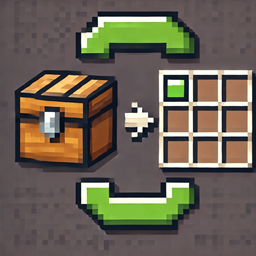
This mod adds a button to quickly transfer all items between chests and the player's inventory.
介绍
Quick Transfer – Effortless Inventory Management with Chest Locator!
Description: Quick Transfer is a Minecraft mod designed to enhance your gameplay by offering fast inventory transfers and an intuitive chest-finding feature. With a single key press, you can transfer all items between your inventory and any container or locate nearby chests, helping you manage resources quickly and easily.
Key Features:
- Quick Transfer: Instantly moves all items between your inventory and any open container with the press of the X key.
- Chest Locator Hotkey: Use the G key to instantly search for nearby chests in a 500-block radius, displaying the coordinates of all found chests.
- Full compatibility with all Minecraft containers, including chests, furnaces, and more, integrating smoothly into Minecraft’s UI for a seamless experience.
How to Use:
- Quick Transfer: Open any container, such as a chest or furnace, then press the X key to instantly transfer all items.
- Chest Locator: Press the G key to locate all chests within a 500-block radius.
Compatibility:
- Minecraft Versions: Compatible with Minecraft 1.19.2 and newer versions.
- Requirements: Requires Forge version 43.4.0 or higher.
Installation:
- Download the Quick Transfer mod.
- Place the
quicktransfer-1.0.1.jarfile into your Minecraftmodsfolder. - Launch Minecraft through Forge and enjoy efficient inventory management and easy chest locating with the new hotkey!
Authors: Mod developed by Zenoyui.
Thanks: A big thank you to the Minecraft modding community for the support and inspiration. Enjoy Quick Transfer’s updated functionality in v1.0.1!

常见问题
QuickTransfer 支持哪些 Minecraft 版本?
QuickTransfer 支持 Minecraft Java 版 1.19.2–1.20,共 4 个版本,可用的加载器:Forge。下载时注意选择和你游戏版本一致的文件。
QuickTransfer 怎么安装?
先用 PCL2 或 HMCL 启动器安装对应版本的 Forge,再把下载的 .jar 文件放进游戏目录的 mods 文件夹,重新启动游戏即可。开启了版本隔离的,mods 文件夹在 versions/版本名 下面。
Zenoyui 的其他作品
查看全部 →
TreeChopper
Breaking a log with an axe fells the whole connected tree, leaves included.
Leash Villagers By Zenoyui
A mod that allows players to leash villagers using leads.

TreeChopper
Breaking a log with an axe fells the whole connected tree, leaves included.
评论
登录后评论和评分