CapeAll 2.0 (P2P)
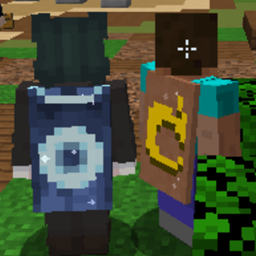
Free Minecon, Mojang & OptiFine-style capes in multiplayer. Any server, no website, everyone with CapeAll sees yours.
截图
介绍
CapeAll. Capes without servers, 100% P2P
CapeAll lets any player wear capes online in Minecraft, original or not, on any vanilla server, with zero external dependencies.
Multi-version support! CapeAll is available for multiple Minecraft versions, including older and modern releases.
What’s new?
- Support for multiple Minecraft versions
- Menu key can be changed in Controls. The default key may vary depending on the version.
- More reliable cape detection: each protocol frame is read in its middle, so network lag no longer loses or swaps capes
- The 3D preview shows the cape under your mouse
- If you disconnect in the middle of a transmission, your real skin layers come back
- Config file:
config/capeall.properties
What changed in v2.0? The old website (capeall.000webhostapp.com) is gone. CapeAll now works entirely peer-to-peer: players communicate cape selections directly through Minecraft’s own skin layer system. No website, no API, no server-side plugins needed. It just works.
Installation:
- Download the mod for your Minecraft version from the releases page.
- Place the .jar file in your Minecraft “mods” folder.
- Requires a compatible Minecraft Forge version. Java and OptiFine requirements may vary depending on the version.
How to Use:
- Join any server.
- Press the CapeAll menu key to open the menu. You can change it in Controls.
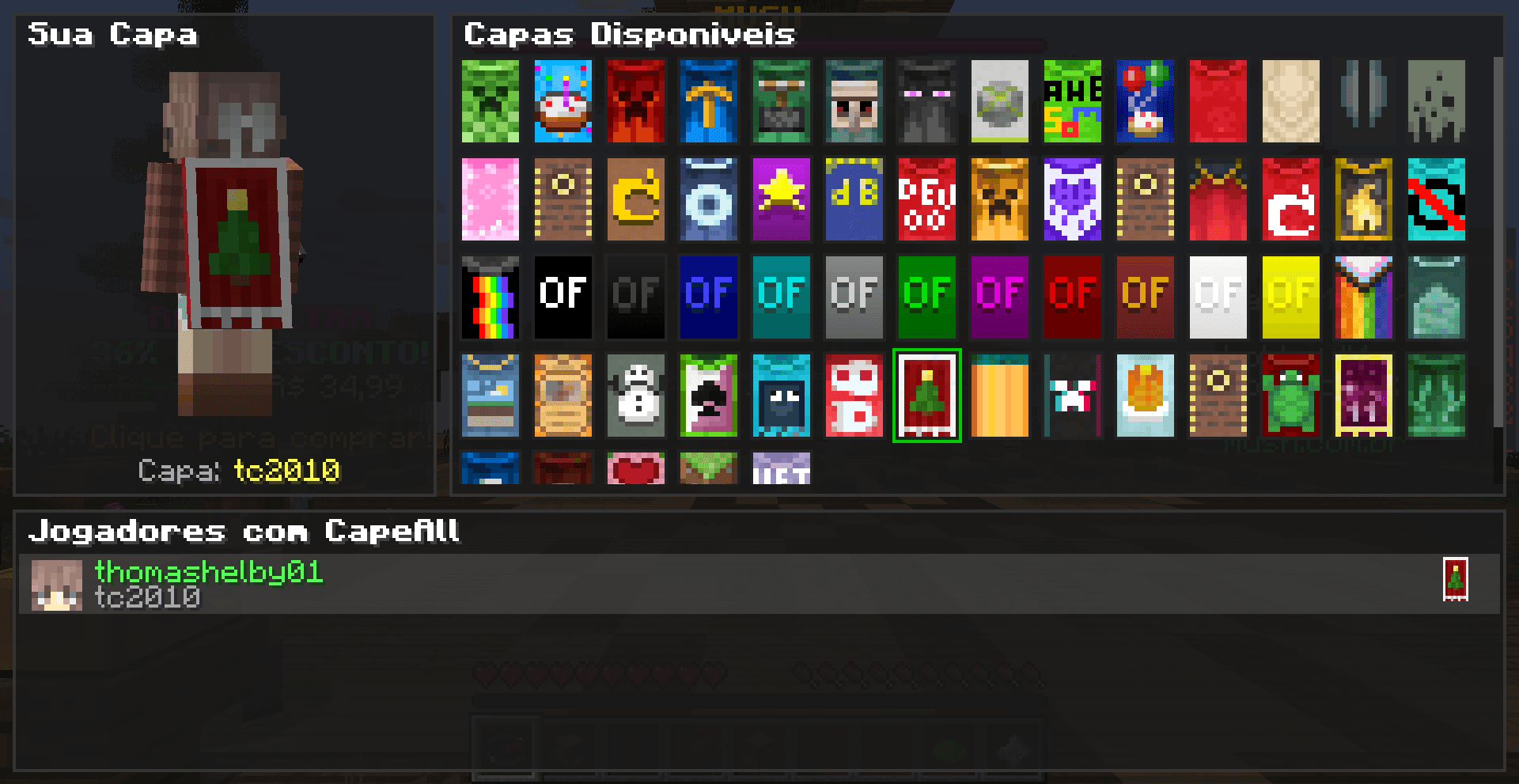
- Pick your cape from 61 available options and preview it live on your 3D player model.
- Done. Your cape is saved and automatically broadcast to nearby players with the mod.
Features:
- Available for multiple Minecraft Forge versions
- 61 capes included (Mojang, Minecon 2011-2016, Nyan, Optifine styles, and more)
- In-game GUI with real-time 3D preview and cape grid
- See all nearby players using CapeAll and their selected capes
- Works on any vanilla server, no plugins or permissions needed
- Anti-cheat safe, only uses vanilla skin layer packets
- No internet required beyond normal server connection
How does it work? Minecraft sends a byte to nearby players controlling which skin parts are visible (hat, jacket, sleeves, pants, 7 bits). CapeAll encodes cape data into these bits using a custom protocol. Other CapeAll clients detect and decode this automatically. The transmission takes ~1-2 seconds every 30 seconds and is practically invisible.
Source Code:
- Legacy version: https://github.com/Nonopichy/CapeAll/tree/capeall-1.8.9
- Multi-version: https://github.com/Nonopichy/CapeAll/tree/capeall-multiversion
Minecraft Free Cape Minecon Online Forge Multi-Version P2P Serverless Nonopichy
常见问题
CapeAll 2.0 (P2P) 支持哪些 Minecraft 版本?
CapeAll 2.0 (P2P) 支持 Minecraft Java 版 1.8.9–1.21.1,共 3 个版本,可用的加载器:Forge / NeoForge。下载时注意选择和你游戏版本一致的文件。
CapeAll 2.0 (P2P) 怎么安装?
先用 PCL2 或 HMCL 启动器安装对应版本的 Forge / NeoForge,再把下载的 .jar 文件放进游戏目录的 mods 文件夹,重新启动游戏即可。开启了版本隔离的,mods 文件夹在 versions/版本名 下面。
nonopichy 的其他作品
查看全部 →
ZenkaiSmp Server
在 ZenkaiSMP 服务器上开启 DMZ 冒险,挑战最危险的地牢,不断突破极限。和朋友一起创建自己的氏族,或在探索世界、击败 DMZ 中众多反派的过程中结识新伙伴。

ZenkaiExtra
Utility pack for playing on ZenkaiSMP, containing rendering, packet handling, and other essential features.

DMZ Unofficial ZenkaiSmp
The original DMZ mod doesn’t have a port for 1.20.2

Oculus Unofficial ZenkaiSmp
The original Oculus mod doesn’t have a port for 1.20.2
评论
登录后评论和评分