介绍
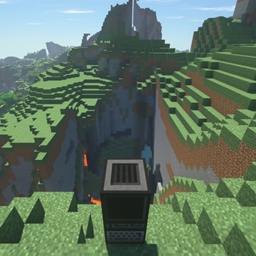
Classic Computing is a combination of Beta 1.7.3 features, current Minecraft features, and Open Computers!

One of the biggest pitfalls I see modpacks fall into is the addition of hundreds of mods to Minecraft. It gets messy, distracting, and the came becomes centered around making the next tech item, rather than creating. And on top of it, some mods don’t even look like they belong in Minecraft. *cough *cough biblio-crap. . . So in Beta Computing the goal is to provide you a mostly vanilla experience with the flavors of Old Beta and in-game computing!
And you’d be surprised how much this list adds to the game! The caves alone are enough to revitalize your love of exploring!
NOTE: If you’d like Beta Terrain Generation, please paste this code into your world customization bar.
{"coordinateScale":684.412,"heightScale":684.412,"lowerLimitScale":512.000,"upperLimitScale":512.000,"depthNoiseScaleX":200.000,"depthNoiseScaleZ":200.000,"depthNoiseScaleExponent":0.5,"mainNoiseScaleX":80.0,"mainNoiseScaleY":160.0,"mainNoiseScaleZ":80.0,"baseSize":8.5,"stretchY":12.0,"biomeDepthWeight":0.0,"biomeDepthOffset":0.370,"biomeScaleWeight":0.0,"biomeScaleOffset":0.5,"seaLevel":64,"useCaves":true,"useDungeons":true,"dungeonChance":8,"useStrongholds":true,"useVillages":true,"useMineShafts":true,"useTemples":true,"useRavines":true,"useWaterLakes":true,"waterLakeChance":4,"useLavaLakes":true,"lavaLakeChance":80,"useLavaOceans":false,"fixedBiome":-1,"biomeSize":2,"riverSize":5,"dirtSize":33,"dirtCount":20,"dirtMinHeight":0,"dirtMaxHeight":128,"gravelSize":33,"gravelCount":10,"gravelMinHeight":0,"gravelMaxHeight":128,"graniteSize":33,"graniteCount":10,"graniteMinHeight":0,"graniteMaxHeight":80,"dioriteSize":33,"dioriteCount":10,"dioriteMinHeight":0,"dioriteMaxHeight":80,"andesiteSize":33,"andesiteCount":10,"andesiteMinHeight":0,"andesiteMaxHeight":80,"coalSize":17,"coalCount":20,"coalMinHeight":0,"coalMaxHeight":128,"ironSize":9,"ironCount":20,"ironMinHeight":0,"ironMaxHeight":64,"goldSize":9,"goldCount":2,"goldMinHeight":0,"goldMaxHeight":32,"redstoneSize":8,"redstoneCount":8,"redstoneMinHeight":0,"redstoneMaxHeight":16,"diamondSize":8,"diamondCount":1,"diamondMinHeight":0,"diamondMaxHeight":16,"lapisSize":7,"lapisCount":1,"lapisCenterHeight":16,"lapisSpread":16}
This modpack currently contains:
-[Backport] 1.13 Water Mechanics [Bubble Columns]
-Beta Days
-Bottled Milk
-Clothesline
-Just Enough Items
-OpenComputers
-OpenFM
-OpenGlasses2
-OpenScreens
-OpenWeaponry
-ProjectTable
-Redstone Paste
-Simple Generators
-Smart Moving 2019
-Solar Flux Reborn
-YUNG’s Better Caves


常见问题
Classic Computing 支持哪些 Minecraft 版本?
Classic Computing 基于 Minecraft Java 版 1.12.2,使用 Forge 加载器。
Classic Computing 怎么安装?
点本页「前往下载」拿到整合包文件(Modrinth 的是 .mrpack,CurseForge 的是 .zip),在 PCL2 或 HMCL 启动器里选择「导入整合包」,启动器会自动装好 Minecraft、加载器和全部模组。建议在启动器里给游戏分配 4–6 GB 内存。
Classic Computing 开服需要多大内存?
推荐服务器内存 12 GB。在线人数多、或者建了大量机器和区块加载器时,可以再加 2–4 GB。
怎么和朋友一起玩 Classic Computing?
点本页的「一键开服」,选好配置后会自动安装 Classic Computing 的服务端,几分钟就能开好。把服务器地址发给朋友,大家用同一个版本的整合包连进去就行。
评论
登录后评论和评分