
Neon Lights
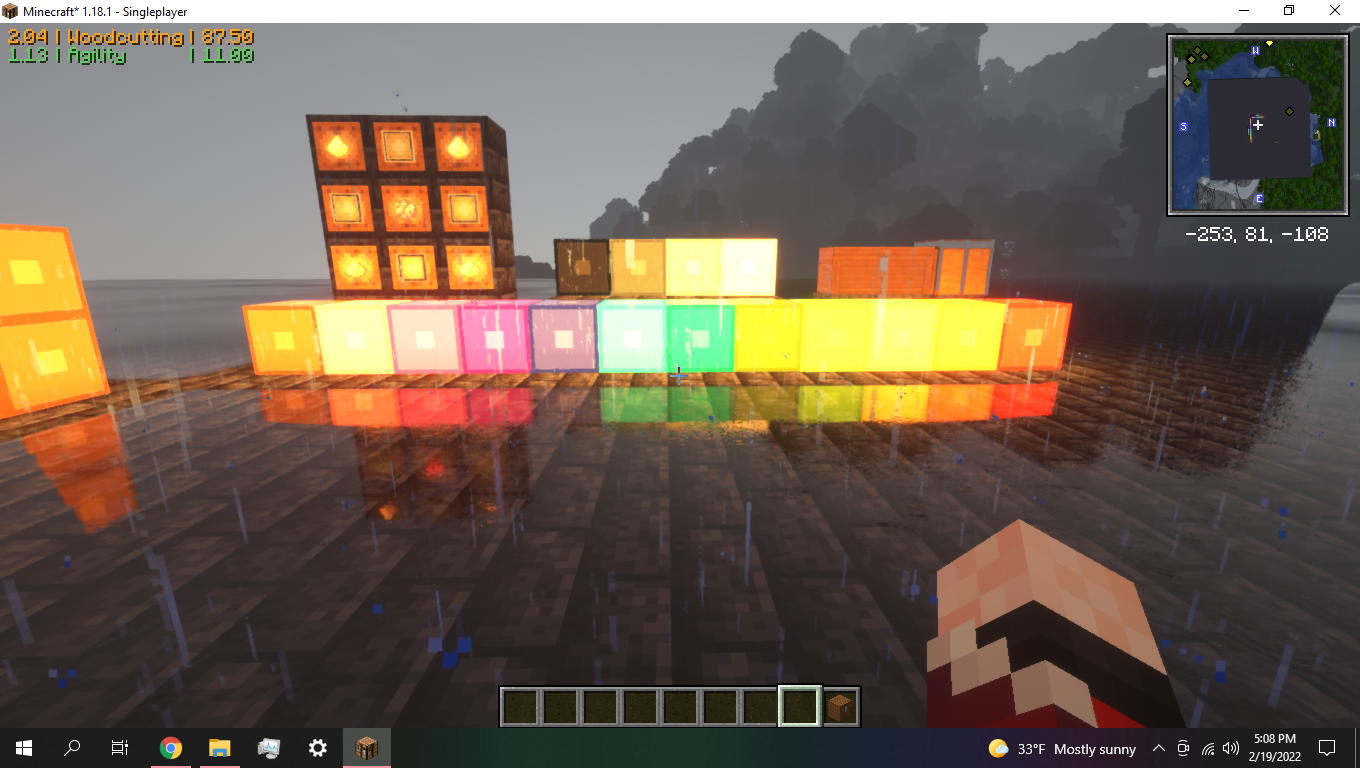
"Neon Lights" is a mod that adds several differently colored light source blocks into Minecraft! They're neon lights! These lights can be crafted in survival mode using 4xGlass-panes, 4xGlowstone Dust, and 1 Dye of any color.
截图


介绍
“Neon Lights” adds several differently colored light source blocks into Minecraft! These lights can be crafted in survival mode using 4xGlass-panes, 4xGlowstone Dust, and 1 Dye of any color. The lights are safe to mine with any tool.
Neon lights is now avaliable for Minecraft 1.19
Download Neon Lights version 1.3 for Minecraft 1.18
Download Neon Lights version 1.4 for Minecraft 1.19
Neon Lights will not be backdated to older versions of minecraft.
Check out the images tab to see Neon Lights in action!
For best results, it is recommended that you pair the mod with a shader-pack, such as SEUS-Renewed-v1.0.1.
“Neon Lights” should be compatible with any mod; so long as, no other mod is using the mod_id ‘neonlights’ or shares any crafting recipe.
Watch for future updates. Contact the mod author at: [email protected].
Also avalible on GitHub: https://github.com/FenixFire727/NeonLights
Mod Author:
FenixFire727 (a.k.a. Bcb783)
常见问题
Neon Lights 支持哪些 Minecraft 版本?
Neon Lights 支持 Minecraft Java 版 1.18–1.19,共 2 个版本,可用的加载器:Forge。下载时注意选择和你游戏版本一致的文件。
Neon Lights 怎么安装?
先用 PCL2 或 HMCL 启动器安装对应版本的 Forge,再把下载的 .jar 文件放进游戏目录的 mods 文件夹,重新启动游戏即可。开启了版本隔离的,mods 文件夹在 versions/版本名 下面。
评论
登录后评论和评分