
截图

介绍
Action Bar Info
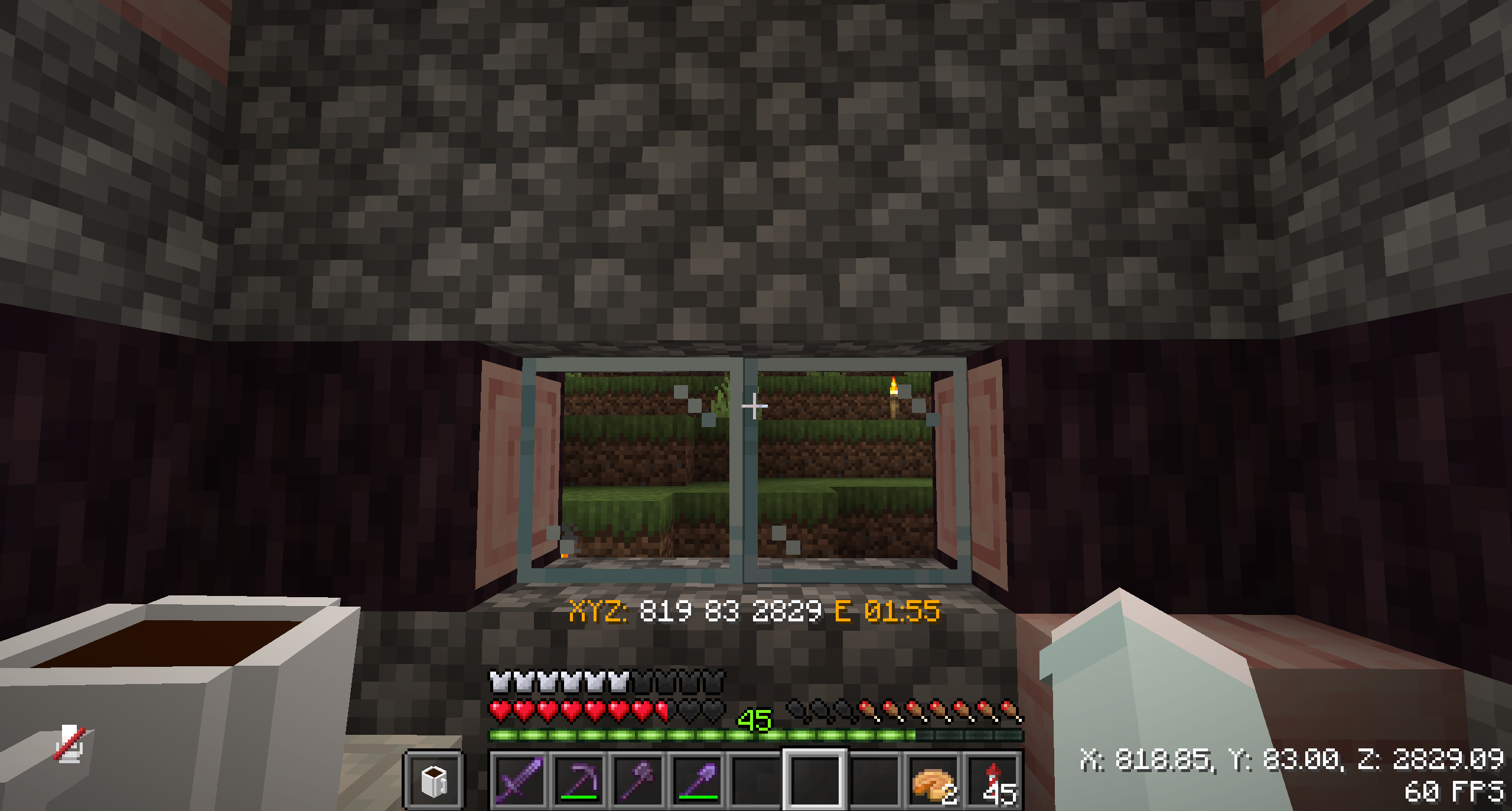
Display information on the action bar, showing player information.


Screenshots
Coordinates, side of the world, world time
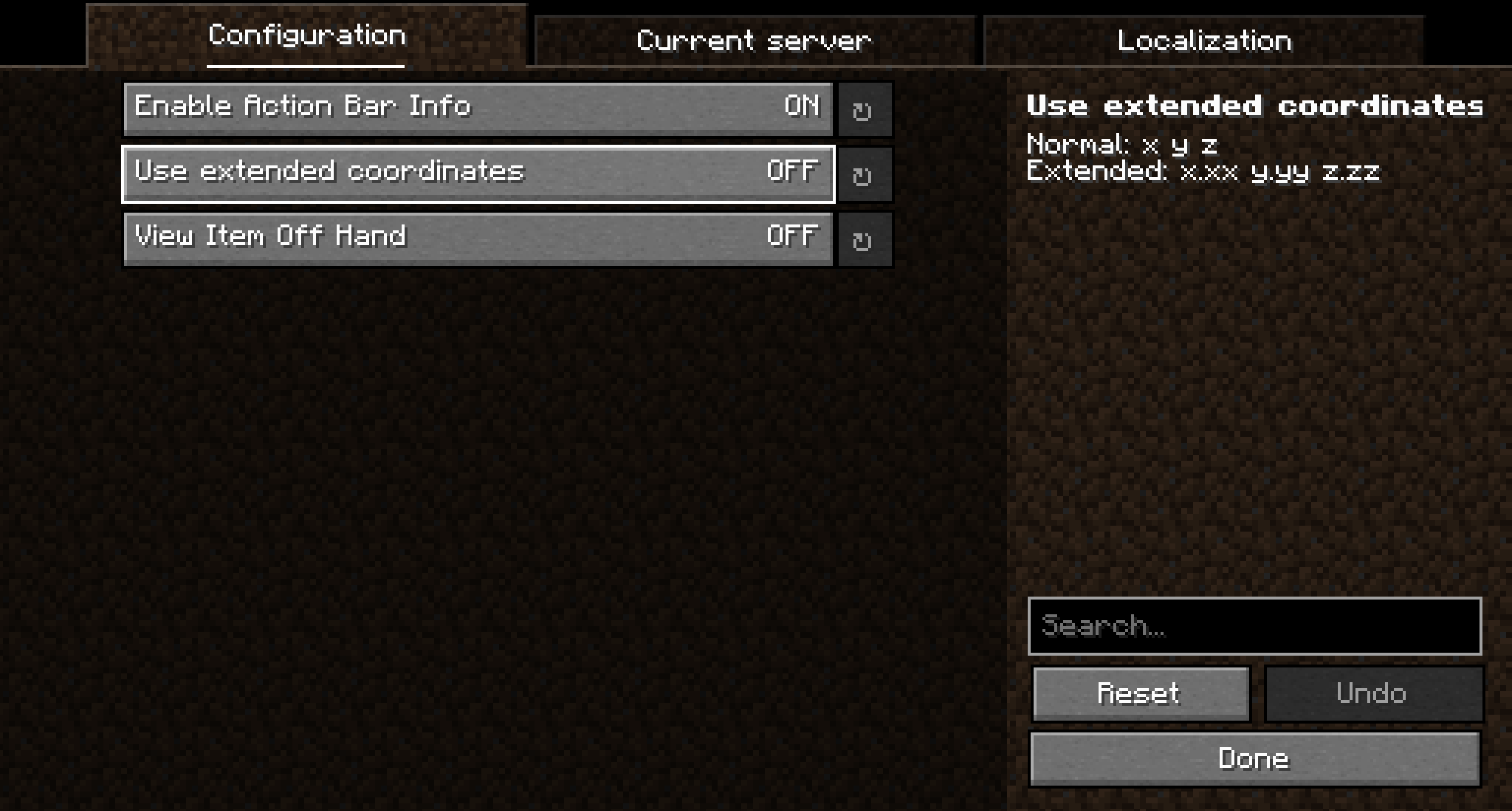
Configuration
Hot Keys
Key | Function
— | —
Not selected | Opens mod configs (If YetAnotherConfigLib v3 is available)
Right Alt | Trigger switching
Localization
Yes, the mod supports the possibility of custom localization. All types can be found in the “Localization” tab in the configs
Available substitutes
Localization replacement format: {type}, {type.additional}
- minecraft
- version
- loader
- fps
- time
- player
- name
- health
- health_max
- health_percent
- armor
- direction
- direction_symbol
- hunger
- pos
- x
- y
- z
- item
- item_count
- xp
- level
- progress
- total
- world
- name
- time
- time_type
- difficulty
- note_block
- note
- instrument
- powered
- entity
- name
- health
- health_max
- health_percent
- x
- y
- z

常见问题
Action Bar Info 支持哪些 Minecraft 版本?
Action Bar Info 支持 Minecraft Java 版 1.20–26.3,共 21 个版本,可用的加载器:Fabric / Forge / NeoForge / Quilt。下载时注意选择和你游戏版本一致的文件。
Action Bar Info 怎么安装?
先用 PCL2 或 HMCL 启动器安装对应版本的 Fabric / Forge / NeoForge / Quilt,再把下载的 .jar 文件放进游戏目录的 mods 文件夹,重新启动游戏即可。开启了版本隔离的,mods 文件夹在 versions/版本名 下面。运行环境:仅客户端。
Kel_Cleverov 的其他作品
查看全部 →
AlinLib
A library to facilitate mod development by Kel Cuprum

SailStatus (SimplyStatus)
Simple, customizable Discord game status

WaterPlayer
Internet music player built into the client

AlinPerspective
Mod that allows you to rotate the camera 360° from third person. Analog of PerspectiveModRedux
评论
登录后评论和评分