Gear Vanish
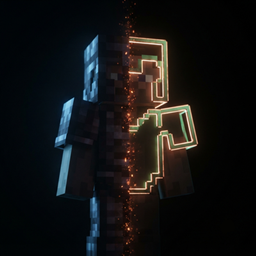
Turn your armor into cosmetics: hide it, or keep only the trim glowing on bare skin. Synced to everyone, with rules that bring gear back when it matters.
截图

介绍
Gear Vanish
Your armor keeps every point of protection. It just stops getting in the way of your skin.
Gear Vanish is not an on/off switch. Every piece is drawn in three separate passes —
plates, trim pattern, enchantment glint — and you decide which of them survive.
Four looks per piece
| Mode | What you see |
|---|---|
| Full | untouched vanilla armor |
| Trim only | plates gone. The trim pattern glows on bare skin like a tattoo |
| Glint only | invisible armor, just the enchantment shimmer floating on you |
| Hidden | nothing at all |
Helmet, chestplate, leggings, boots and the elytra each get their own setting. Blocks and
mob heads worn in the helmet slot follow the helmet.
Everyone sees it
Your choice travels through the server to every other player running Gear Vanish. No more
“looks great on my screen only”. Players who join later get caught up automatically.
The network channel is optional, so a client with the mod can still join a server without
it — the look simply stays local, and the screen tells you so.
Rules bring gear back when it matters
Hiding armor has one real risk: forgetting you are wearing it. Rules fix that.
- In combat — all four pieces reappear while you fight, and for a few seconds after
- Head under water — the helmet comes back, so a turtle shell is visible where it counts
- Gliding — the elytra shows up only while it is actually carrying you
- Nearly broken — any piece close to breaking reappears, so hiding can never cost you the item
Each rule is one click in the GUI. Timings and thresholds live in the config file.
It also handles other mods
Curios cosmetics, Create backtanks and goggles, jetpacks, hats — anything that adds its own
render layer to the player can be dropped too, and other players with Gear Vanish honour
that as well. The match list is plain text in the config, so mods that do not exist yet are
already covered. A debug option logs every layer class it sees, so you can find the right
name in seconds.
Using it
Open your inventory. There is a button above the top right corner. Click a piece to cycle
its mode; the player preview on the left updates instantly.
A hotkey is registered but left unbound by default, so it cannot fight with whatever else
you have installed. Bind it under Controls → Gear Vanish.
Notes
- Purely cosmetic. Protection, durability, enchantments and toughness are untouched.
- Install on the server too if you want other players to see it.
- Requires NeoForge for 1.21.1.
- Available in 13 languages.
常见问题
Gear Vanish 支持哪些 Minecraft 版本?
Gear Vanish 支持 Minecraft Java 版 1.20.1–26.2,共 7 个版本,可用的加载器:Fabric / Forge / NeoForge。下载时注意选择和你游戏版本一致的文件。
Gear Vanish 怎么安装?
先用 PCL2 或 HMCL 启动器安装对应版本的 Fabric / Forge / NeoForge,再把下载的 .jar 文件放进游戏目录的 mods 文件夹,重新启动游戏即可。开启了版本隔离的,mods 文件夹在 versions/版本名 下面。
mzg 的其他作品
查看全部 →
Window Resize Fix (Iris & Distant Horizons)
Fixes Distant Horizons breaking after a window resize with Iris, and the world's depth buffer not following a replaced render target.

Vira
Renders the world below native with an FSR 1.0 upscale and rebuilds the shader shadow map every Nth frame. Never invents a frame.

Flywheel OIT Fix
Fixes Create's shafts and cogwheels rendering as blown-out white shapes under shaders
评论
登录后评论和评分