介绍
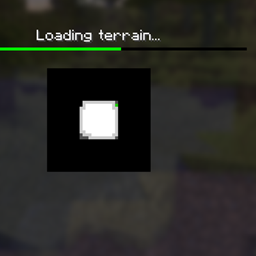
A client-side rework of Minenash’s Seamless Loading Screen. The mod saves a view of a world or server when you leave it normally, shows that screenshot during the next load, and fades it into the live game when the world is ready.
Rethinking keeps Minecraft’s loading indicator visible and does not hold the player behind an extra transition screen after the world becomes playable.
- Saved world and server screenshots during loading, followed by a smooth transition into the game.
- Two screenshot reveal modes: New follows loading progress with a short opacity animation; Classic reveals the screenshot independently of progress.
- Native and Optimized screenshot output sizes.
- Configurable tint, transition duration, and optional world-icon updates.
- Optional use of Minecraft’s built-in menu blur where available.
- A substantial under-the-hood rework of screenshot capture and saving, loading-screen state, and world transitions. These parts are designed to behave more reliably across supported Minecraft versions and mod loaders—not just look different.
常见问题
Seamless Loading Screen Rethinking 支持哪些 Minecraft 版本?
Seamless Loading Screen Rethinking 支持 Minecraft Java 版 1.20.1–26.3,共 6 个版本,可用的加载器:Fabric / Forge / NeoForge。下载时注意选择和你游戏版本一致的文件。
Seamless Loading Screen Rethinking 怎么安装?
先用 PCL2 或 HMCL 启动器安装对应版本的 Fabric / Forge / NeoForge,再把下载的 .jar 文件放进游戏目录的 mods 文件夹,重新启动游戏即可。开启了版本隔离的,mods 文件夹在 versions/版本名 下面。
Toffiks 的其他作品
查看全部 →
Cave Dust Rethinking
将玄武岩三角洲生物群系中的白灰粒子效果添加到洞穴中。

Cave Dust Rethinking
将玄武岩三角洲生物群系中的白灰粒子效果添加到洞穴中。

Atmosphere+
Optimization, tweaks, visuals and sounds improvements

Highlight fixed
Highlight changes the visualization of specific blocks in the game to have more aligned selections to their models.
评论
登录后评论和评分