
AutoInventorySorter — Smart Inventory & Hotbar Organizer
按 R 键即可瞬间整理背包。智能物品分类、快捷栏锁定、自动补充、箱子整理、黑名单支持及 5 种整理模式。轻量、客户端、多人游戏安全。Fabric | 1.21.5–1.21.x
截图
介绍
🗂️ AutoInventorySorter
A client-side Fabric mod that instantly organizes your Minecraft inventory with one keypress.
No clutter. No digging. Just press R and everything is in its place.


📸 Screenshots
🤔 What does this mod do?
AutoInventorySorter automatically organizes your Minecraft inventory. Press R to sort everything — items are grouped by type, rarity, name, quantity, or durability depending on the mode you choose. It also locks specific hotbar slots so your sword and pickaxe never get displaced, and automatically refills consumed items like food, torches, and arrows.
It runs entirely on the client side — no server installation needed, works on any server including vanilla, Paper, and Fabric.
✨ Features
🎯 One-Key Sorting
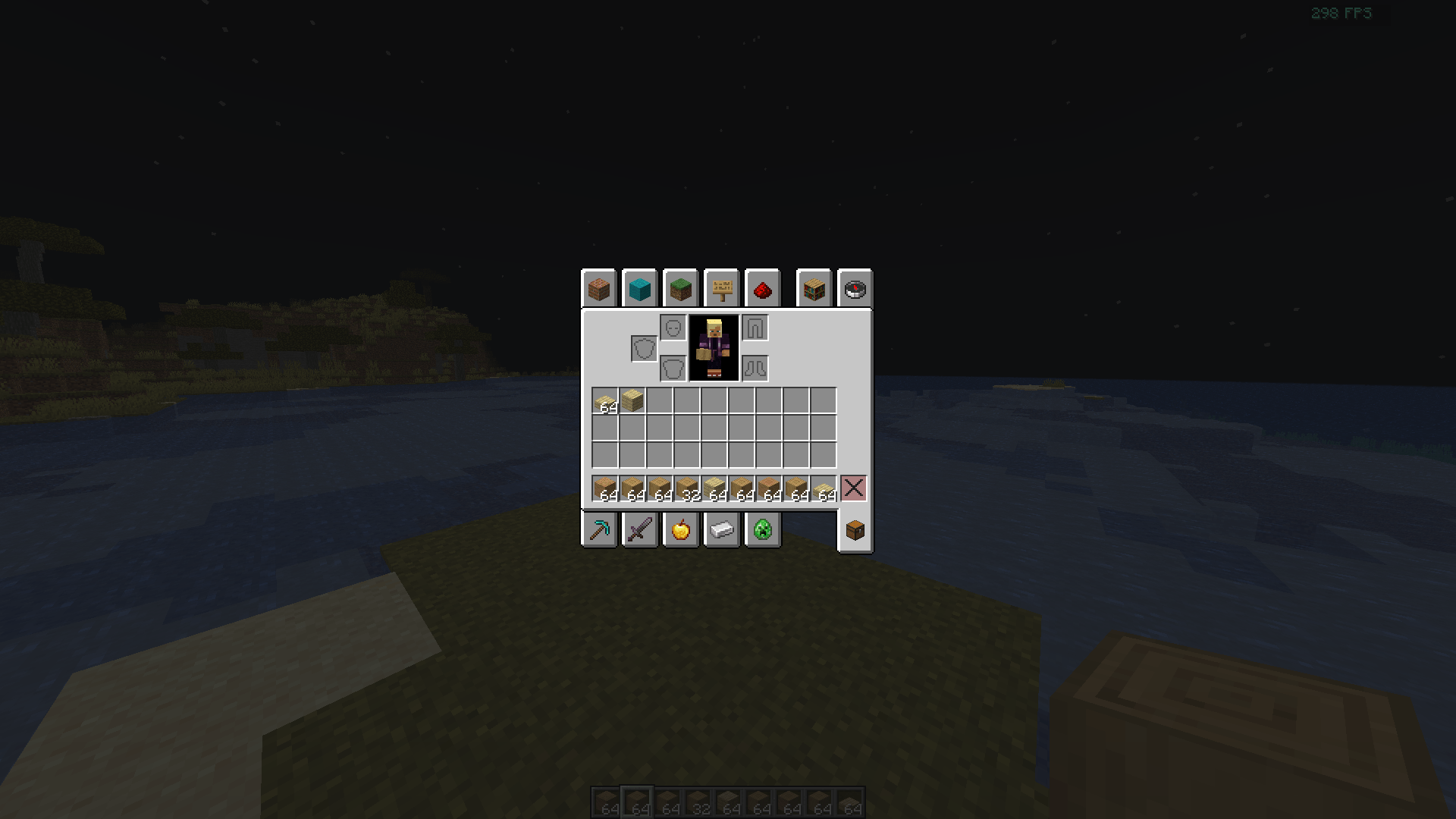
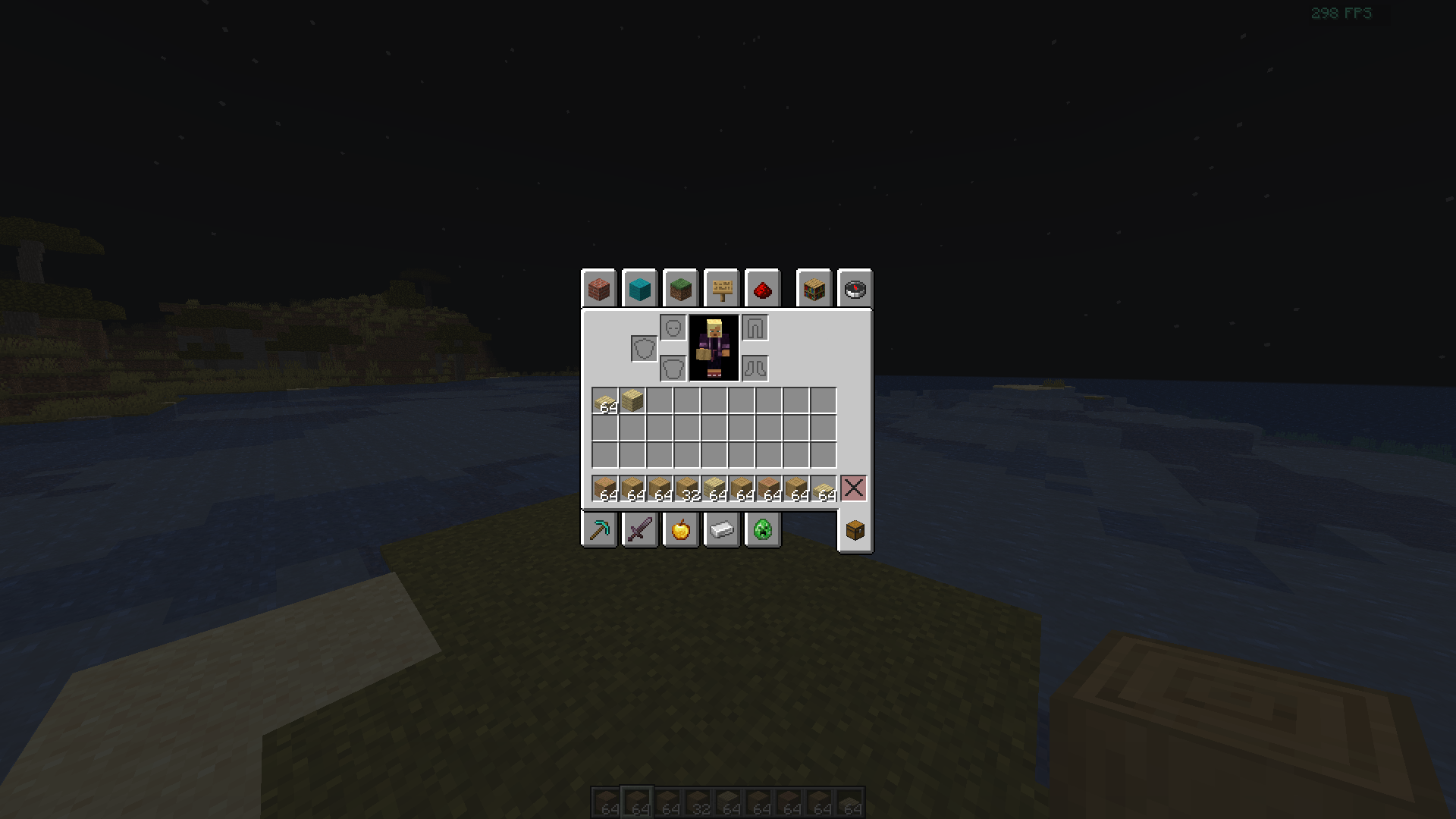
Press R to instantly sort your inventory or any open chest/container. The entire operation completes in under 5ms with no lag or disruption.
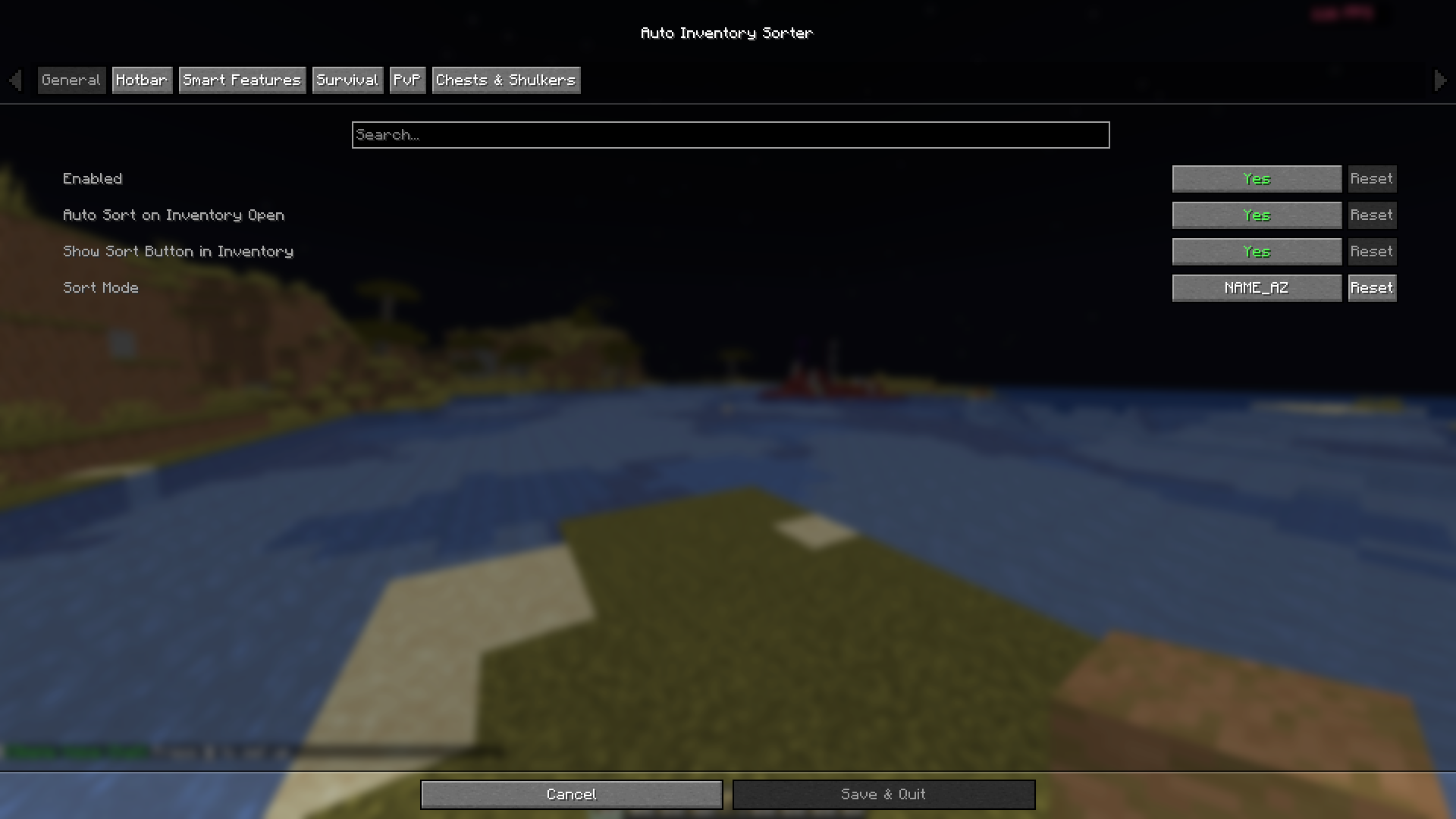
📂 5 Sort Modes
| Mode | What it does |
|---|---|
ITEM_TYPE |
Groups by category — weapons, tools, food, blocks, misc |
RARITY |
Common → Uncommon → Rare → Epic → Legendary |
NAME_AZ |
Alphabetical by item name |
QUANTITY |
Largest stacks appear first |
DURABILITY |
Best-condition tools sorted to the top |
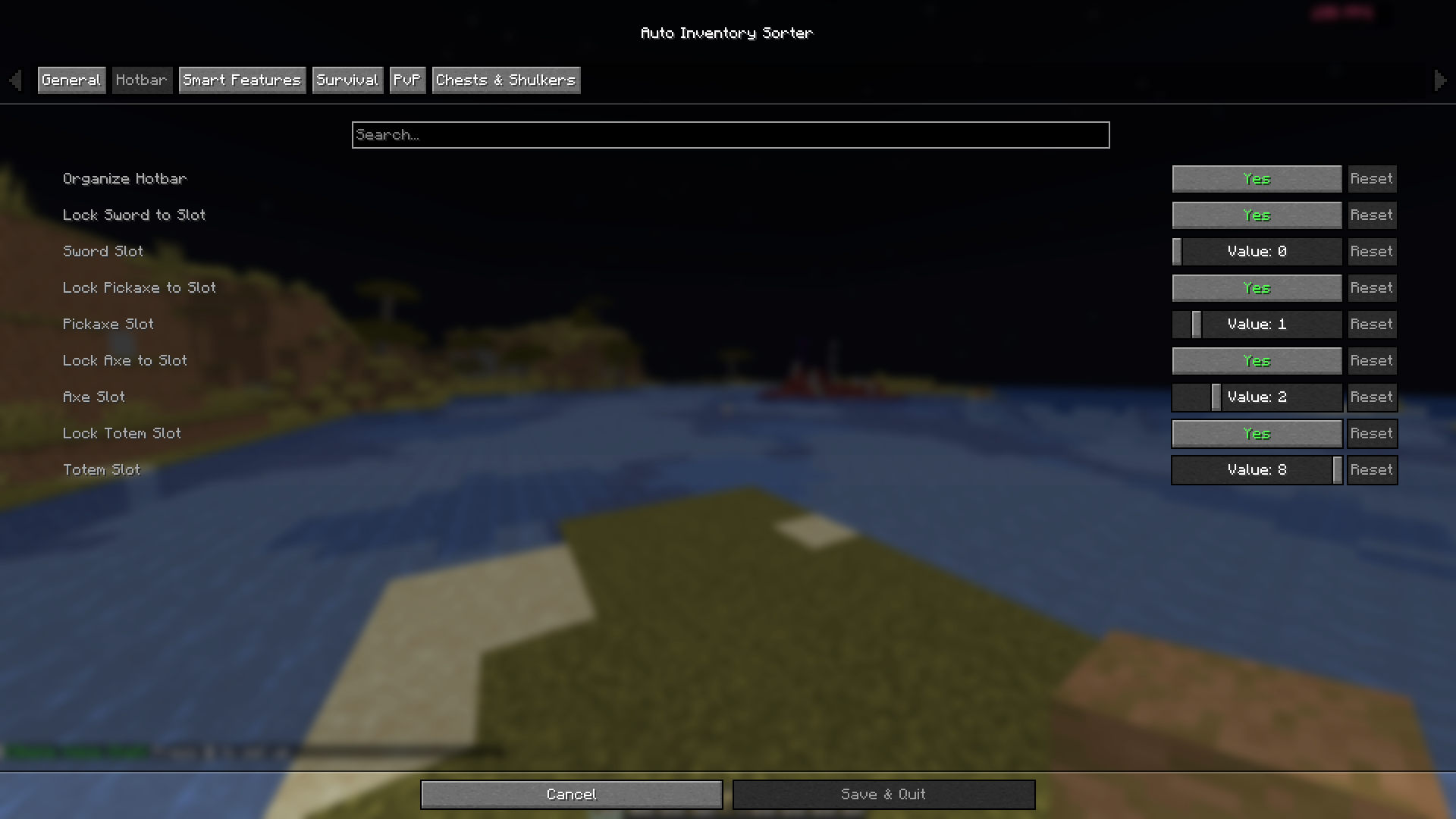
🔒 Hotbar Slot Locking
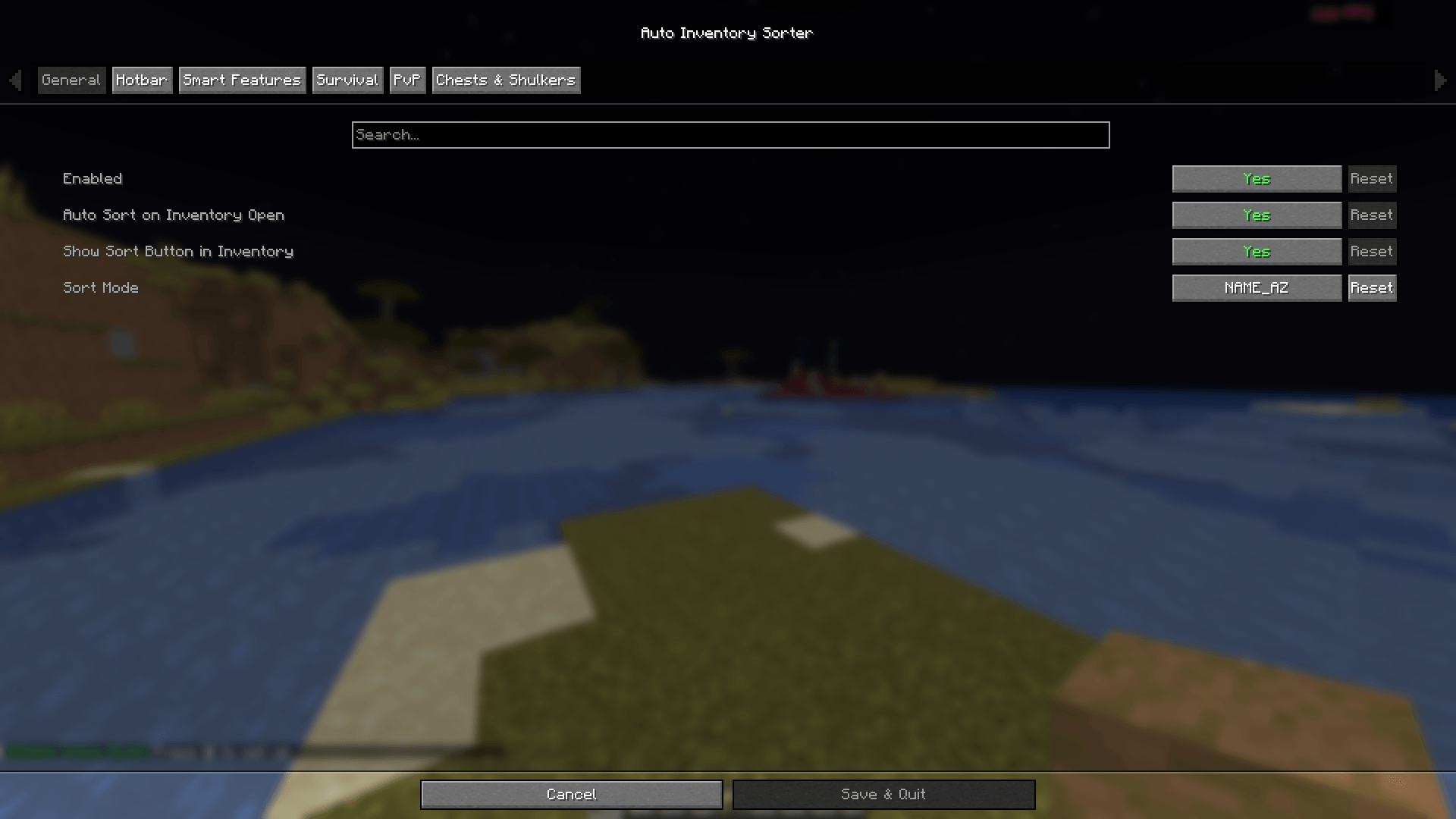
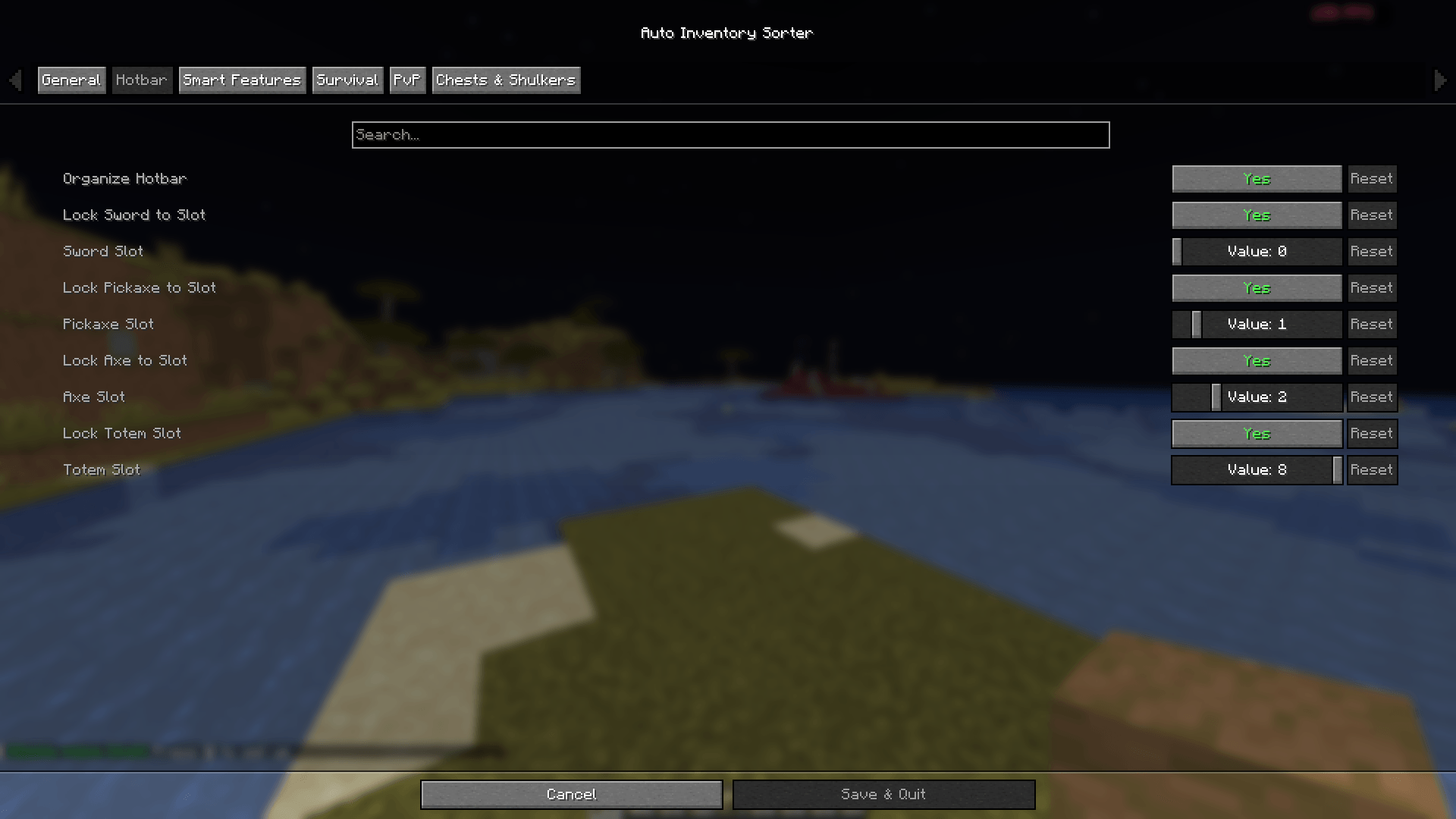
Lock specific hotbar slots to always hold certain item types. Defaults:
- Slot 1 → Sword
- Slot 2 → Pickaxe
- Slot 3 → Axe
- Slot 9 → Totem of Undying
Locked items automatically return to their assigned slot every time sorting runs. Fully customizable via config.
🔄 Auto-Refill
When you consume the last item from a hotbar slot, AutoInventorySorter immediately pulls a replacement from your inventory. Supports:
- Food
- Blocks
- Torches
- Arrows
Checks every 0.25 seconds, runs silently in the background.
🚫 Blacklist System
Exclude specific items or inventory slots from sorting entirely. Useful for maps, compasses, named items, or any item you want to keep in a fixed position.
👤 Profile System
Four built-in sort profiles you can switch between:
| Profile | Best for |
|---|---|
| Survival | General play — balanced layout |
| PvP | Combat — weapons and potions prioritized |
| Mining | Pickaxes, torches, shovels, ores up front |
| Building | Blocks sorted by type and quantity |
⚡ Performance
- Memory overhead: ~2 MB
- CPU usage: less than 0.1% average
- Sort time: ~5 ms for a full inventory
- No tick impact on gameplay
📥 How to Install
Required
| Dependency | Version |
|---|---|
| Minecraft | 1.21.5 – 1.21.x |
| Fabric Loader | 0.16.9+ |
| Fabric API | 0.136.1+1.21.8 or matching |
| Java | 21+ |
Optional
| Mod | Purpose |
|---|---|
| Mod Menu | In-game settings GUI |
| Cloth Config | Advanced config interface |
Steps
- Install Fabric Loader
- Download Fabric API for your Minecraft version
- Download AutoInventorySorter from the Versions tab
- Place both
.jarfiles in your.minecraft/mods/folder - Launch Minecraft
🎮 How to Use
| What you want to do | How |
|---|---|
| Sort your inventory | Press R |
| Sort an open chest | Open the chest, press R |
| Sort automatically on open | Set autoSortOnOpen: true in config |
| Change sort mode | Edit sortMode in config or use Mod Menu |
| Lock a hotbar slot | Edit lockSword, swordSlot, etc. in config |
| Protect an item from sorting | Add it to blacklistedItems in config |
⚙️ Configuration
File location: .minecraft/config/autoinventorysorter.json
{
  "enabled": true,
  "sortMode": "ITEM_TYPE",
  "sortKey": "R",
  "enableSlotLocking": true,
  "autoRefillHotbar": true,
  "enableChestSorting": true,
  "enableBlacklist": true,
  "autoSortOnOpen": false,
  "refillFood": true,
  "refillBlocks": true,
  "refillTorches": true,
  "refillArrows": true,
  "lockSword": true,
  "swordSlot": 0,
  "lockPickaxe": true,
  "pickaxeSlot": 1,
  "lockAxe": true,
  "axeSlot": 2,
  "lockTotem": true,
  "totemSlot": 8,
  "blacklistedItems": [
    "minecraft:compass",
    "minecraft:filled_map"
  ],
  "blacklistedSlots": []
}
🌐 Multiplayer
This mod is 100% client-side. It does not require installation on the server and works with:
- Vanilla servers
- Fabric servers
- Spigot and Paper servers
- Large networks like Hypixel
Always check a server’s specific rules on client mods before using.
❓ FAQ
Does this work with Forge or NeoForge?
Not yet. Fabric only for now. A Forge/NeoForge port is on the roadmap.
Does it support modded items?
Yes. The sort system works with any item, vanilla or modded.
Can I change the sort key from R?
Yes. Edit sortKey in the config file, or use Mod Menu if installed.
Will this cause issues in multiplayer?
No. The mod only reorganizes your local inventory and does not send any extra packets to the server.
🐛 Bugs & Feedback
Please report bugs on GitHub Issues with:
- Minecraft version
- Fabric Loader and Fabric API version
- AutoInventorySorter version
- Steps to reproduce the issue
- Crash log from
.minecraft/logs/latest.logif applicable
🔗 Links
| Source Code | github.com/devxkamlesh/autoinventorysorter |
| Bug Tracker | GitHub Issues |
| Developer | @devxkamlesh |
| Portfolio | devxkamlesh.vercel.app |
☕ Support
If AutoInventorySorter saves you time, consider buying me a coffee!

📜 License
MIT — free to use, fork, and include in modpacks. Credit appreciated but not required.
Made with ❤️ for the Minecraft community
常见问题
AutoInventorySorter — Smart Inventory & Hotbar Organizer 支持哪些 Minecraft 版本?
AutoInventorySorter — Smart Inventory & Hotbar Organizer 支持 Minecraft Java 版 1.21.5–1.21.11,共 6 个版本,可用的加载器:Fabric。下载时注意选择和你游戏版本一致的文件。
AutoInventorySorter — Smart Inventory & Hotbar Organizer 怎么安装?
先用 PCL2 或 HMCL 启动器安装对应版本的 Fabric,再把下载的 .jar 文件放进游戏目录的 mods 文件夹,重新启动游戏即可。开启了版本隔离的,mods 文件夹在 versions/版本名 下面。
devxkamlesh 的其他作品
查看全部 →
smart-fps-booster
Smart FPS Booster 是一款客户端 Minecraft 实用模组,可通过应用可配置的优化配置文件并动态调整指定设置,帮助提升游戏性能。

Totem Auto-Equip
当副手缺少不死图腾时自动装备。具备战斗模式、可配置延迟和模组菜单支持。

AutoInventorySorter
Smart inventory & hotbar organizer for Fabric. Press R to sort, lock hotbar slots, auto-refill items, and sort chests — client-side, multiplayer safe.

Screenshot Pro
A polished in-game screenshot manager: gallery, albums, tags, favorites, trash, search and a fullscreen viewer.
评论
登录后评论和评分