
截图
介绍
中文介绍正在准备中,下面暂时显示原文。
ObsidianPlus (Latest : 1.2 UPDATE !)
“I’m a french developer so, sorry for my bad English !”
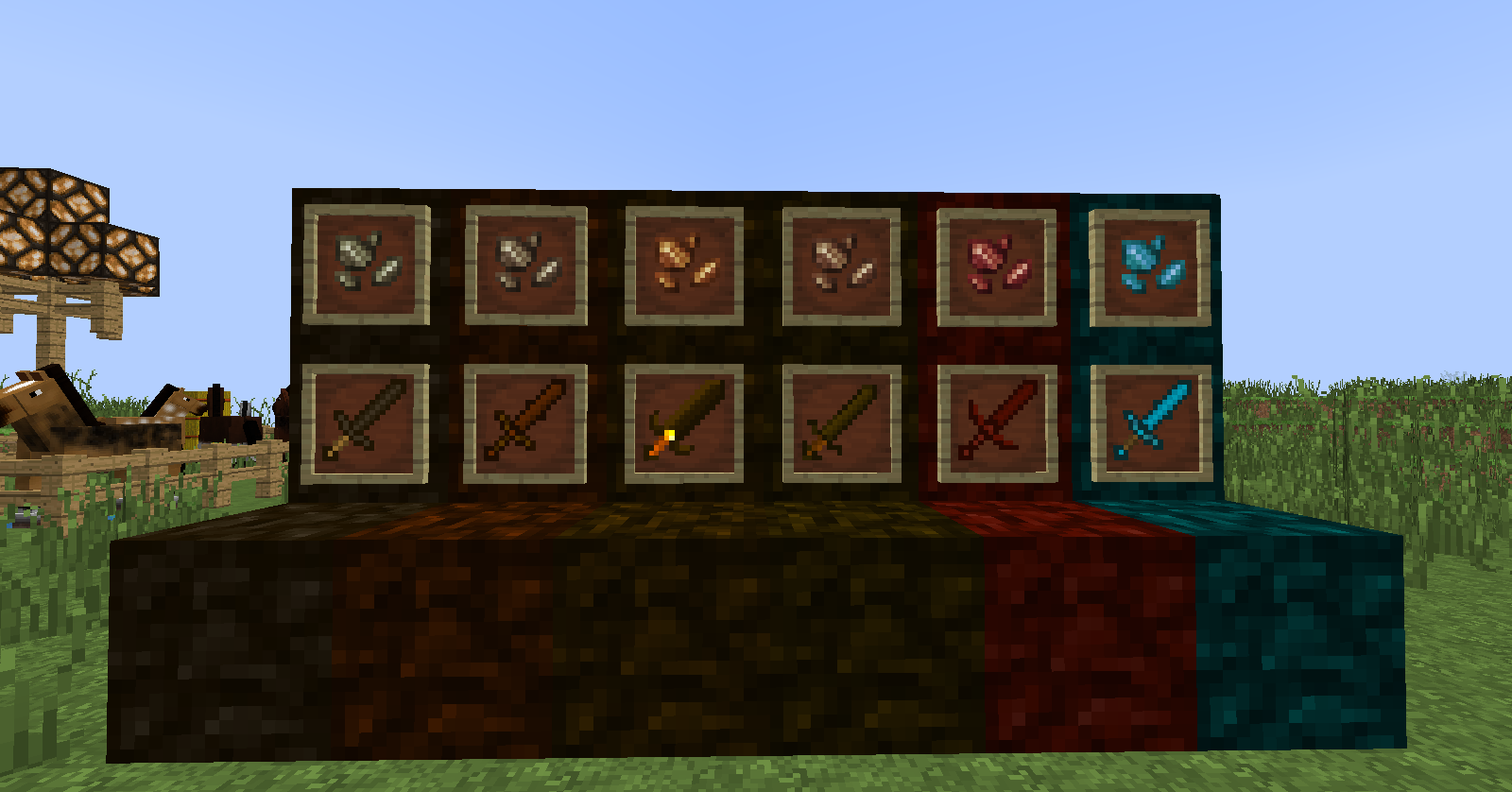
- Obsidian Mistos : Block, Ingot, Tools
- Obsidian Maculis : Block, Ingot, Tools
- Obsidian Raker : Block, Ingot, Tools
- Obsidian Tycus : Block, Ingot, Tools
- Obsidian Valme : Block Ingot, Tools
- Obsidian Lazulite : Block Ingot, Tools
DOWNLOAD NOW
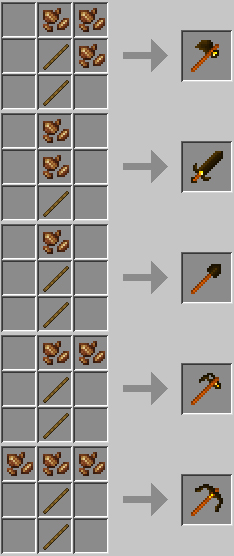
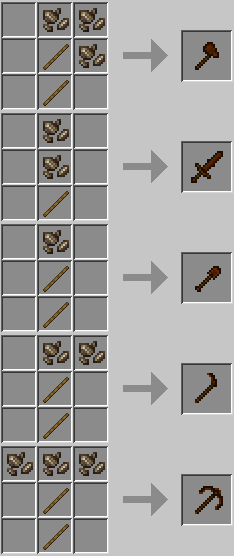
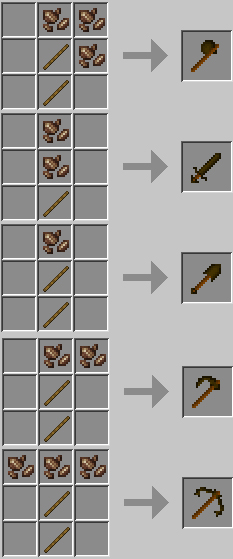
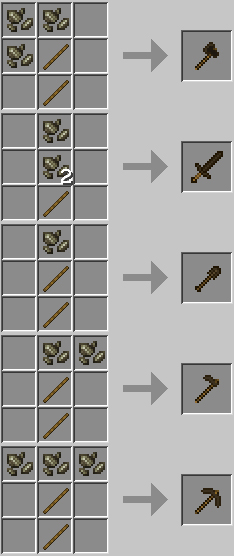
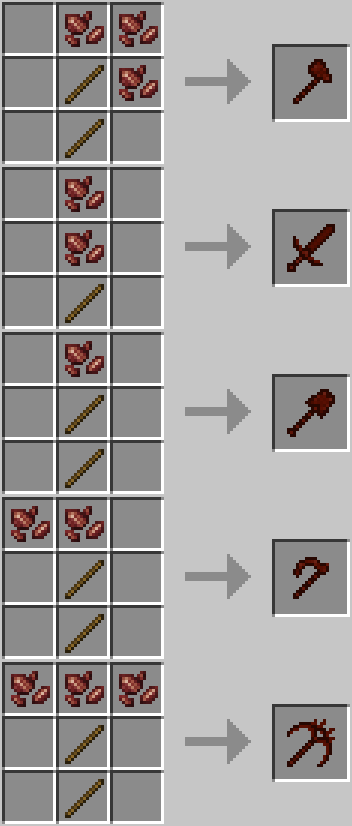
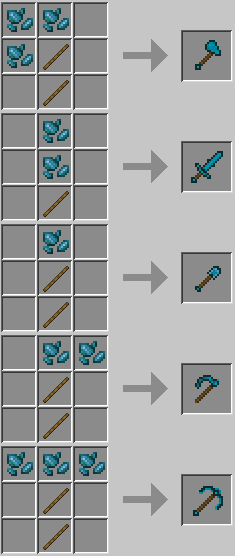
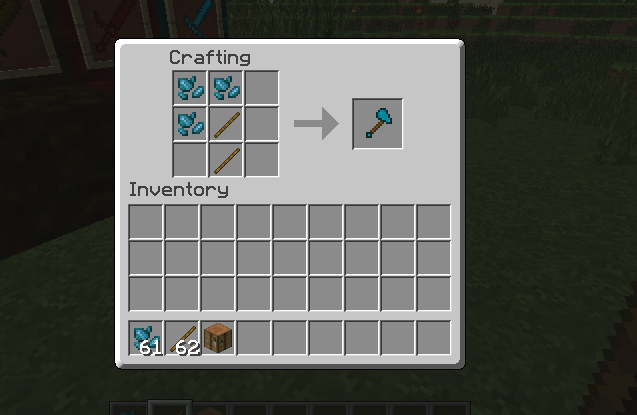
Craft :
Craft Lazulite :
Craft Valme :
Craft Mistos :
Craft Tycus :
Craft Maculis :
Craft Raker :
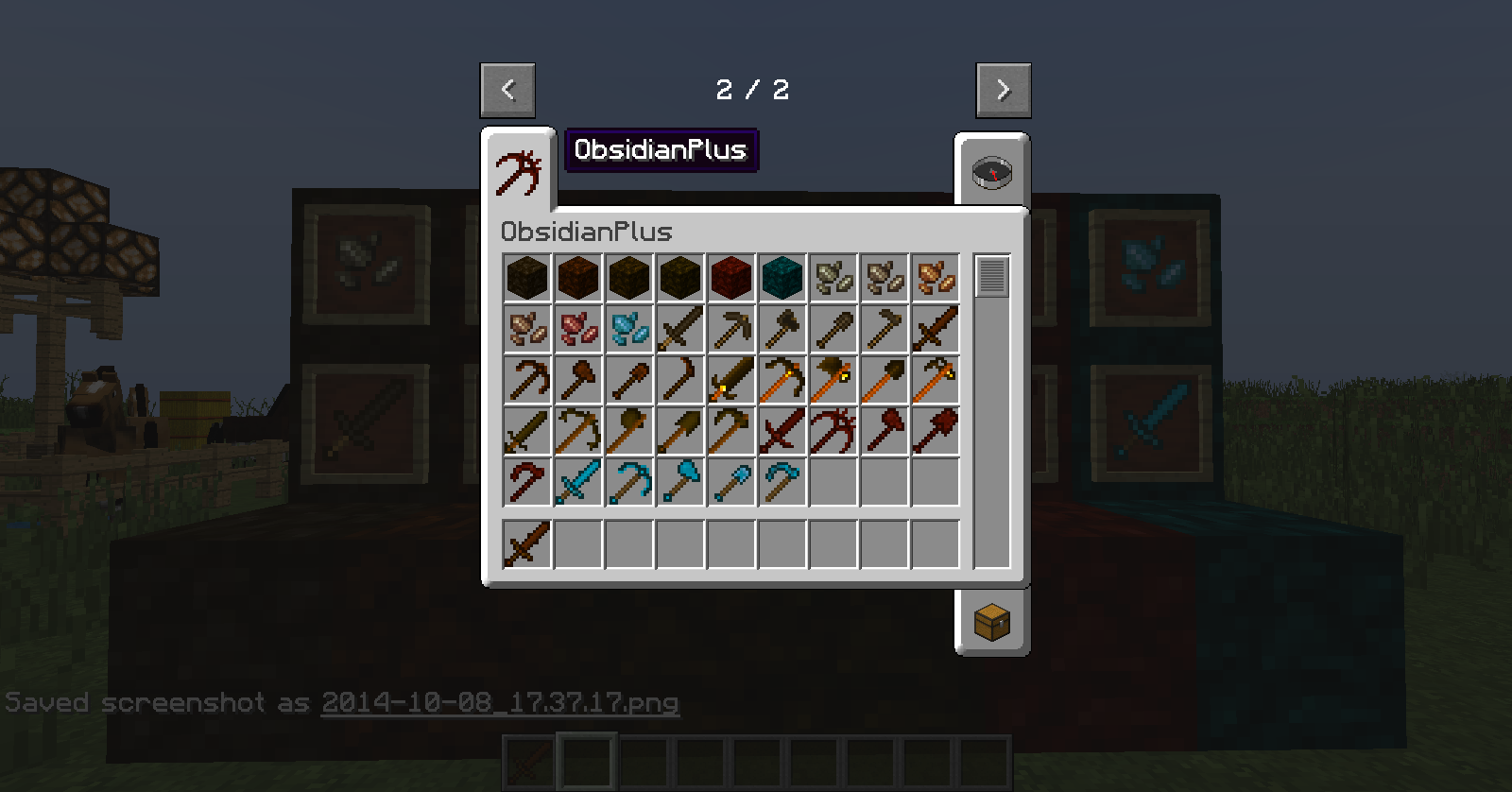
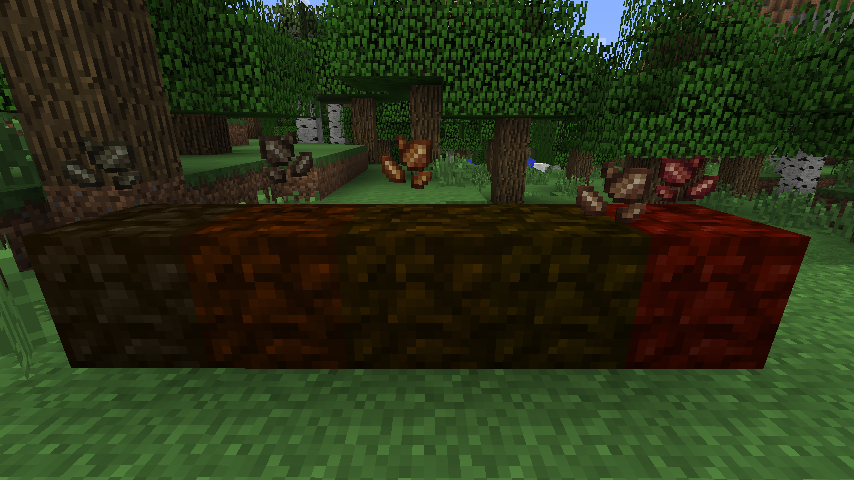
Screenshots :
Downloads:
Minecraft 1.7.10 (v1.2.0 – latest): [Download]
Minecraft 1.7.10 (v1.1.0): [Download]
Minecraft 1.7.10 (v1.0.0): [Download]
Team :
- 4Spartan8 (programming)
- Wazha Doh (graphic designer)
- Arzène (graphic designer)
Licence & Credits :
ObsidianPlus by 4Spartan8 is licensed under a Creative Commons Attribution-NonCommercial-NoDerivatives 4.0 International License.

ObsidianPlus by 4Spartan8 is licensed under a Creative Commons Attribution-NonCommercial-NoDerivatives 4.0 International License.
ObsidianPlus de 4Spartan8 est mis à disposition selon les termes de la licence Creative Commons Attribution – Pas d’Utilisation Commerciale – Pas de Modification 4.0 International.
常见问题
ObsidianPlus 支持哪些 Minecraft 版本?
ObsidianPlus 支持 Minecraft Java 版 1.7.2–1.7.10,共 8 个版本,可用的加载器:Forge。下载时注意选择和你游戏版本一致的文件。
ObsidianPlus 怎么安装?
先用 PCL2 或 HMCL 启动器安装对应版本的 Forge,再把下载的 .jar 文件放进游戏目录的 mods 文件夹,重新启动游戏即可。开启了版本隔离的,mods 文件夹在 versions/版本名 下面。
评论
登录后评论和评分