
Orange Sunshine
Orange Sunshine is a Minecraft mod, inspired by psychedelicraft, that adds magical food to minecraft.
截图


介绍
Orange Sunshine
Orange Sunshine is a Minecraft mod inspired by Psychedelicraft that adds stylized, surreal visual and gameplay effects to your world. It is designed for Minecraft 1.12.2 forge and later supported Forge / Fabric / Neofroge versions, as indicated by the original project.
Features
-
Surreal visual effects
Experience color shifts, screen-space distortions, and altered perception effects that change how the world looks and feels. -
Immersive status effects
Temporary buffs and debuffs that influence movement, perception, and combat in unusual ways, encouraging experimentation and creative play. -
Craftable consumables
Discover recipes for special consumable items that trigger unique visual and gameplay effects, balanced around mid-game progression. -
Environment interaction
Certain effects react differently depending on time of day, biome, and weather, making exploration feel more dynamic and unpredictable. -
Multiplayer-friendly design
Visual and gameplay effects are primarily client-focused so they remain fun and fair when used on servers that allow the mod.
Compatibility & Requirements
- Minecraft: 1.12.2 and later, as supported by the current builds of the project.[page:2]
- Mod loader: Forge for the corresponding Minecraft version.
- Other mods: Orange Sunshine is designed to be compatible with most content and exploration mods; avoid combining it with other heavy post-processing or shader mods if you encounter visual conflicts.
Installation
- Install the recommended Forge version for your Minecraft build.
- Download the latest Orange Sunshine
.jarfile from this CurseForge page. - Place the
.jarinto yourmodsfolder in the Minecraft installation directory. - Launch Minecraft with the Forge profile.
- Create or load a world and verify that the mod is listed on the Mods screen.
Gameplay Tips
- Start in a test world to get familiar with the visual and status effects before adding the mod to a long-term save.
- If you use shaders or heavy post-processing, test combinations carefully and adjust settings to avoid excessive brightness or motion.
- In multiplayer, coordinate with your server admin to ensure the mod is allowed and configured appropriately.
Troubleshooting
- If you encounter crashes or severe visual glitches, temporarily remove other visual/graphics mods and retry.
- For version-specific issues (e.g., a particular Forge or Minecraft build), test with the version range noted by the project and check the latest file description on CurseForge for any additional notes.
- Please include your Minecraft version, Forge version, mod list, and logs when reporting bugs.
常见问题
Orange Sunshine 支持哪些 Minecraft 版本?
Orange Sunshine 支持 Minecraft Java 版 1.12.2–1.21.11,共 3 个版本,可用的加载器:Fabric / Forge。下载时注意选择和你游戏版本一致的文件。
Orange Sunshine 怎么安装?
先用 PCL2 或 HMCL 启动器安装对应版本的 Fabric / Forge,再把下载的 .jar 文件放进游戏目录的 mods 文件夹,重新启动游戏即可。开启了版本隔离的,mods 文件夹在 versions/版本名 下面。
Moriz 的其他作品
查看全部 →
MinehopLite
Source Engine Movement and Bhopping in Minecraft for a Better Parkour Experience
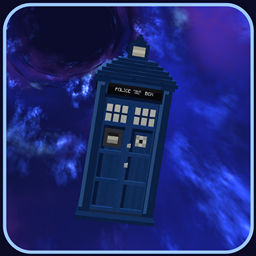
The Time Vortex (TARDIS)
Build a TARDIS piece by piece, from a junk console flying through the time vortex to a police box that's bigger on the inside.

Minehop
Source Engine Movement and Bhopping in Minecraft for a Better Parkour Experience

MinehopLite
This Mod Adds Source Engine Movement (Bhopping and Strafing) in Minecraft for a Better Parkour Experience. Includes a Speedometer, SSJ, Gauge, and Strafe Efficiency on the JHud.
评论
登录后评论和评分