介绍
VarLight
Features
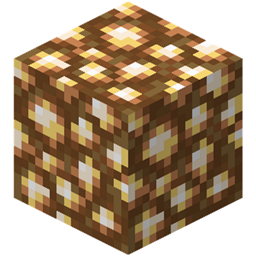
This Fabric Mod allows turning most blocks into Light Sources. This is performed by Right Clicking a Block with Glowstone Dust, the Light Level will be increased by 1 with each Click.
Left Click to decrease the Light level by 1.
When you break a Custom Light source using a Silk touch tool, A Glowing Version of the Block will be dropped, and when placed again will start glowing again. Breaking a Custom Light source without a Silk touch tool will drop some Glowstone Dust.
Commands
– /varlight update <pos> <light level> – Will update the Light level at the given position
– /varlight fill <pos 1> <pos 2> <light level> [include|exclude] [<include filter>|<exclude filter>] – Fills the specified area with light sources, allows filtering specific blocks
– /varlight give <targets> <type> <light level> [amount] – Much like the vanilla /give command, allows creating glowing variants of blocks
– /varlight debug list chunk|region [chunkX|regionX] [chunkZ|regionZ] – List Custom Light sources
– /varlight stepsize <stepsize>: Use to increase/decrease Light level by any number between 1-15 instead of just 1 per click.
常见问题
VarLight 支持哪些 Minecraft 版本?
VarLight 支持 Minecraft Java 版 1.15.2–1.16.1,共 3 个版本,可用的加载器:Fabric。下载时注意选择和你游戏版本一致的文件。
VarLight 怎么安装?
先用 PCL2 或 HMCL 启动器安装对应版本的 Fabric,再把下载的 .jar 文件放进游戏目录的 mods 文件夹,重新启动游戏即可。开启了版本隔离的,mods 文件夹在 versions/版本名 下面。
评论
登录后评论和评分