
介绍
A rewritten and updated version of my old Walkman and Custom record mod’s. Merged into one for easier maintainability for future updates.
Features:
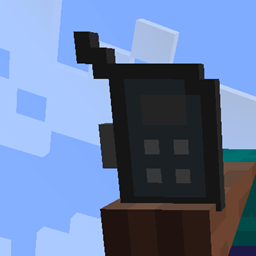
– A walkman, functions as a portable disc player for music discs. Can hold up to 9 discs, check controls for keybinds or use the GUI to control it.
– A boombox, functions as a portable disk player that can be heard by other players, controls like the walkman
– Custom records, allows user defined records to be added to the game via a json file. See instructions below to setup
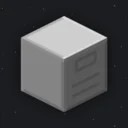
– Record maker, uses blank records to create user added custom records, can also be configured to allow the crafting of any record.
Custom record setup instruction:
– Upon game start a file named “records.json” will be created in (minecraft install dir)/config/musicexpansion
– Change the value of allrecords to true if you want the Record Maker to be able to craft all discs.
– To add a new record just add a new string into the records array.
I.e “records”: [“record1”, “record2”]
– Music must be in an OGG format, with the file name being the same as the string in the array. “record1.ogg” (Make sure the audio is MONO not STEREO, see why here)
– Texture must be the same too, PNG format with the name being the same as the OGG file “record1.png”
– Language files can be put into the same folder as the rest of the files
Each key follows the following format “item.musicexpansionexternal.recordname.desc”: “Record description here”
常见问题
Music Expansion 支持哪些 Minecraft 版本?
Music Expansion 支持 Minecraft Java 版 1.16.1–1.16.5,共 3 个版本,可用的加载器:Fabric。下载时注意选择和你游戏版本一致的文件。
Music Expansion 怎么安装?
先用 PCL2 或 HMCL 启动器安装对应版本的 Fabric,再把下载的 .jar 文件放进游戏目录的 mods 文件夹,重新启动游戏即可。开启了版本隔离的,mods 文件夹在 versions/版本名 下面。


评论
登录后评论和评分