
Coordinates HUD
An advanced Minecraft coordinate display mod that provides a customizable HUD showing coordinates, biome information, and much more!
截图
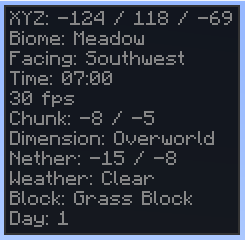
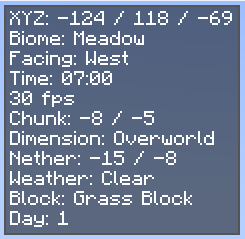
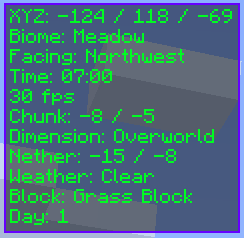
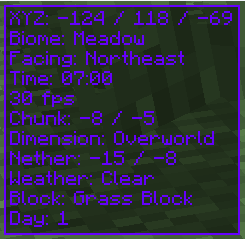
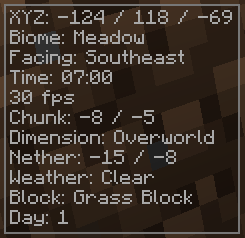
介绍




Coordinates HUD
Coordinates HUD is a clean and highly customizable HUD for Minecraft. It displays essential data like coordinates, biome, direction, and more — without clutter. Perfect for explorers, builders, and technical players alike.
Theme Previews
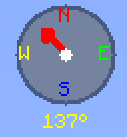
Compass
Features
- Real-time XYZ coordinates
- Biome and dimension display
- Cardinal direction compass
- Real-world & in-game clocks
- Weather, light levels, slime chunk check
- Speed, FPS, chunk and motion tracking
- Health, hunger, armor, target block info
Customization
- Built-in themes: Default, Dark, Rainbow, Minimal
- Custom colors and background options
- Adjustable position and scale
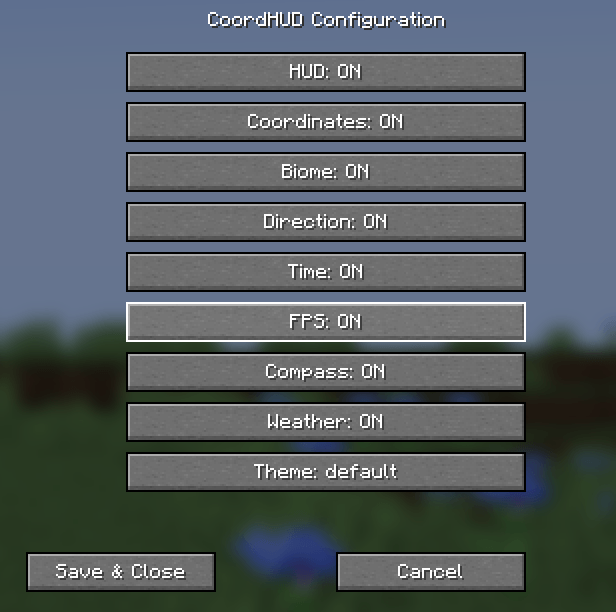
- Smooth animations, toggleable sections
Keybinds
- C: Toggle HUD
- G: Toggle Compass
- H: Open Config Menu
Configuration Interface:
Installation
- Download for Fabric, Forge, NeoForge, or Quilt
- Place the
.jarfile into yourmodsfolder - Launch Minecraft — it auto-loads!
Requirements
- Minecraft 1.21.5
- Java 21 or higher
- Fabric Loader 0.15.11+ with Fabric API
- Forge 52.0.17+
- NeoForge 21.1.42+
- Quilt Loader (fully compatible)
Support & Source
Report bugs, request features, or view the code on GitHub.
常见问题
Coordinates HUD 支持哪些 Minecraft 版本?
Coordinates HUD 支持 Minecraft Java 版 1.21.1–1.21.5,共 5 个版本,可用的加载器:Fabric / Forge / NeoForge / Quilt。下载时注意选择和你游戏版本一致的文件。
Coordinates HUD 怎么安装?
先用 PCL2 或 HMCL 启动器安装对应版本的 Fabric / Forge / NeoForge / Quilt,再把下载的 .jar 文件放进游戏目录的 mods 文件夹,重新启动游戏即可。开启了版本隔离的,mods 文件夹在 versions/版本名 下面。
quillphen 的其他作品
查看全部 →
Ore Vein Miner
Vein Miner 会在你挖掘一块矿石时,自动挖掉与之相连的矿石。
Tree Vein Miner
砍树模组:潜行时砍掉整棵树(原木和树叶)

Tree Vein Miner
树木矿脉挖掘:潜行时移除整棵树(原木和树叶)

Ore Vein Miner
连锁挖矿会在你破坏一个矿石方块时自动挖掘相连的矿石方块
评论
登录后评论和评分