
截图
介绍
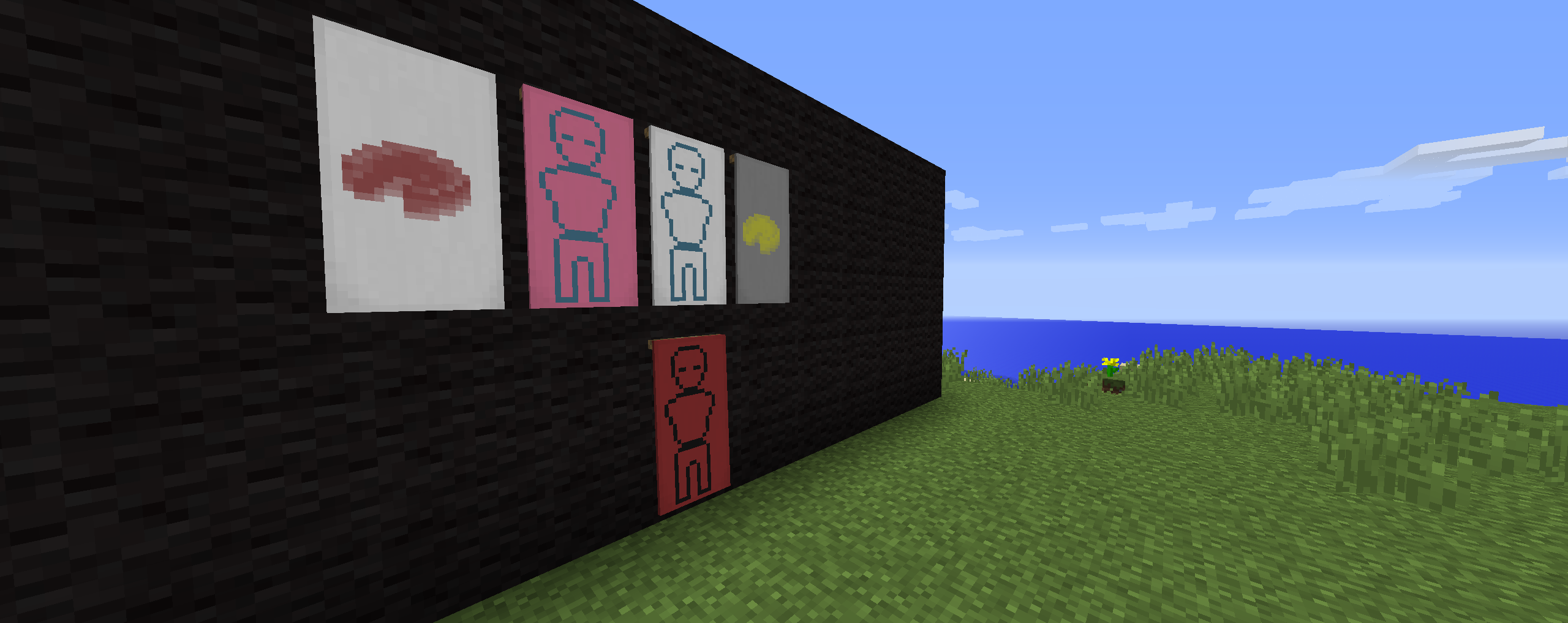
Minecraft officially introduced banners in 1.8 . After seeing the generic designs that were added in, banners didn’t seem any fun anymore. But now, with the advent of Custom Banner Loader, everything changes! Create a simple black/white image, a .json file and bam! New banner and shield types. This mod automatically loads localization and adds in the crafting recipe.
Anyone who makes a design and would like to show it off, send it to me and I’ll consider posting it as an example.
Thanks to Vazkii for inspiring this mod. If it wasn’t for the introduction of Custom Banners in the mod Quark, I’d never have made this.
Basics of creating a banner:
Important Folders:
JSONs and Banner images go into the …/entity/banner folder. Shield images go into the …/entity/shield folder.
Clients and Servers need the JSONs. Images are only required on the Client side, however it will not crash a server if they are included in the config folder.
Json Format:
{
  "item": "minecraft:Item_Needed_To_Create_Design",
  "name": "Name_of_PNG_file",
  "id": "ID",
  "localized": "Engilsh_Name_of_Design"
}
- The item field is the name of the item, identical to using the /give command
- The IDs should all be unique, and are registered with “bl_” before them. IDs should be only 1-4 letters.
- Localized is the English name given to the design. If the banner was of a ball, localized should be “Ball”. Localized is used in the tooltip to describe the design
- Name is the PNG file without the suffix .png . If this is not properly set, the textures will fail to load.
常见问题
Custom Banner Loader 支持哪些 Minecraft 版本?
Custom Banner Loader 支持 Minecraft Java 版 1.8.9–1.9,共 2 个版本,可用的加载器:Forge。下载时注意选择和你游戏版本一致的文件。
Custom Banner Loader 怎么安装?
先用 PCL2 或 HMCL 启动器安装对应版本的 Forge,再把下载的 .jar 文件放进游戏目录的 mods 文件夹,重新启动游戏即可。开启了版本隔离的,mods 文件夹在 versions/版本名 下面。
dmf444 的其他作品
查看全部 →
Nuclear Control 2
监控你的反应堆!

Catwalks 4
自 2018 年起,让工厂变得更美观!

Extra Food
一个添加食物、饮品以及需要花时间“消耗”方块来获取它们的模组!

Combat Pack
枪械、直升机,还有超酷的方块!
评论
登录后评论和评分