截图


介绍
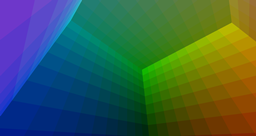
Do you need new Colors for your Castle or you want to build a great picture in Minecraft? Pictures adds 1728 colored blocks from the chromatic cirlce in 12 gray shades (a 12*12). To import a picture in your world place a Pictures-Block, add an img.png to your desktop and click it. To set the direction of the picture place a wooden planks block in the direction the picture should view, to make it flat place a wooden planks block under it.
Test it with Carpenters Blocksmod to build real castles with colored stones: lot of different greys! – to color a block in a carpenters block is sadly impossible, currently
Craft blocks: Use stone with: rose red, lapis lazuli, dandelion yellow, cactus green, light blue dye, sand, diamonds, magenta, pink, cyan, purple or lime dye side by side to craft the main blocks
Color items: Craft a whitepainter and color it (with lapis, rose red, or cactus green) to add color to a block. Use goldingots instead of iron to get the blackpainter, which removes the selected color from it.
Please write wishes like bright blocks in the chat under it or in my website chat: antonio-noack.tk/Sponsoren
常见问题
Pictures 支持哪些 Minecraft 版本?
Pictures 支持 Minecraft Java 版 1.5.0–1.5.2,共 3 个版本,可用的加载器:Forge。下载时注意选择和你游戏版本一致的文件。
Pictures 怎么安装?
先用 PCL2 或 HMCL 启动器安装对应版本的 Forge,再把下载的 .jar 文件放进游戏目录的 mods 文件夹,重新启动游戏即可。开启了版本隔离的,mods 文件夹在 versions/版本名 下面。
评论
登录后评论和评分