
Armor Quick Swap
Instant armor swapping from your inventory or armor stands. Works anywhere, client or server.
截图

介绍





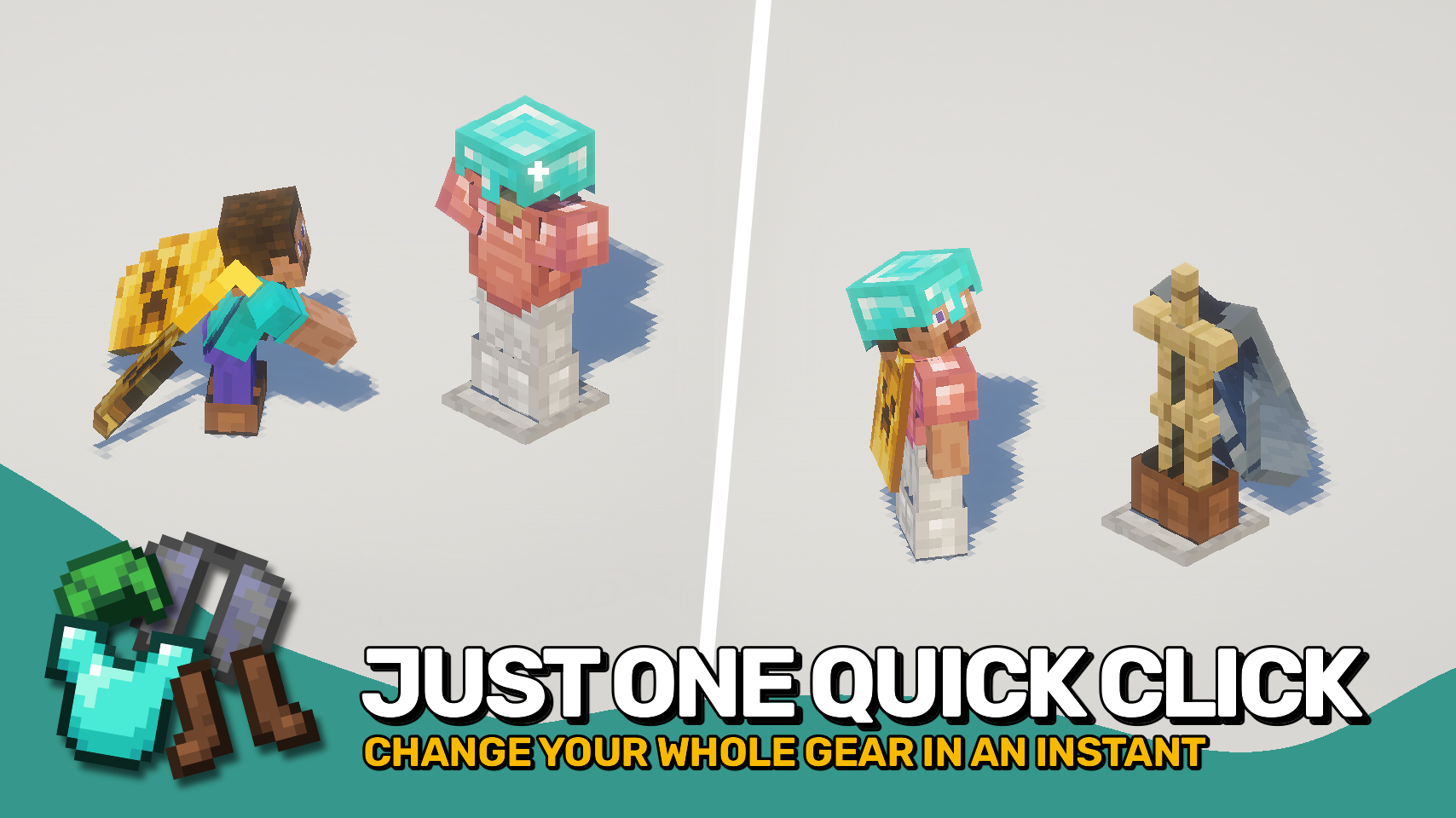
Armor Quick Swap makes changing gear effortless. In your inventory, simply right-click an armor piece to instantly equip or exchange it with what you’re wearing. You can also sneak and right-click an armor stand to swap your entire outfit in one go. It couldn’t be simpler — just quick gear changes whenever you need them.
The best part? It works on any setup — client-only, server-only, or both together — for full compatibility everywhere.


⏩ INSTALLATION OPTIONAL ON CLIENT & OPTIONAL ON SERVER
⏩ REQUIRES PUZZLES LIB TO BE INSTALLED (FABRIC & NEOFORGE)
⏩ REQUIRES FABRIC API TO BE INSTALLED (FABRIC)
⏩ REQUIRES FORGE CONFIG API PORT TO BE INSTALLED (FABRIC)

If available for a mod, configuration is possible directly from in-game using the mod menu (requires Mod Menu by Prospector to be installed on Fabric).
For manual configuration using an external text editor all files are found at .minecraft/config, named as MOD_ID-client.toml, MOD_ID-common.toml, or MOD_ID-server.toml, depending on the type of config. Not all types might exist for a mod, if any at all.
 |
 |
|
 |
 |
|
 |
 |
|
 |
 |
|
 |
 |

© 2026 @heyitsfuzs. All rights reserved. This page was last edited on 11 September 2026, at 06:44 (UTC).
常见问题
Armor Quick Swap 支持哪些 Minecraft 版本?
Armor Quick Swap 支持 Minecraft Java 版 1.20.1–26.3,共 13 个版本,可用的加载器:Fabric / Forge / NeoForge。下载时注意选择和你游戏版本一致的文件。
Armor Quick Swap 怎么安装?
先用 PCL2 或 HMCL 启动器安装对应版本的 Fabric / Forge / NeoForge,再把下载的 .jar 文件放进游戏目录的 mods 文件夹,重新启动游戏即可。开启了版本隔离的,mods 文件夹在 versions/版本名 下面。运行环境:客户端 / 服务端。
Fuzs 的其他作品
查看全部 →
Puzzles Lib
为什么叫谜题?这就是谜题所在。

Forge Config API Port
为其他模组生态提供 NeoForge 和 Forge 的配置系统。专为多加载器架构设计。

Visual Workbench
物品会留在工作台内,并且会渲染在上方。真的很精致!

Pick Up Notifier
收集到的所有物品都会通知你。
评论
登录后评论和评分