介绍
Custom Scoreboard Mod – Advanced Scoreboard Customization for Minecraft (Fabric + Kotlin)
Take full control of your Minecraft scoreboard with the Custom Scoreboard Mod, a powerful Fabric client-side modification. This mod allows players to personalize their scoreboard display, offering a wide range of customization options without compromising performance.
🌟 Key Features:
❌ Hide Scoreboard: Completely disable the scoreboard when you don’t need it.
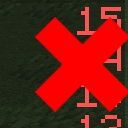
🔢 Remove Red Numbers: Option to hide the red numbers/scores on the right side.
🌐 Adjust Opacity: Customize the transparency of the scoreboard title and body.
✂️ Selective Line Visibility: Choose which specific lines to hide for a cleaner view.
⚡ Optimized for Fabric: Fully compatible with Fabric API.
💎 Kotlin-Powered: Developed using Kotlin (requires Fabric-Language-Kotlin).
🛠️ Settings GUI: Easily configure settings via Mod Menu (required).
📌 Why Use Custom Scoreboard Mod?
Whether you’re a content creator looking for a clean HUD, a player wanting more focus, or simply someone who finds the scoreboard distracting, this mod offers the flexibility you need. No more clutter, just clean customization.
✅ Installation Instructions:
Ensure Fabric Loader is installed.
Install Fabric API, Fabric-Language-Kotlin, and Mod Menu.
Download Custom Scoreboard Mod and place it in your mods folder.
🔗 Download Now and Take Control of Your Scoreboard!
常见问题
Custom Scoreboard 支持哪些 Minecraft 版本?
Custom Scoreboard 支持 Minecraft Java 版 1.19–1.21.8,共 17 个版本,可用的加载器:Fabric / Quilt。下载时注意选择和你游戏版本一致的文件。
Custom Scoreboard 怎么安装?
先用 PCL2 或 HMCL 启动器安装对应版本的 Fabric / Quilt,再把下载的 .jar 文件放进游戏目录的 mods 文件夹,重新启动游戏即可。开启了版本隔离的,mods 文件夹在 versions/版本名 下面。运行环境:仅客户端。

评论
登录后评论和评分