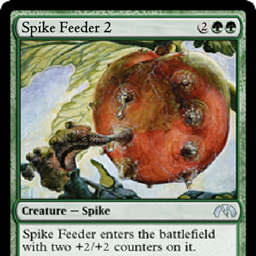
Spikefeeder 2 – Electric Boogaloo
Vanilla-feel pack: Create, ComputerCraft, Quark, Tetra, TerraForged
介绍
This modpack is in beta! While the mod list is mostly decided, the mods have not been fully configured yet, and as such there may be inconsistencies, balance issues, impossible crafting recipes, etc.
Terrain generation has been mostly figured out, & the pack is probably close to full release (it’s not a full release yet incase this update breaks anything).
Known Issues
OSV will occasionally crash the game on startup, complaining about a "ConcurrentModificationException". Ignore the error & relaunch the game. It may take a few tries to start.
Additionally, all ores will be missing textures the 1st time you launch. Press F3+T (potentally with the Fn key as well) to reload your textures, or restart the game if that doesn’t work.
Please report any issues WITH THE MODPACK in the issues tab above. Please report any issues with an individual mod to that mod’s issues page.
About
This is a simple modpack for my friend’s server. It is intended to not feel modded at all, but still have cool new content. Because of this, some mods have been configured in otherwise slightly strange ways, such as the JEI list and Quark inventory buttons being hidden.
This file is included in the Instance root directory for offline access. This instance’s root directory can most likely be found at %USERPROFILE%/Twitch/Minecraft/Instances/Spikefeeder 2 - Electric Boogaloo/.
World Creation:
- When creating a world, click "More World Options" & then "Import Settings". Navigate to
%USERPROFILE%/Twitch/Minecraft/Instances/Spikefeeder 2 - Electric Boogaloo/& choose the file titled `spikefeeder2worldgen.json. This will import the proper world generation settings for the various structures & dimensions. It is recommended to change the seed as well to get a different world. - Stone types generate in layers called ‘strata’, so as you decend you will see various types of rock. Ores generate in the correct type of stone that surrounds them (but they all drop the normal drops/ore block, silk touch will drop the stone-specific block).
The Stone Age:
- When you start out, one of the first things you should do is make is a wooden hammer (from Tetra, search it in the recipe book) and whack a crafting table with it. This makes it a "Workbench", which allows you to upgrade your tools without creating new ones (if you accidentally do this, don’t worry; breaking the workbench drops a vanilla crafting table). The GUI can look intimidating at first, but it’s pretty easy to learn. When you place a tool in the slot, it will show you the stats of the tool and what parts it has. Clicking on a part will select it, showing a menu at the bottom with 3 tabs on the left. The top tab is info about the part, the middle ones lets you upgrade or change the part, and the bottom one is for tweaking.
- To upgrade a wooden pickaxe to stone, for example, place the wooden pick in the workbench, click on either side of the pickaxe head, then open the "Craft" tab and choose Pickaxe head, place any type of cobblestone in the Head material slot, and then press craft. Repeat the process for the other head, and now you have a stone pickaxe! I recommend upgrading all your tools instead of creating new ones, because the more you use the same tool, the better it gets (similar to Tinkers Construct).
- You may notice that there are quite a few more types of stone & cobblestone than usual. Don’t worry, they’re all basically functionally identical, except for some stones make slightly stronger tool heads. To see what stones have what stats, open your Holosphere and check out the "Materials" menu at the bottom. (If the menu goes offscreen, try temporarily lowering your GUI scale).
Industrial Revolution:
- The first big technology advancement after iron tools is creating mechanical machines using Create. Create introduces an alternative way of powering machines, using spinning gears and shafts instead of magical red tubes. Reading the wiki is highly recommended, as the system has a lot more nuance than you would initally think.
- The first ways to generate rotation are a water wheel & the hand crank. The water wheel is useful for slow but constant rotation, whereas the hand crank is used for short bursts of faster rotation. This rotation can be used to power various machines, such as the Mechanical Press & Millstone (search the recipe book for crafting). The Mechanical Press can be used to make metal plates, and the Millstone is used to grind down ores (press "U" while hovering over either machine to see what you can craft using it). All of these simple machines require either Andesite Alloy or Andesite Casing.
- Better and more complex machines will require brass plates & casing. To get brass you need to mix crushed copper & zinc in a basin using a Mechanical Mixer, and it needs to be heated with a Blaze Burner underneath. This will require getting to the nether and finding a Fortress, so you’ll want to prepare for that. The recipes for all the machines can be found in the recipe book, the weird metal thing at the bottom of the Mechanical Mixer is a Whisk.
- The most advanced crafting machines in Create are the Mechanical Crafter, which is capable both autocrafting and crafting larger, more complex recipes, and the Crushing Wheel, which when paired with a Fan blowing through water allows for significant increases in ingot yield per ore block.
The Digital Age
- The final stage in the tech tree is ComputerCraft. ComputerCraft introduces in-game computers & turtles (robots) that are programmed using the LUA scripting language. The wiki has tutorials & more information about actually programming the computers.
- All basic computers & most peripherals can actually be crafted before getting brass, as they only require Andesite Alloy & an Electron Tube. Basic Turtles require at least getting a Mechanical Press running for Iron Plates.
- Advanced Computers & Turtles require getting to producing brass & gold plates, respectively, and Advanced Monitors require Nixie Tubes.
- Wireless Modems only require Andesite Alloy and Ender Pearls, and allow for wireless communication with a range of 384 meters (unchanged). Ender Modems require Biotite (which spawns after beating the Dragon), because they have infinite range and the distance a message can be received from is determined by the modem with the higher range. If this could be configured to take the lowest range instead, I would definitely change this, but I don’t know of any way to do that currently.
Beating The Game
- To beat the game, 11 eyes must be found across the world’s various structures, and the End Castle must also be located. A map to an End Castle can be purhcased from Cartographer Villagers. the locations of the eyes can be found on End Remastered’s curseforge page, but I recommend not looking at the list unless you get stuck & just can’t seem to figure out where the last eyes are.
- Once all eyes are placed in the portal, it will open. Unless command blocks are disabled on the server, in which case, enable them (The command blocks are under the prismarine if you just want to run the command yourself. You also may need to do this if it fails to generate properly).
Modlist
Gameplay
- Create
- ComputerCraft
- Tetra
- Quark
- End Remastered
Environment
- Terraforged
- YUNG’s Better Caves
- YUNG’s Better Mineshafts
- Towers Of The Wild
- Waystones (Generate in towers only)
- Serene Seasons
- Dynamic Surroundings
- Simple Voice Chat
Miscellaneous
- AI Improvements
- Bedspreads
- Better Advancements
- Better Burning
- Customizable Elytra
- Coins
- Curios & Curios Elytra
- Just Enough Items
- CraftTweaker + JEITweaker
- Open Loader
- Smooth Boot
- Tetranomicon
- The One Probe (All items from this mod are disabled, the Holosphere from Tetra acts as the probe)
Optifine is compatible with this modpack & is recommended for performance & shaders (they look very cool with Terraforged & YUNG’s Better Caves)
Legal Info (that probably isn’t actually legally valid in any form but ¯\_(ツ)_/¯ )
All credit for mods goes to their original authors (all mods are included in the manifest.json only and are auto-downloaded from CurseForge).
The contents of the openloader/ directory are created by me (data for recipes, tetra materials, & tags for compatibility).
The icon is a slightly-edited image of the Spike Feeder card from Magic: the Gathering.
THIS MODPACK IS IN BETA, USE AT YOUR OWN RISK!
Please report issues or feature requests in the Issues tab, use the comments for simple questions only!
常见问题
Spikefeeder 2 – Electric Boogaloo 支持哪些 Minecraft 版本?
Spikefeeder 2 – Electric Boogaloo 基于 Minecraft Java 版 1.16.5。
Spikefeeder 2 – Electric Boogaloo 怎么安装?
点本页「前往下载」拿到整合包文件(Modrinth 的是 .mrpack,CurseForge 的是 .zip),在 PCL2 或 HMCL 启动器里选择「导入整合包」,启动器会自动装好 Minecraft、加载器和全部模组。建议在启动器里给游戏分配 4–6 GB 内存。
Spikefeeder 2 – Electric Boogaloo 开服需要多大内存?
推荐服务器内存 12 GB。在线人数多、或者建了大量机器和区块加载器时,可以再加 2–4 GB。
怎么和朋友一起玩 Spikefeeder 2 – Electric Boogaloo?
点本页的「一键开服」,选好配置后会自动安装 Spikefeeder 2 – Electric Boogaloo 的服务端,几分钟就能开好。把服务器地址发给朋友,大家用同一个版本的整合包连进去就行。
Penguin_Spy 的其他作品
查看全部 →
Sneaky Capes
Renders custom cape textures hidden in the unused portions of the player's skin texture.

Thinner Air
The air isn't always breathable in caves, at high elevations, or other extreme locations.
Thinner Air
The air isn't always breathable in caves, at high elevations, or other extreme locations.
Remove Anvil Prior Work Penalty
Removes the prior work penalty when repairing or enchanting items in the anvil, preventing the Too Expensive message. Simple, optimized, and multiplayer friendly.
评论
登录后评论和评分