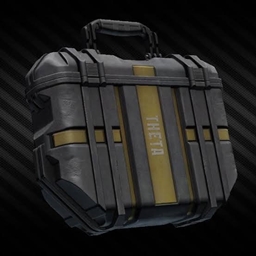
Secure Container
just like in Escape From Tarkov, you can store important stuffs in the security case(secure container) without losing them after your sudden death
介绍
just like Escape from Tarkov, you can now secure some of your valuable stuffs in the security case. to make your security case larger, go to the server side and edit /config/securitybackpack-server.toml
Although the UI looks ugly, but it works well 🙂
There will be a extra Button in your Backpack UI, after klicking at it you can open the Secure Container. It is originally 2 blocks big and you can Upgrade it through using Diamonds. The stuffs in there will Always Be Safe.
常见问题
Secure Container 支持哪些 Minecraft 版本?
Secure Container 支持 Minecraft Java 版 1.20.1–26.2,共 14 个版本,可用的加载器:Forge / NeoForge。下载时注意选择和你游戏版本一致的文件。
Secure Container 怎么安装?
先用 PCL2 或 HMCL 启动器安装对应版本的 Forge / NeoForge,再把下载的 .jar 文件放进游戏目录的 mods 文件夹,重新启动游戏即可。开启了版本隔离的,mods 文件夹在 versions/版本名 下面。
maoruiq 的其他作品
查看全部 →
Just Enough Guns New(unofficial port)
一个来自Just Enough Guns的非官方分支。它可以在NeoForge和Fabric上运行。遵循GPL3.0协议。

First Aid New
A port of First Aid with more realistic mechanism
TP HOME
set home and go home anytime you want
评论
登录后评论和评分