
截图


介绍
ZeroVision
ZeroVision is my personal take on Minecraft’s visuals — combining ideas I’ve always loved in other resource packs and recreating them in my own style.
From 3D ores, flowers and foliage to custom blocks, models and more, ZeroVision aims to make Minecraft more detailed while still feeling like Minecraft.
⚠️ Currently in Alpha
ZeroVision is still a work in progress. Many textures, items, animations and most of the GUI haven’t been redesigned yet — that’s completely normal for the current Alpha releases.
✦ Features
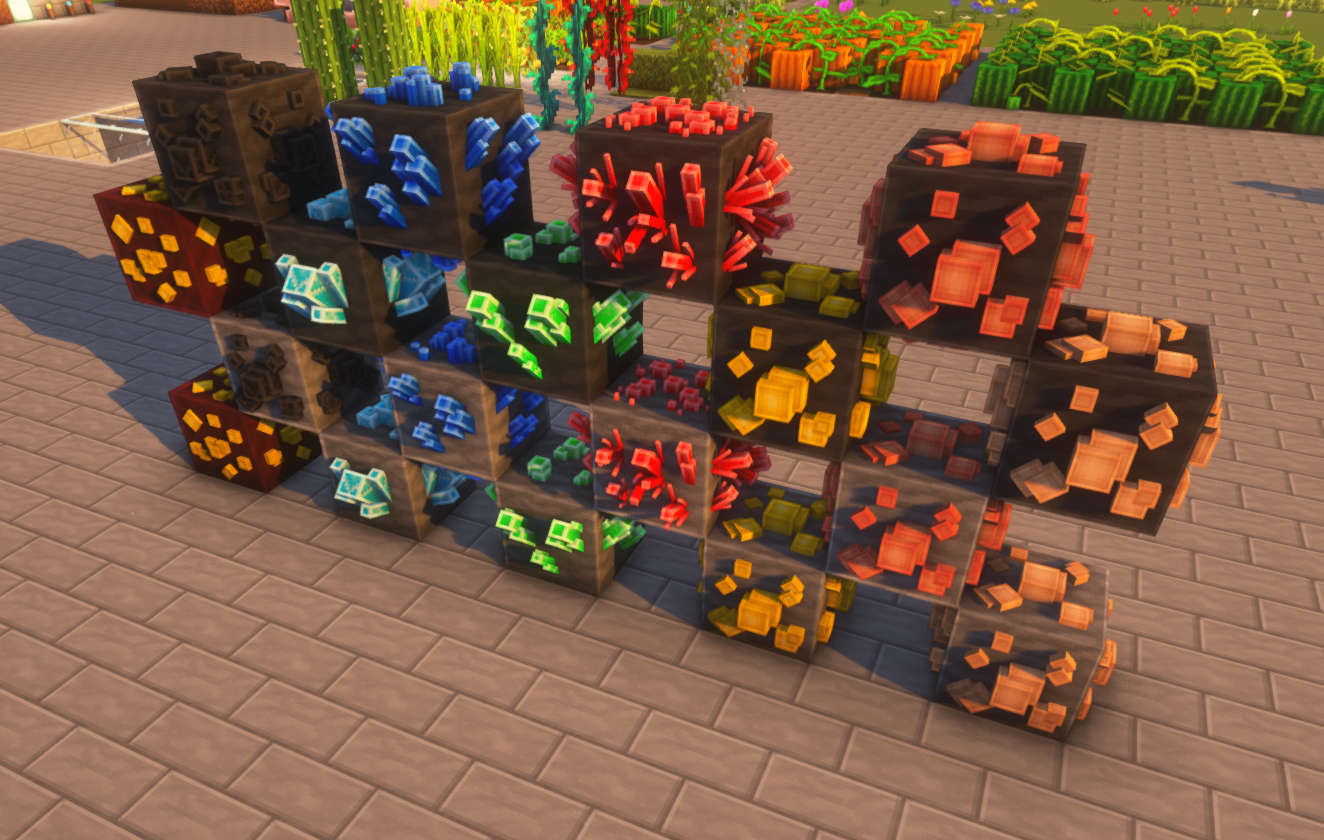
- ⛏️ Custom 3D Ores
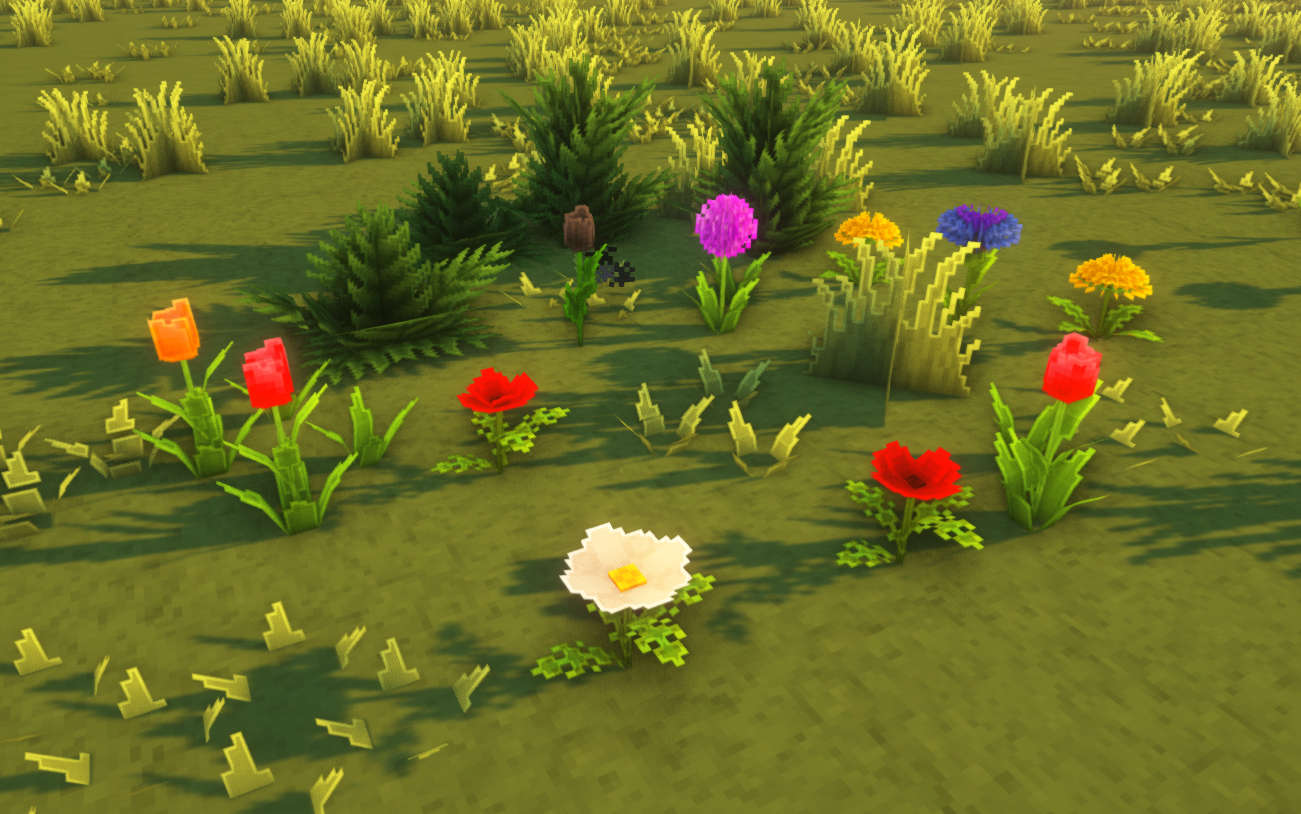
- 🌸 3D Flowers & Plants
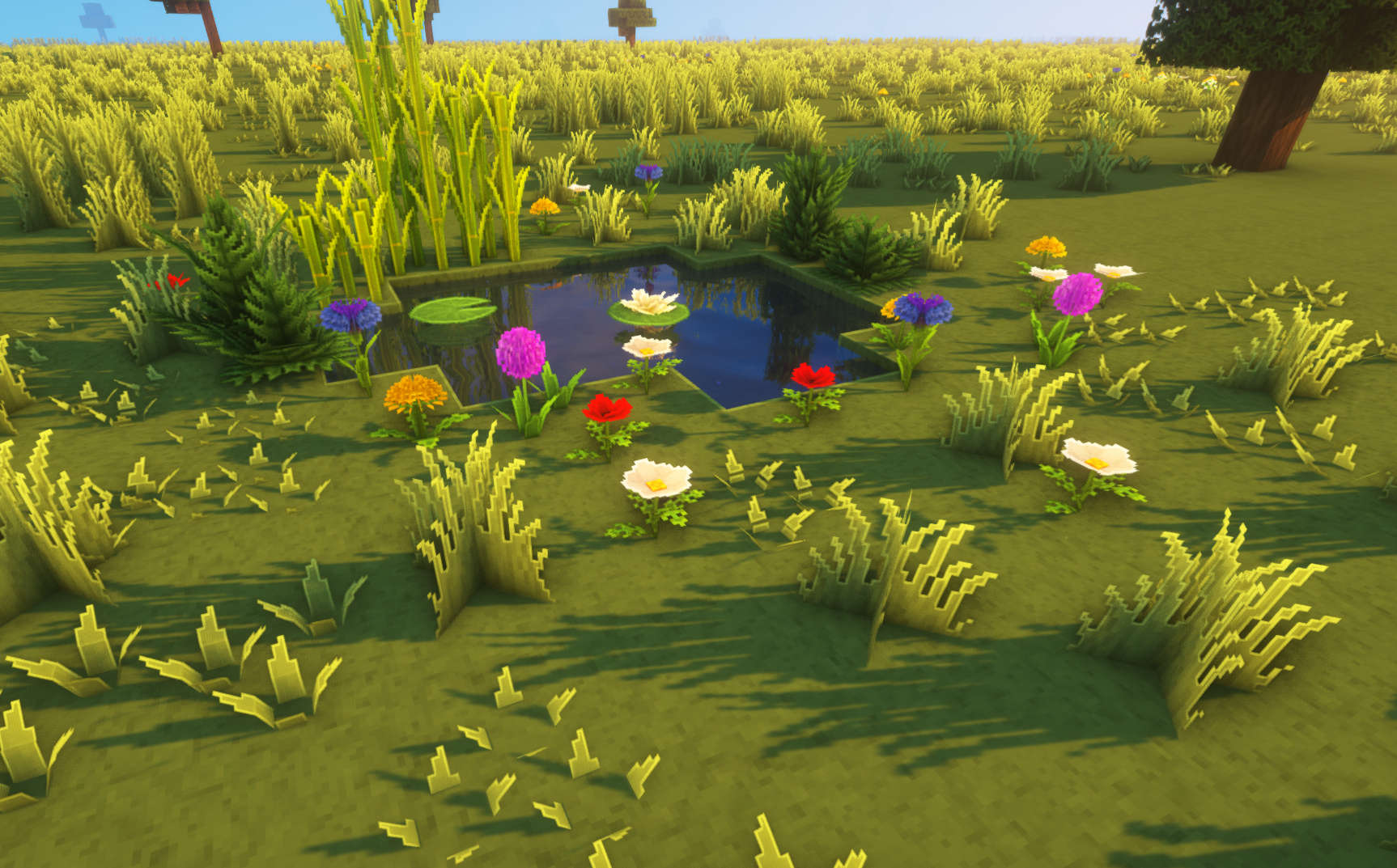
- 🌿 Detailed 3D Foliage
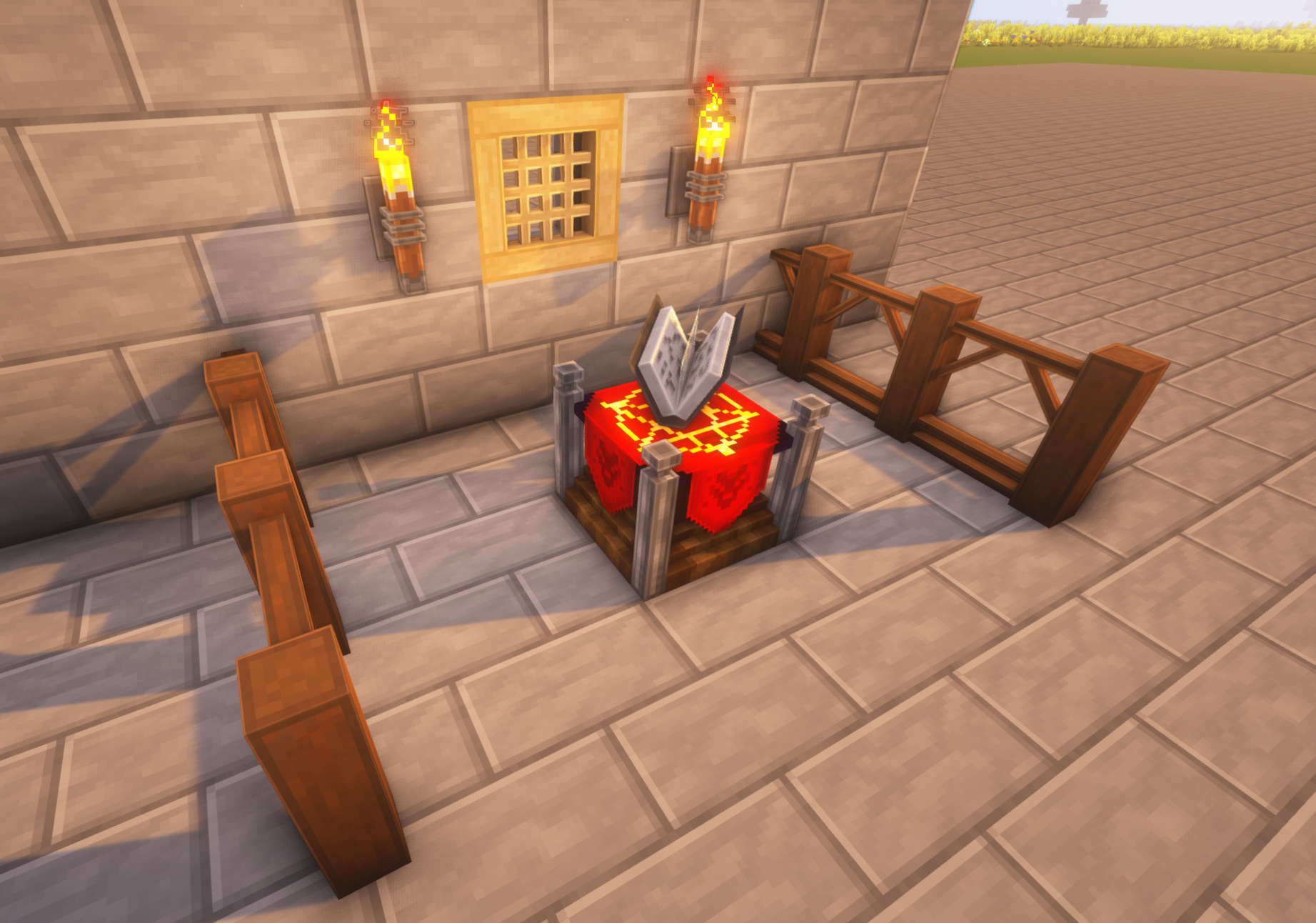
- 🧱 Custom Blocks & Workbenches
- 🎨 Redesigned Textures & Models
- 🔨 Regular additions as development continues
✦ ZeroVision Addons
Want to expand ZeroVision even further? These optional addons add additional features while keeping the same visual style.
🌿 Bushy Leaves
Adds fuller and more detailed leaf models for a denser look.
This is completely optional — use it if you prefer bushier foliage, or stick with the standard ZeroVision leaves.
📖 ZeroVision Enchants
Every enchantment gets its own unique enchanted book design.
Instead of every enchanted book looking identical, ZeroVision – Enchants gives enchantments their own recognizable 32x textures and animated details.
From Sharpness and Mending to Riptide, Soul Speed, Wind Burst and more.
Minecraft 1.21.5+ works without any required dependencies.
📦 Combine ZeroVision with other packs
Since ZeroVision is still in Alpha, you can use another resource pack underneath it to fill in textures that haven’t been redesigned yet.
Simply place ZeroVision above the other pack in your resource pack list.
Packs higher in the list have higher priority.
This gives you everything ZeroVision currently replaces while the other pack handles the rest.
📸 Preview
⛏️ 3D Ores
🌸 3D Flowers
🌿 3D Foliage
🧱 More
🌎 In-Game
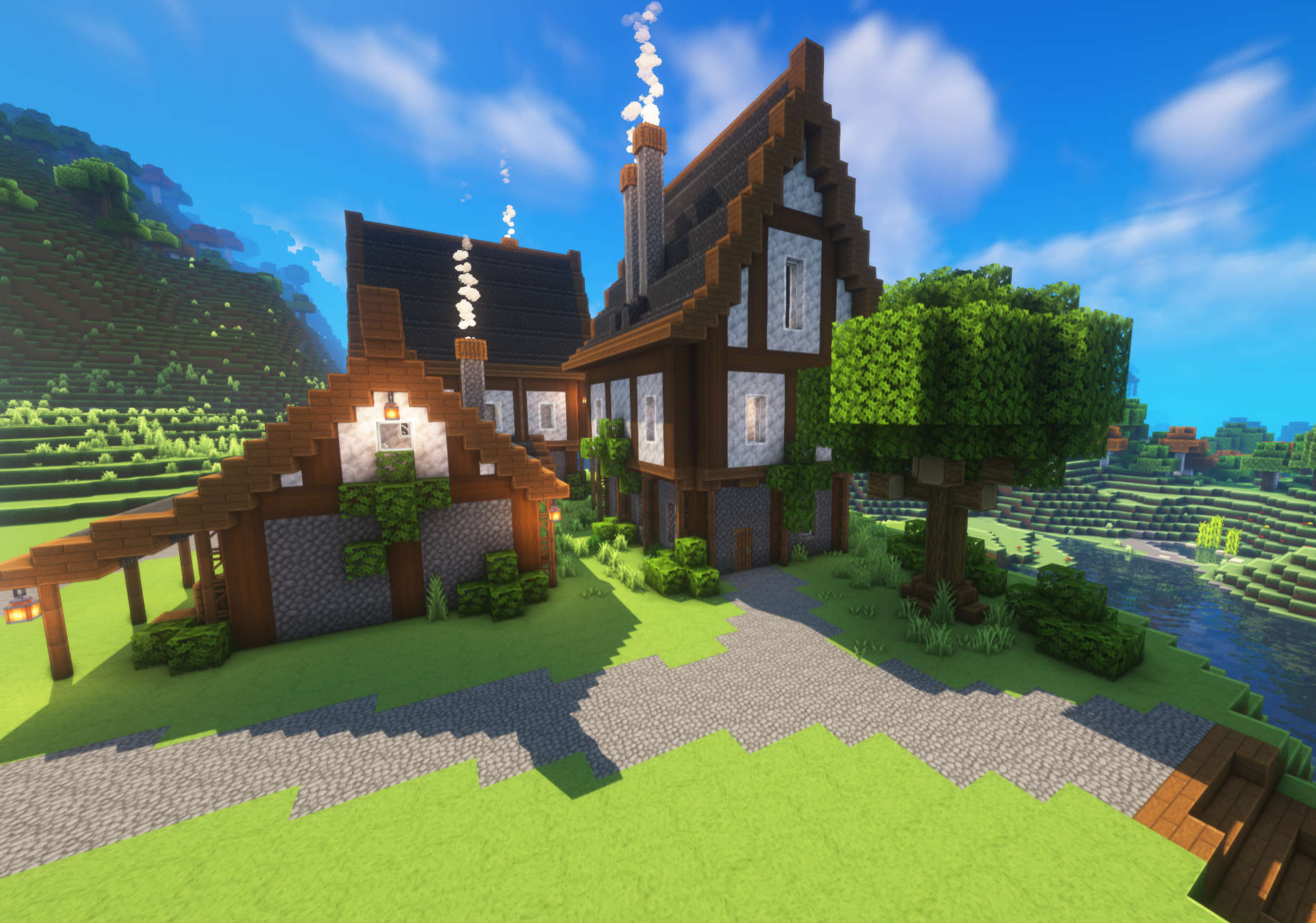
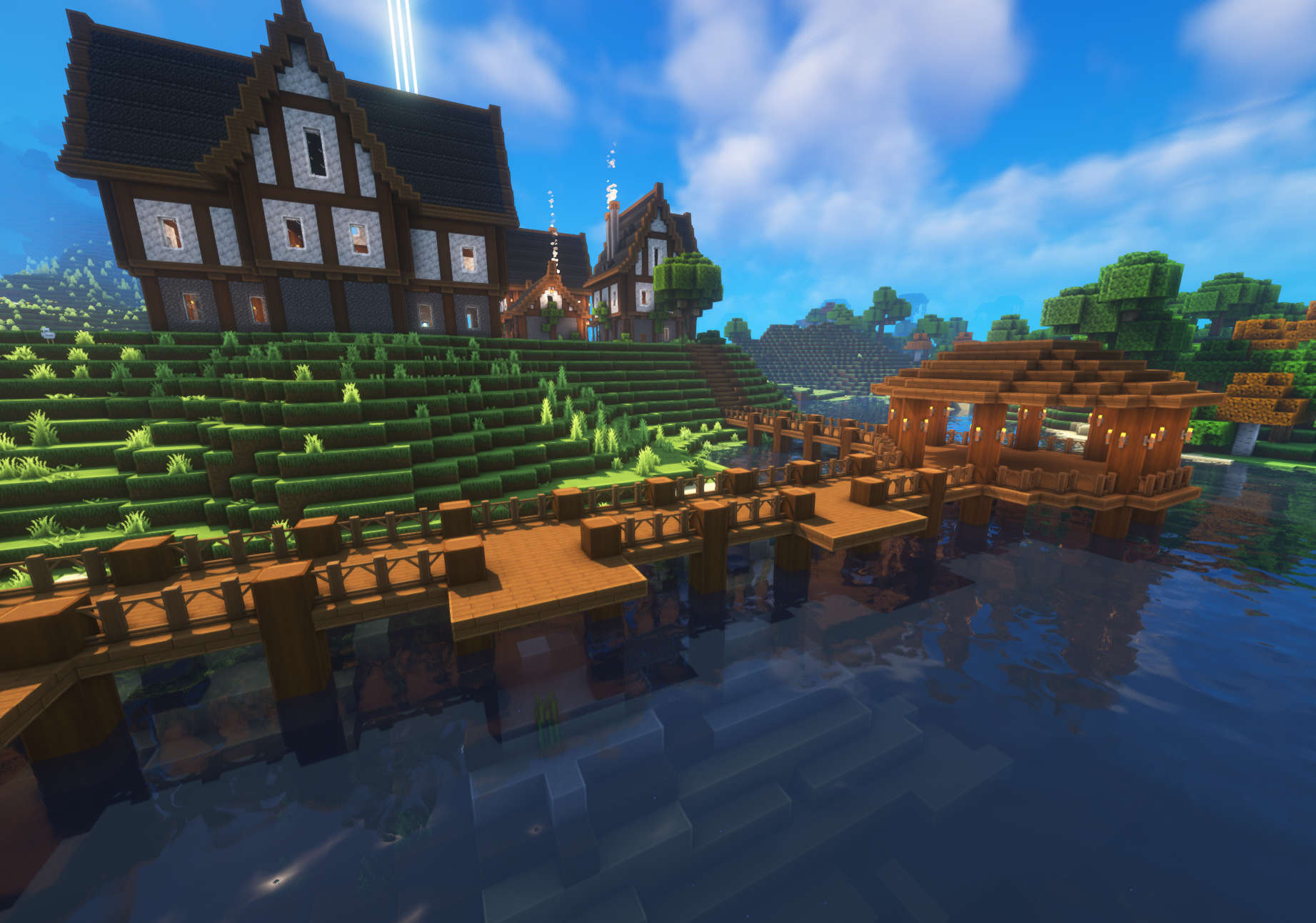
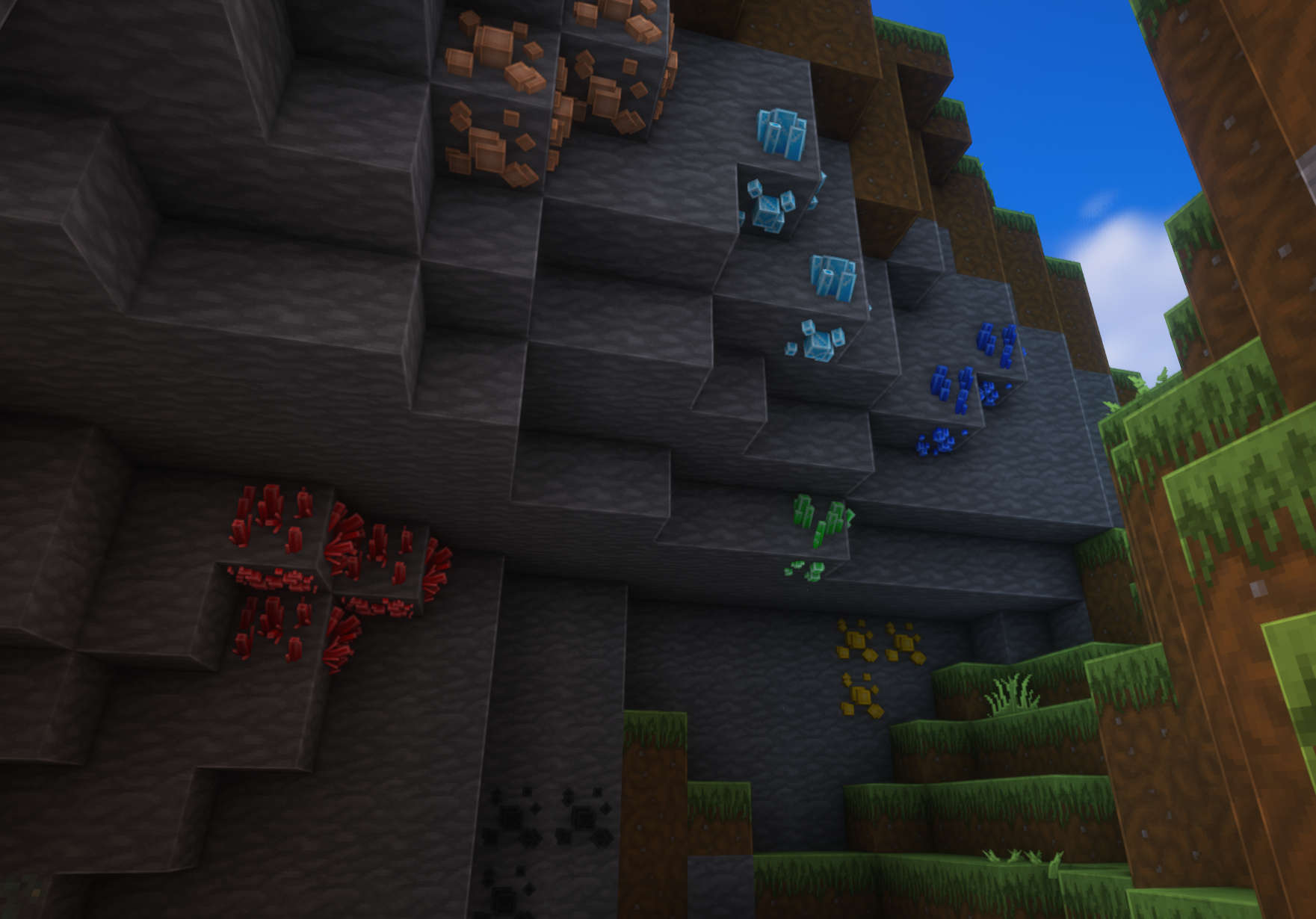
Screenshots were taken using Complementary Shaders.
常见问题
ZeroVision 支持哪些 Minecraft 版本?
ZeroVision 支持 Minecraft Java 版 1.16–26.3,共 40 个版本。下载时注意选择和你游戏版本一致的文件。
ZeroVision 怎么安装?
把下载的 .zip 文件(不用解压)放进游戏目录的 resourcepacks 文件夹,进游戏后在「选项 → 资源包」里把它移到右边启用。
Zerotekz 的其他作品
查看全部 →
Solo Leveling: Arsenal
Solo Leveling: Reawakening 的 3D 材质包|同样适用于 Cromta's Solo Leveling

Zerotekz’s Blades of War [DISCONTINUED]
3D Weapon Pack

Zerotekz’s Blades of War 2
Adds 3D weapon/shield models to MC! (Custom Item Textures)

Zerotekz’s Mythic Weapons [DISCONTINUED]
2D - Weapon Pack
评论
登录后评论和评分