
Super Chest Search
作者:SR132
A lightweight client-side mod that adds a searchable chest/inventory filter bar to container and inventory screens, with enchantment/book tooltip search support. Powered by AI.
截图

介绍
中文介绍正在准备中,下面暂时显示原文。
Super Chest Search
Search chests and inventories faster.
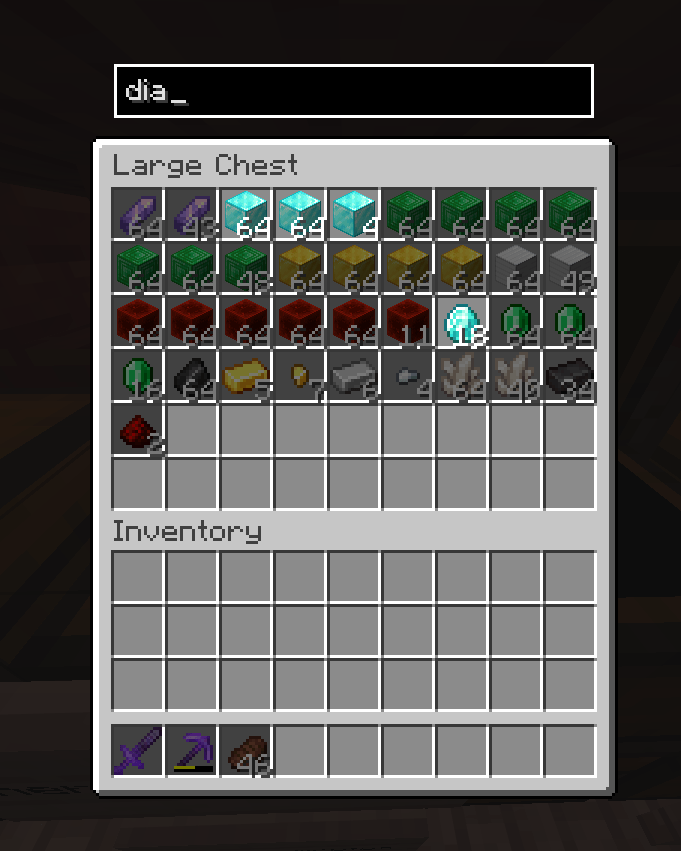
Super Chest Search adds a clean search bar to supported container screens so you can find items instantly instead of manually scanning every slot.
What It Does
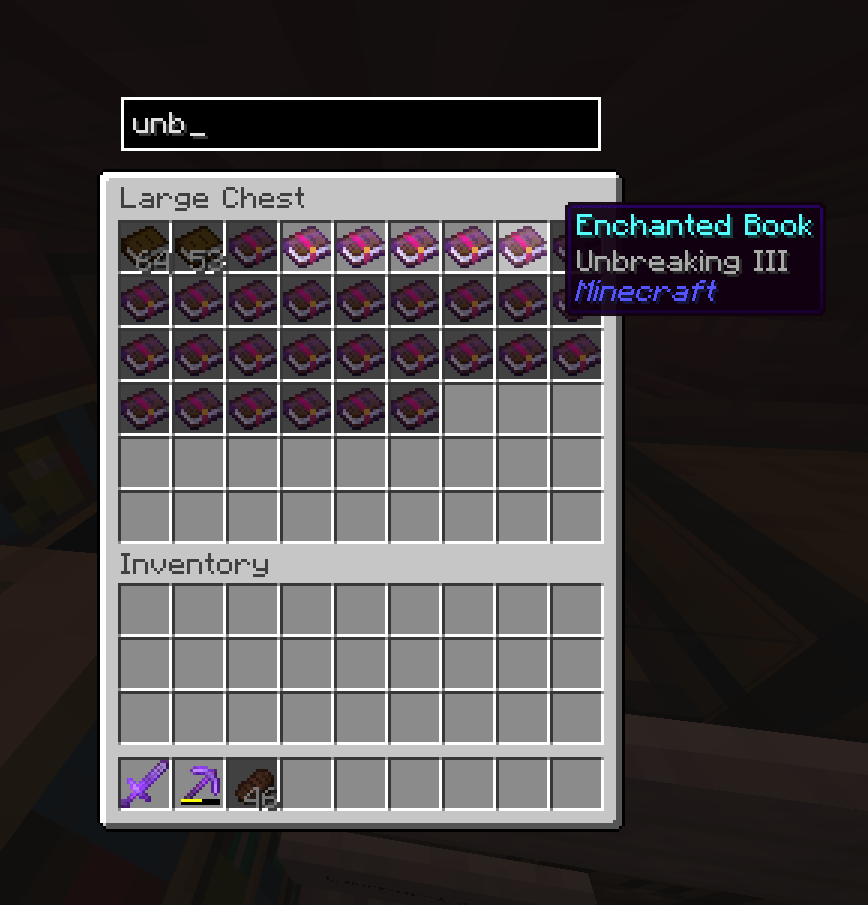
- Adds searchable container and inventory filtering
- Filters by item name and tooltip text
- Highlights matching items as you type
- Supports double-click to clear
- Lets you keep search state between containers
- Includes optional visual dimming for non-matching stacks
- Works with creative inventory and common container screens
Configurable Options
- Enable or disable the search bar
- Choose whether the search bar appears above the UI
- Toggle automatic focus on open
- Toggle keeping the last search between containers
- Toggle double-click clear behavior
- Toggle clear button visibility
- Adjust dimming for non-matching stacks
- Control which screens the search applies to (blacklist sub-menu)
Quality of Life
- Lightweight and fast
- Built for quick item lookup during sorting and building
- Helps reduce time spent digging through large inventories
- Designed to stay out of the way when you do not need it
Compatibility
- Minecraft: 26.2
- Loaders: Fabric, Forge, and NeoForge
- Environment: Client-side
- Mod menu support: Yes
Why Use It
- Saves time in large storage systems
- Makes container sorting less tedious
- Keeps item searching simple and unobtrusive
常见问题
Super Chest Search 支持哪些 Minecraft 版本?
Super Chest Search 支持 Minecraft Java 版 26.2–26.3,共 2 个版本,可用的加载器:Fabric / Forge / NeoForge。下载时注意选择和你游戏版本一致的文件。
Super Chest Search 怎么安装?
先用 PCL2 或 HMCL 启动器安装对应版本的 Fabric / Forge / NeoForge,再把下载的 .jar 文件放进游戏目录的 mods 文件夹,重新启动游戏即可。开启了版本隔离的,mods 文件夹在 versions/版本名 下面。
评论
登录后评论和评分