介绍
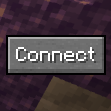
Quick Connect Button
One-click connection to your favourite server!
For Fabric/Quilt 1.21.x. Requires Fabric API.
Looking for 1.20 ? Check out Quicker Connect Button.
Installation
Download the JAR and put it in your mods folder along with Fabric API.
Usage
By default the “Connect” button will try to connect to localhost, which you’re probably not trying to connect to. To change it, go to config/quickconnectbutton.json5. The file will look like this:
{
	// The address to connect to when the button is pressed.
	"address": "localhost",
	// The name of the button.
	"connectButton": "Connect",
	// The side to align the button to. ('LEFT'/'RIGHT')
	"buttonAlign": "RIGHT",
	// The width and height of the button.
	"dimensions": {
		"height": 20,
		"width": 50
	},
	// Determines what to do if the server has a resource pack. ('ALLOW'/'DENY'/'PROMPT').
	"resourcePackPolicy": "PROMPT"
}
Change the address field to the IP address of the server you want to connect to, and change any of the other fields if you wish to customise the button’s appearance.
常见问题
Quick Connect Button 支持哪些 Minecraft 版本?
Quick Connect Button 支持 Minecraft Java 版 1.16–1.21.11,共 16 个版本,可用的加载器:Fabric / Quilt。下载时注意选择和你游戏版本一致的文件。
Quick Connect Button 怎么安装?
先用 PCL2 或 HMCL 启动器安装对应版本的 Fabric / Quilt,再把下载的 .jar 文件放进游戏目录的 mods 文件夹,重新启动游戏即可。开启了版本隔离的,mods 文件夹在 versions/版本名 下面。运行环境:仅客户端。
triphora 的其他作品
查看全部 →
Consistency+
Adds new blocks to make block types consistent!

waffle’s Modpack
Highly customizable rolling-release client-side pack compatible with any multiplayer server, focusing on performance and features that still feel true to vanilla.
qCraft Reimagined
A reimagination of qCraft for modern Minecraft.
Empire Minecraft Utilities
A collection of small utilities for players of Empire Minecraft, a survival server
评论
登录后评论和评分