
Aether Clouds — Clouds shader
A client-side cloud overhaul with configurable volumetric and voxel styles that follow world lighting and weather.
截图








介绍
Give your world a sky of its own.
Volumetric clouds • Pixel art skies • Live customization
Choose the mood above your world. Aether Clouds replaces vanilla clouds with twelve distinct styles, from broad volumetric formations to playful pixel silhouettes. Switch between two collections and fine-tune each style without leaving the game.
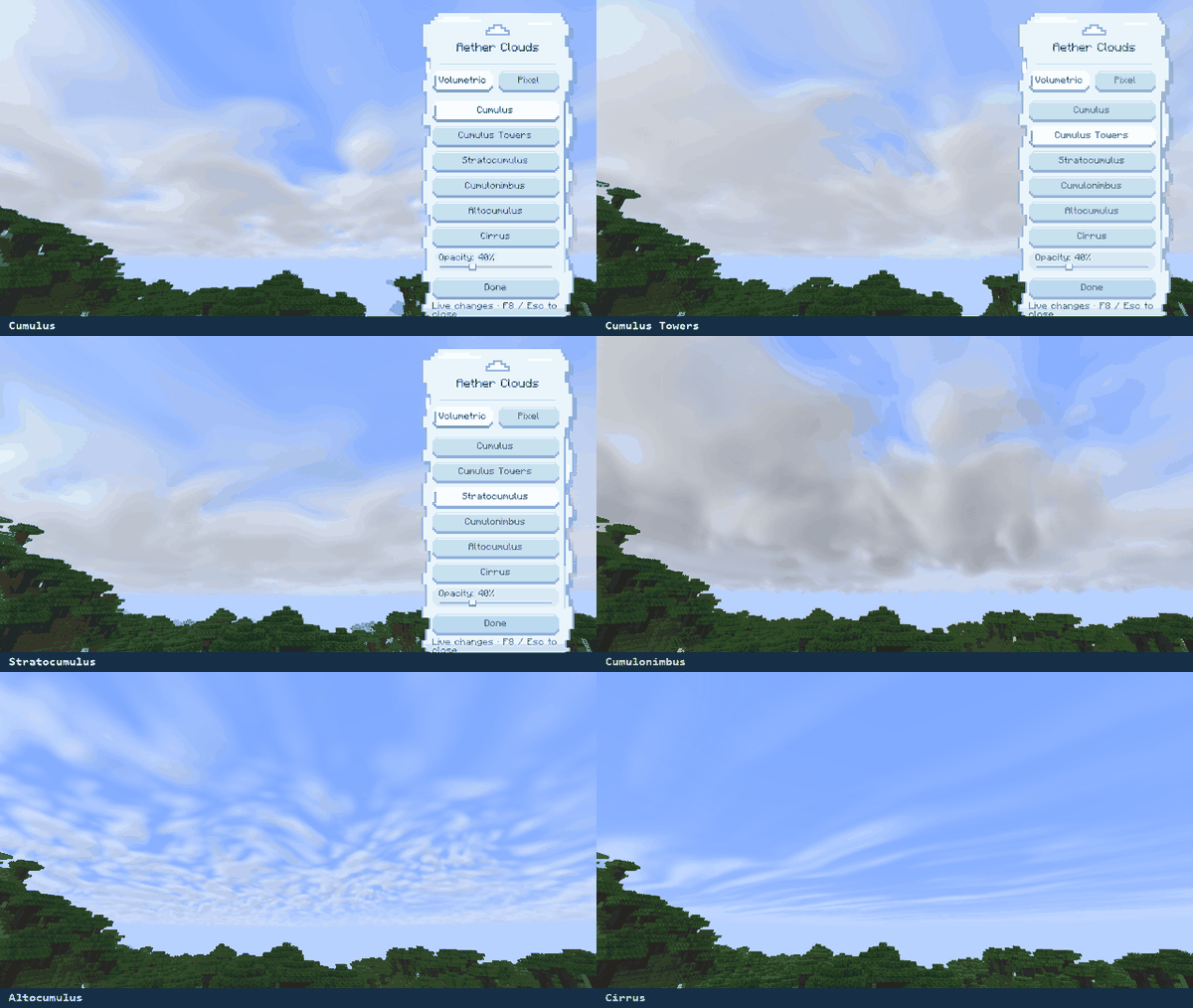
Soft formations, tall cloud towers, layered skies, and delicate high clouds. The six volumetric styles offer different shapes and distributions.
Cumulus · Cumulus Towers · Stratocumulus
Cumulonimbus · Altocumulus · Cirrus
Actual in-game capture: choosing styles in the sidebar, then viewing the sky.
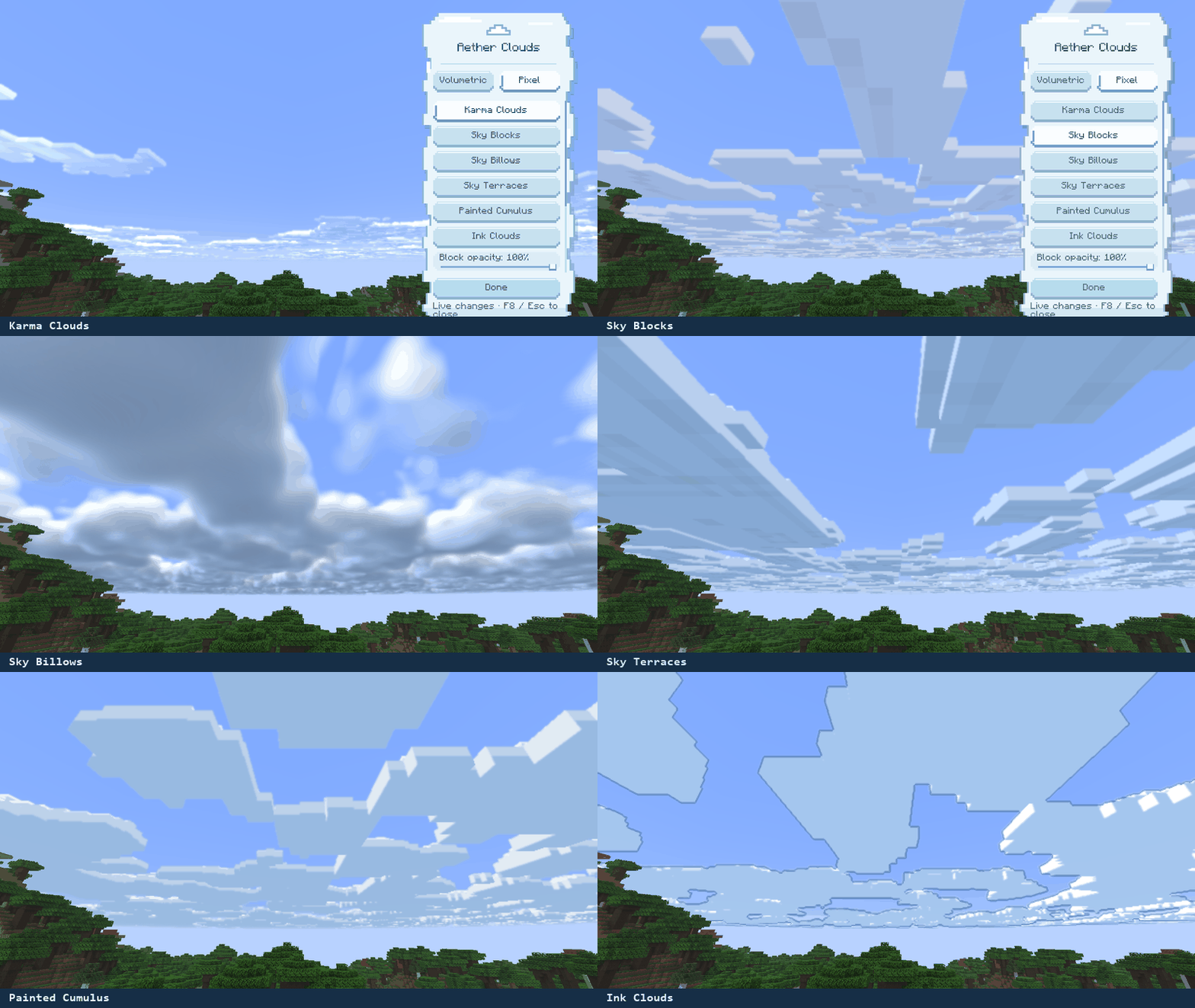
A collection for skies with a blocky or illustrated character. Explore bold shapes, soft blocks, terraces, painted forms, and ink-like clouds.
Karma Clouds · Sky Blocks · Sky Billows
Sky Terraces · Painted Cumulus · Ink Clouds
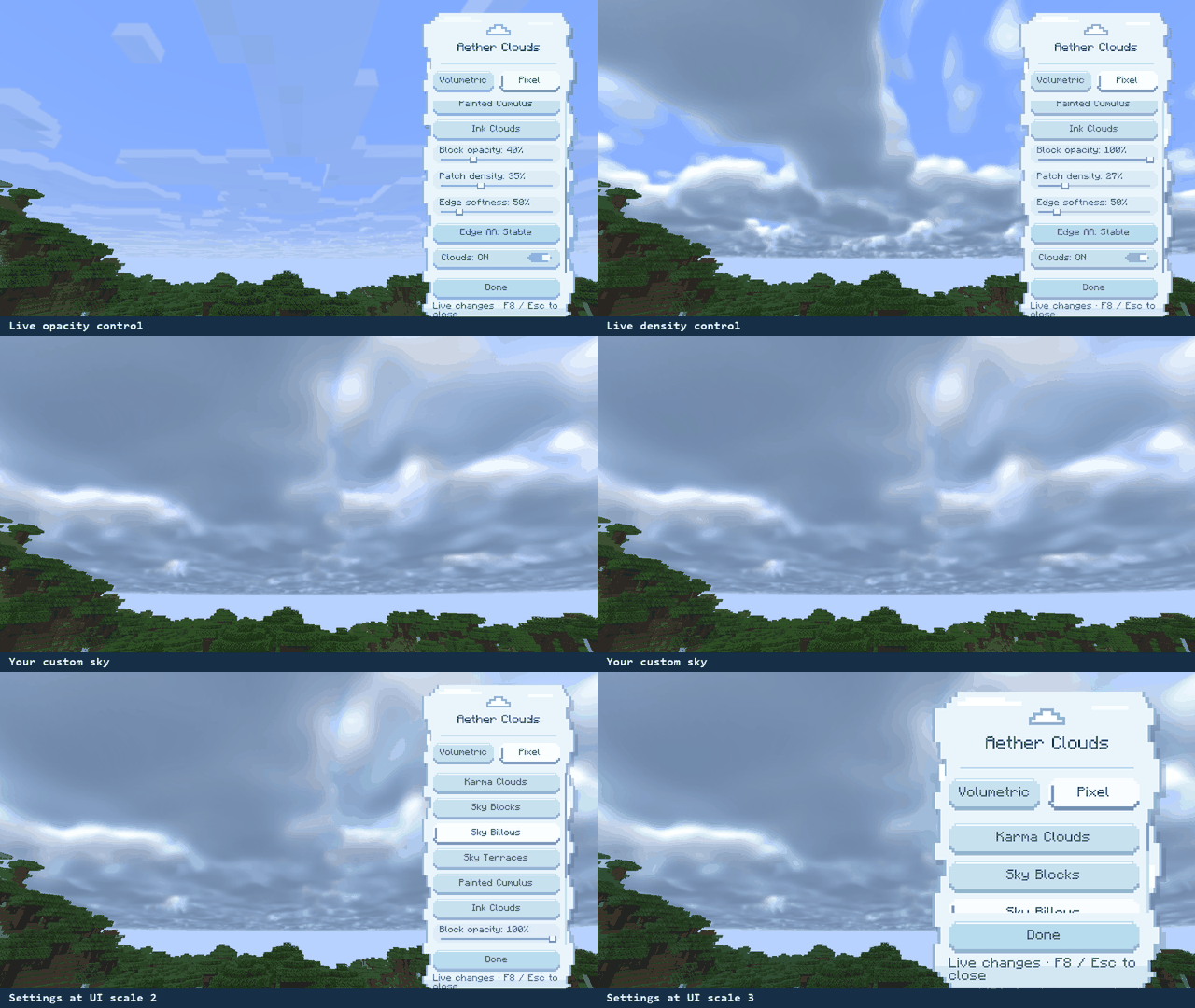
Press F8 inside a world to open the cloud-themed sidebar. Choose a collection, select a style, and adjust its controls while the world remains visible.
- Opacity and density: make clouds lighter or change the amount of sky they cover.
- Edge controls: adjust softness and enable edge filtering on supported pixel styles.
- Saved per style: every cloud style remembers its own settings, including after restarting Minecraft.
Actual in-game capture: opacity and density changes, plus the sidebar at UI scales 2 and 3.
Cloud color and lighting follow the world’s sky, day/night cycle, rain, and thunderstorms. Aether Clouds changes the clouds; terrain and water retain the game’s lighting.
1. Choose your build. Match both your Minecraft version and loader.
2. Install it. Place one matching JAR in your mods folder.
3. Look up. Enable Minecraft clouds, enter a world, and press F8.
Fabric · Forge · NeoForge
1.20.1 · 1.21.1 · 1.21.11 · 26.2 · 26.3
| Minecraft | Java |
|---|---|
| 1.20.1 | 17 |
| 1.21.1 / 1.21.11 | 21 |
| 26.2 / 26.3 | 25 |
Fabric builds bundle the required Fabric API Base and Resource Loader modules. A separate Fabric API installation is not required for Aether Clouds alone.
Shader packs: when Iris is installed, Aether Clouds disables its custom cloud renderer and leaves the normal rendering path active. External shader-pack compatibility is not claimed.
Performance: edge filtering can increase GPU work. Results depend on hardware and settings; Sodium, Fabulous graphics, MSAA, and distant-terrain combinations have not been verified across every supported version.
Aether Clouds · Version 0.0.1 · All Rights Reserved
Independent code and assets are owned by Haider x. Karma Clouds adapts Karma Shader by X-Haider, with its original attribution and ARR notice retained. Bundled Fabric API components retain their Apache-2.0 licenses. See each release’s included license files for the full terms.
常见问题
Aether Clouds — Clouds shader 支持哪些 Minecraft 版本?
Aether Clouds — Clouds shader 支持 Minecraft Java 版 1.20.1–26.3,共 5 个版本,可用的加载器:Fabric / Forge / NeoForge。下载时注意选择和你游戏版本一致的文件。
Aether Clouds — Clouds shader 怎么安装?
先用 PCL2 或 HMCL 启动器安装对应版本的 Fabric / Forge / NeoForge,再把下载的 .jar 文件放进游戏目录的 mods 文件夹,重新启动游戏即可。开启了版本隔离的,mods 文件夹在 versions/版本名 下面。
Haider_x 的其他作品
查看全部 →
Luna shader
Luna 光影:优化了水面反射,呈现深蓝色调,并为末地传送门加入独特的旋转黑洞效果。

Aetheria Shaders
Aetheria Shaders 是 Complementary Reimagined 的一款华丽奇幻改版光影。拥有自定义维度氛围、发光的青绿色水体、银河主题的下界传送门、流动的熔岩,以及体积化的末地龙卷风。性能表现有保障。

Quanta Shader
快速呈现精美的《Minecraft》画面。柔和的阴影、动态云朵、波光粼粼的水面和绚丽天空,同时优化性能,畅玩高帧率游戏。

Vanilla Rebuild
保留 Minecraft 的经典风格,同时增强光照效果,呈现逼真的天空、体积云、柔和阴影,以及各维度独具特色的浓郁氛围。
评论
登录后评论和评分