介绍
介绍由机器翻译自 CurseForge 原页面,仅供参考。
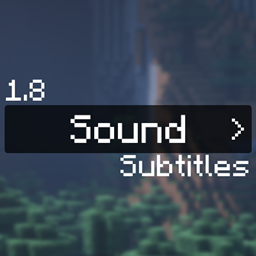
1.8 Sound Subtitles 将 Minecraft 1.9 及更高版本中的无障碍功能移植到了 1.8,并加入了一些额外增强。由于 1.8 游戏本身的限制,声音没有名称。我们已尽力将 1.8 中的声音对应到 1.9 的字幕名称。
输入 /subtitle_config即可配置此模组。在设置中,你可以调整显示位置、缩放比例和阴影效果,还可以启用或禁用整个模组,并设置未映射或未知的声音是显示声音 ID,还是完全不显示。
查看模组完整页面: https://sk1er.club/mods/subtitles_mod
常见问题
Sound Subtitle Port 支持哪些 Minecraft 版本?
Sound Subtitle Port 支持 Minecraft Java 版 1.8.9,可用的加载器:Forge。下载时注意选择和你游戏版本一致的文件。
Sound Subtitle Port 怎么安装?
先用 PCL2 或 HMCL 启动器安装对应版本的 Forge,再把下载的 .jar 文件放进游戏目录的 mods 文件夹,重新启动游戏即可。开启了版本隔离的,mods 文件夹在 versions/版本名 下面。
sk1er 的其他作品
查看全部 →
Scrollable Tooltips
by sk1er, sanctuary
为较长的物品提示框添加滚动功能
18.4万
1 个月前
Modrinth · CurseForge

Autotip
by QWERTZexe, sk1er
Tips online boosters, and other online Autotip users. You send and receive tips, increasing your coin and experience gain.
497
1 个月前
Modrinth

Hypixel Autocomplete
by sk1er
Tab-complete player names in Hypixel commands like /msg and /party, from your guild and the people you message and party with.
142
1 个月前
Modrinth
评论
登录后评论和评分