
WebDisplays [2.0] REMASTER
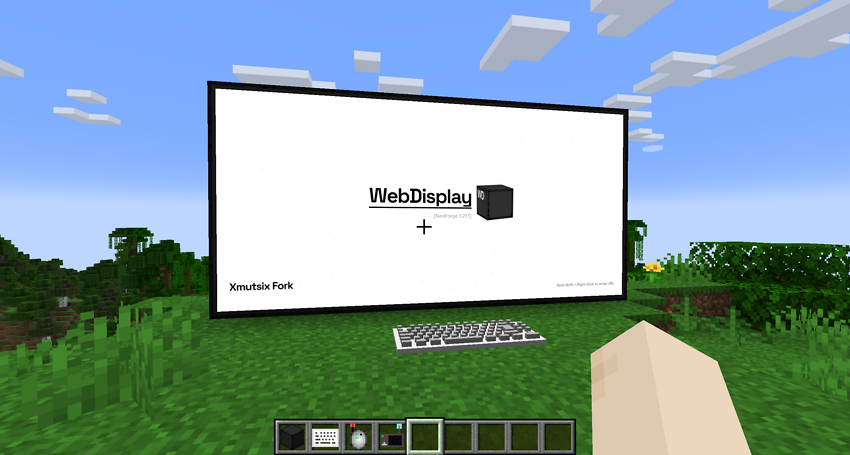
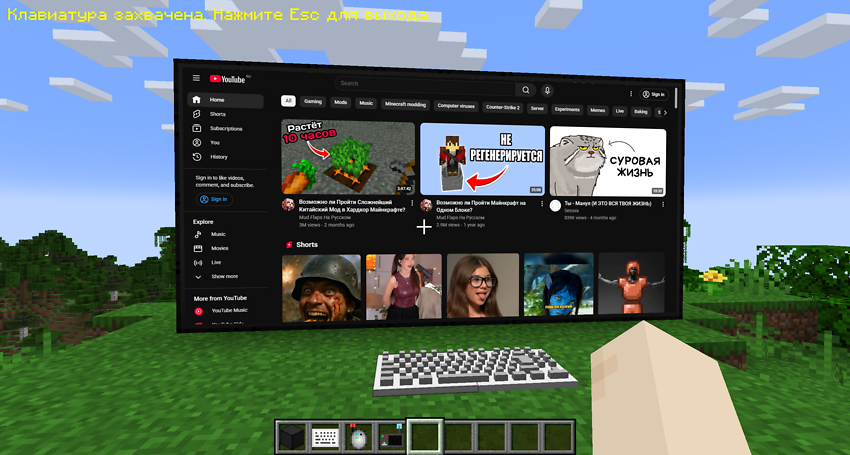
WebDisplays REMASTER brings the real Internet directly into your Minecraft world!
截图

介绍
🌐 WebDisplays REMASTER

Bring the entire Internet into your Minecraft world.
Forget about Alt-Tabbing to check a wiki, watch a tutorial, or listen to music. With WebDisplays REMASTER, you can build fully functional, interactive web screens of any size right inside the game.
This version is a major overhaul for Minecraft 1.21.1. It not only fixes critical bugs from previous ports but introduces a completely new operating system-like experience.
🔥 NEW: The Dynamic Home Hub
Gone are the days of a blank white screen. Every new screen you create now launches the Dynamic Hub — a custom-built start page that evolves over time.
- 📱 App Shortcuts: Instant access to YouTube, Twitch, TikTok, Instagram, Twitter (X), and more with a single click.
- 🎮 In-Game Mini-Games: Bored while smelting ores? Play Geometry Dash and other HTML5 games directly on your Minecraft screen.
- ☁️ Dynamic Updates: The Hub is cloud-based. This means new apps and features can appear without you needing to update the mod file!


🛠️ Critical Fixes (The Remaster)
This mod was rebuilt to resolve game-breaking issues found in other 1.21.1 ports:
- ✅ CRASH FIX: Fixed a critical server/client crash that occurred when a player physically collided (walked into) the Keyboard block.
- ✅ INPUT FIX: Solved the annoying “Double Typing” bug. Typing on the keyboard no longer produces
dduupplliiccaatteeddtext. Input is crisp and responsive. - ✅ LASER POINTER FIX: The Laser Pointer is now fully functional. It renders a visible red beam and correctly registers clicks on distant screens.
- ✅ LOCALIZATION: Added full localization support (currently includes English and Russian).
📋 Prerequisites & Installation
To run this mod, you MUST install MCEF (Minecraft Chromium Embedded Framework). The mod handles the browser engine and is required for WebDisplays to function.
- Download NeoForge for Minecraft 1.21.1.
- Download MCEF: CurseForge Link or Modrinth Link.
- Download WebDisplays REMASTER.
- Place both
.jarfiles into your.minecraft/modsfolder.
⚠️ Credits & Original Project
This is an unofficial remastered and improved version of the original WebDisplays mod.
- Original Author: Montoyo
- Original Project: Link to CurseForge
This project respects the original MIT license. The goal of this fork is to provide a stable, crash-free experience for modern Minecraft versions with added quality-of-life features.
❤️ Support the Author
If you enjoy the new Hub and the fixes, you can support my work here:
>> DonationAlerts <<
常见问题
WebDisplays [2.0] REMASTER 支持哪些 Minecraft 版本?
WebDisplays [2.0] REMASTER 支持 Minecraft Java 版 1.21.1,可用的加载器:NeoForge。下载时注意选择和你游戏版本一致的文件。
WebDisplays [2.0] REMASTER 怎么安装?
先用 PCL2 或 HMCL 启动器安装对应版本的 NeoForge,再把下载的 .jar 文件放进游戏目录的 mods 文件夹,重新启动游戏即可。开启了版本隔离的,mods 文件夹在 versions/版本名 下面。运行环境:客户端和服务端都要装。

评论
登录后评论和评分