
Advanced HUD
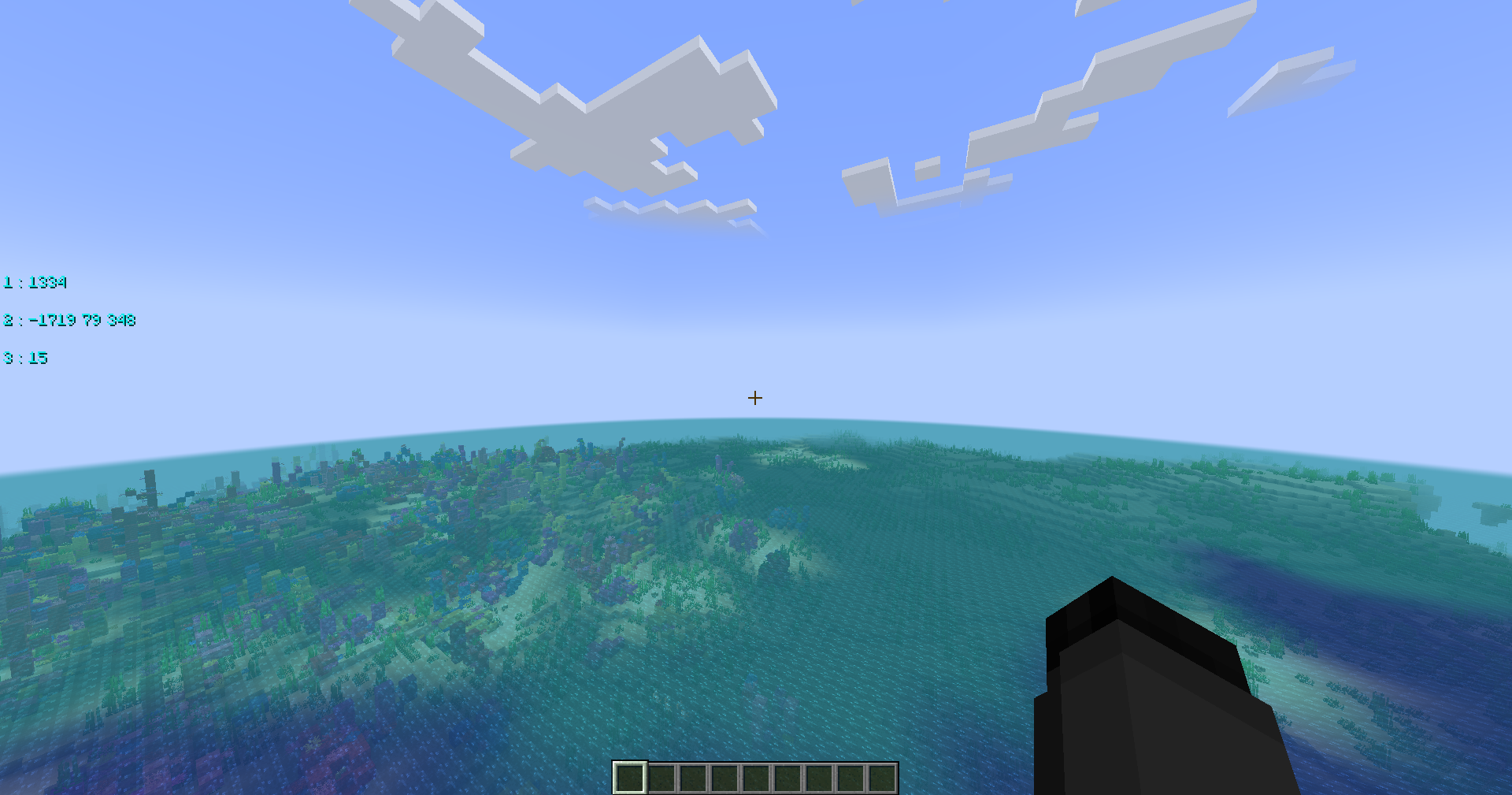
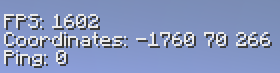
Advanced HUD shows your FPS, Coordinates and Ping! You can enable or disable every HUD.
截图



介绍
~~~~
~~~~
Mod archived, please use SimpleHUD -Mod instead.
~~~~
~~~~
Advanced HUD – Fabric Edition
A clean and customizable in-game HUD for FPS, Coordinates & Ping 🎮📊

🔍 What is this?
Advanced HUD is a client-side mod for Minecraft that adds a minimal, sleek overlay showing your FPS, coordinates, and ping — no clutter, just the essentials.
⚙️ Features
✅ Real-time FPS display
✅ Coordinates overlay
✅ Ping indicator
✅ Minimalist design
✅ Fully client-side – no server required
🛠️ Configuration
If you’re using ModMenu:
➡️ You can tweak all settings directly in-game
Prefer manual config?
📁 Just edit the advancedhud.json file in your config folder.
🧩 Requirements
| Component | Details / Download |
|——————–|———————————-|
| Loader | Fabric |
| ModMenu (optional) | For in-game config UI ✨ |
✅ Supported Versions
| Minecraft Version | Status |
|——————-|——————-|
| 1.21.7 | WIP |
| 1.21.6 | WIP |
| 1.21.1–1.21.5 | ✅ Fully supported |
常见问题
Advanced HUD 支持哪些 Minecraft 版本?
Advanced HUD 支持 Minecraft Java 版 1.20–1.21.5,共 12 个版本,可用的加载器:Fabric / Quilt。下载时注意选择和你游戏版本一致的文件。
Advanced HUD 怎么安装?
先用 PCL2 或 HMCL 启动器安装对应版本的 Fabric / Quilt,再把下载的 .jar 文件放进游戏目录的 mods 文件夹,重新启动游戏即可。开启了版本隔离的,mods 文件夹在 versions/版本名 下面。运行环境:仅客户端。
评论
登录后评论和评分