Pull It
Pull missing crafting ingredients from nearby storage directly into your crafting grid, with JEI support for faster recipe-based crafting.
截图
介绍


Pull It
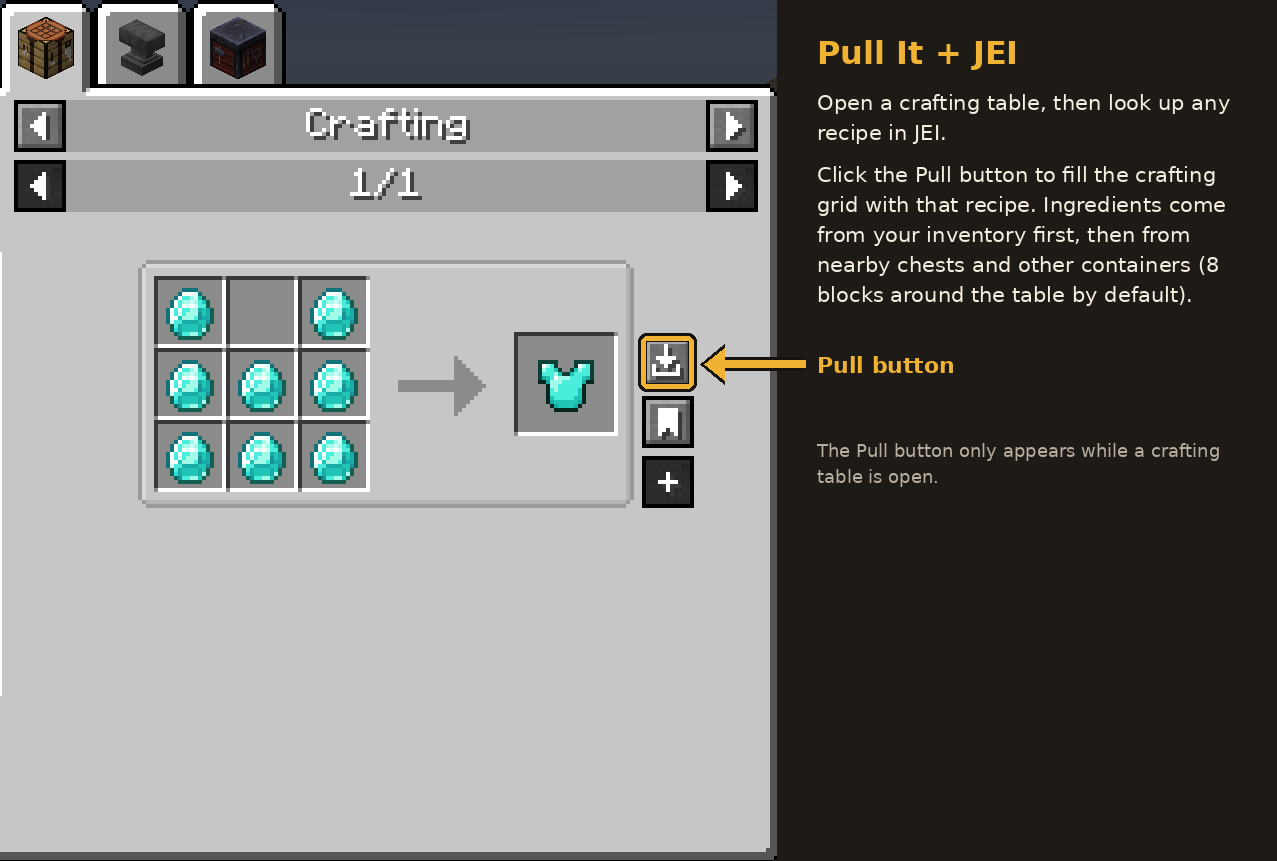
Pull It is a quality-of-life crafting mod that lets you pull missing ingredients directly from nearby chests and containers into your crafting grid.
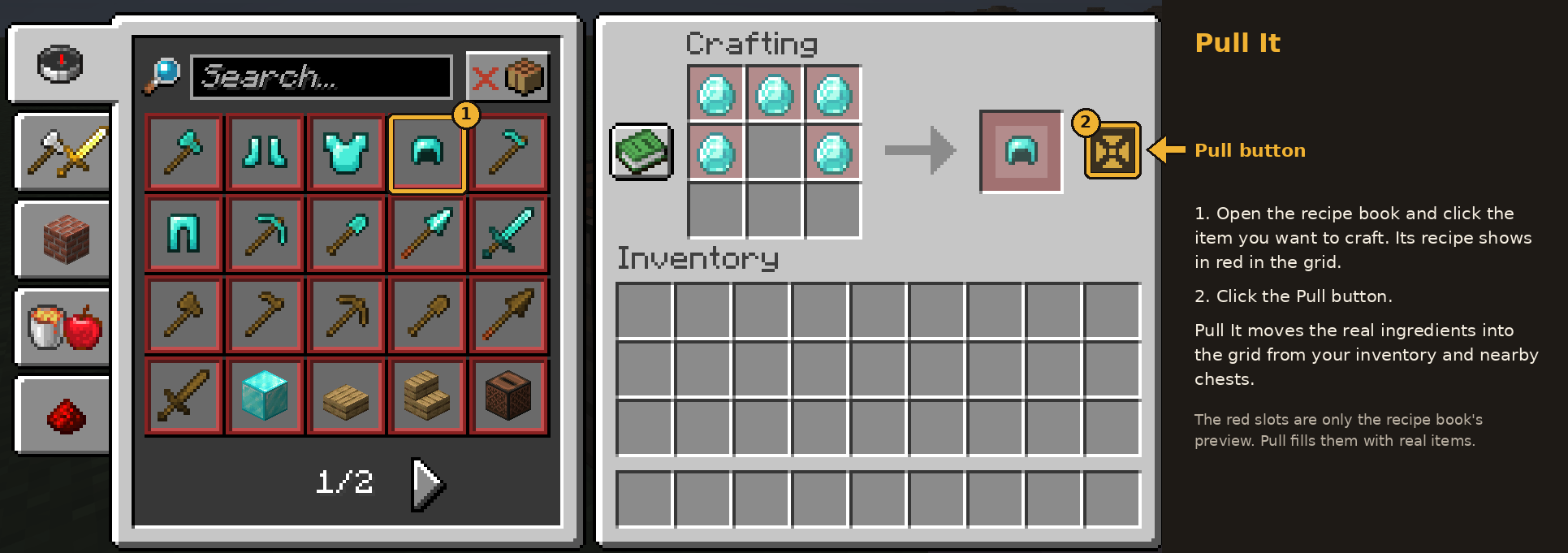
Instead of manually searching through storage every time you want to craft something, just open a crafting table, select a recipe, and use the pull button to automatically move the required materials into the grid. The mod only pulls what is needed, making crafting faster, cleaner, and much more convenient.
Features
- Pull missing crafting ingredients from nearby chests and containers
- Automatically fills the crafting grid with the required materials
- Only pulls the items needed for the selected recipe
- Simple in-GUI pull button for fast crafting access
- Supports Just Enough Items (JEI) for smoother recipe-based crafting
- Built for convenient manual crafting, not full machine automation
Video Showcase
See Pull It in action here:
Why Use Pull It?
Pull It is perfect for players who keep their resources in nearby storage and want a faster way to craft without turning the process into full automation. It keeps the vanilla crafting feel while removing the annoyance of opening multiple chests just to gather ingredients.
Great For
- Survival bases with organized storage rooms
- Players who craft often and want faster access to materials
- Modpacks focused on quality-of-life improvements
- Anyone who uses JEI and wants a smoother crafting workflow
Notes
- The mod works around nearby storage based on its configured pull range
- Best used with crafting setups that keep containers close to the crafting table
- JEI support allows the pull button to work more naturally with recipe viewing and selection
常见问题
Pull It 支持哪些 Minecraft 版本?
Pull It 支持 Minecraft Java 版 1.20.1–26.3,共 9 个版本,可用的加载器:Fabric / Forge / NeoForge / Quilt。下载时注意选择和你游戏版本一致的文件。
Pull It 怎么安装?
先用 PCL2 或 HMCL 启动器安装对应版本的 Fabric / Forge / NeoForge / Quilt,再把下载的 .jar 文件放进游戏目录的 mods 文件夹,重新启动游戏即可。开启了版本隔离的,mods 文件夹在 versions/版本名 下面。
OSAMA_OM 的其他作品
查看全部 →
BountyBags
分级战利品系统,怪物会掉落越来越稀有的袋子(传说、史诗、稀有、罕见)

LightAura
一个能让玩家手持任意光源(如火把、荧石等)时,自动照亮周围区域的模组。

TimberReplant(Fabric/Forge/NeoForge)
只需破坏一个方块,就能自动砍倒整棵树并重新种下树苗!设置可自定义,还会正常消耗工具耐久,让可持续伐木变得轻松简单。

ChainVein
“ChainVein”通过连锁挖矿提升 Minecraft 的挖矿效率。只需按下一个按键,即可连锁挖掘相连的方块和矿石,让挖矿更快、更顺畅。
评论
登录后评论和评分