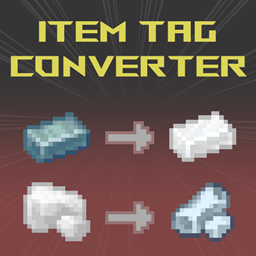
Item Tag Converter
这个模组可以将指定物品自动转换为你设定的带标签物品,也可以通过按键绑定转换。适用于处理重复的矿石类型或中间产物。此模组由 MattDahEpic 的 Auto Ore Dict Converter 分支而来。
介绍
Item Tag Converter 是一个从原版 分支出来的模组,原版模组名为 Auto Ore Dictionary Converter。这是一个专为整合包管理打造的实用模组,适用于不同材料的矿石、粉尘、板材或齿轮等名称和标签相同的重复物品。你可以设置一个指定标签,并在拾取物品时自动将其转换为你选择的单一物品,例如将所有 “forge:raw_material/silver” 转换为 “thermal:raw_silver” 不过,你可以自由配置转换规则,甚至能把腐肉变成钻石!
此模组支持以下转换方式:
- 玩家拾取的物品
- 从任意方块掉落的物品
- 玩家打开的各种容器(包括加工方块)内的物品
例如,使用“/tagconverter add” 时,如果你手持“thermal:raw_silver” ,执行命令后,该物品的所有标签(黑名单中的标签除外)都会自动设置为转换成 Thermal Expansion 模组中的银原矿。
快速转换的默认按键是键盘上的End键。不过,你需要先在配置中启用按键绑定功能!
你也可以使用“/tagconverter add <tag> <optional item>” 手动为物品指定标签
/tagconverter help - shows this message
/tagconverter detect - shows the tag names for the currently held item
/tagconverter dump - lists out all item tags
/tagconverter find <tag> - lists items with the specified tag
/tagconverter list - lists the currently configured conversions
/tagconverter add - Adds the currently held item as the default for all of its tags.
/tagconverter add <tag/item> <optional item> - Adds the currently held item or optional item as the default convert for the specified tag or item.
/tagconverter reload - Reloads the configuration file from disk.
/tagconverter remove [tag] - Removes either a specific tag's conversion or all conversions for tags on the held item if no tag is specified.
/tagconverter convert [all] - Convert all item in your inventory or send 'all' into the second argument to convert all players currently in the server
。此模组没有前置依赖,只需将它拖放到 “mods” 文件夹中即可完成安装。
转换列表保存在配置文件夹中的 itemtagconverter-conversions.cfg 文件内
# to convert all items from a tag to a specific item (eg. forge:ores/iron=minecraft:iron_ore)
namespace:tag=modid:item

# to convert one specific item to another (eg. minecraft:diamond>minecraft:netherite_ingot)
modid:item>modid:item
感谢MattDahEpic 制作了原版模组!
常见问题
Item Tag Converter 支持哪些 Minecraft 版本?
Item Tag Converter 支持 Minecraft Java 版 1.20.1–1.20.2,共 2 个版本,可用的加载器:Fabric / Forge / NeoForge。下载时注意选择和你游戏版本一致的文件。
Item Tag Converter 怎么安装?
先用 PCL2 或 HMCL 启动器安装对应版本的 Fabric / Forge / NeoForge,再把下载的 .jar 文件放进游戏目录的 mods 文件夹,重新启动游戏即可。开启了版本隔离的,mods 文件夹在 versions/版本名 下面。
Zenesta 的其他作品
查看全部 →
Remove PurplePrison Ads
从服务器列表中移除 L Ender's Cataclysm 模组添加的 PurplePrison 广告。

Remove Chat Bracket
移除聊天消息中的方括号,玩家名称与消息之间只保留一个空格。
More Waterlogged
修改部分方块状态,让它们可以含水。
Dragon’s Adorable Realm Reborn
This mod is an official modpack for Dragon's Adorable Realm discord server !
评论
登录后评论和评分