
Minimap Shapes Core
Shared minimap shapes, selection screens, and separate saved preferences for map add-ons.
截图
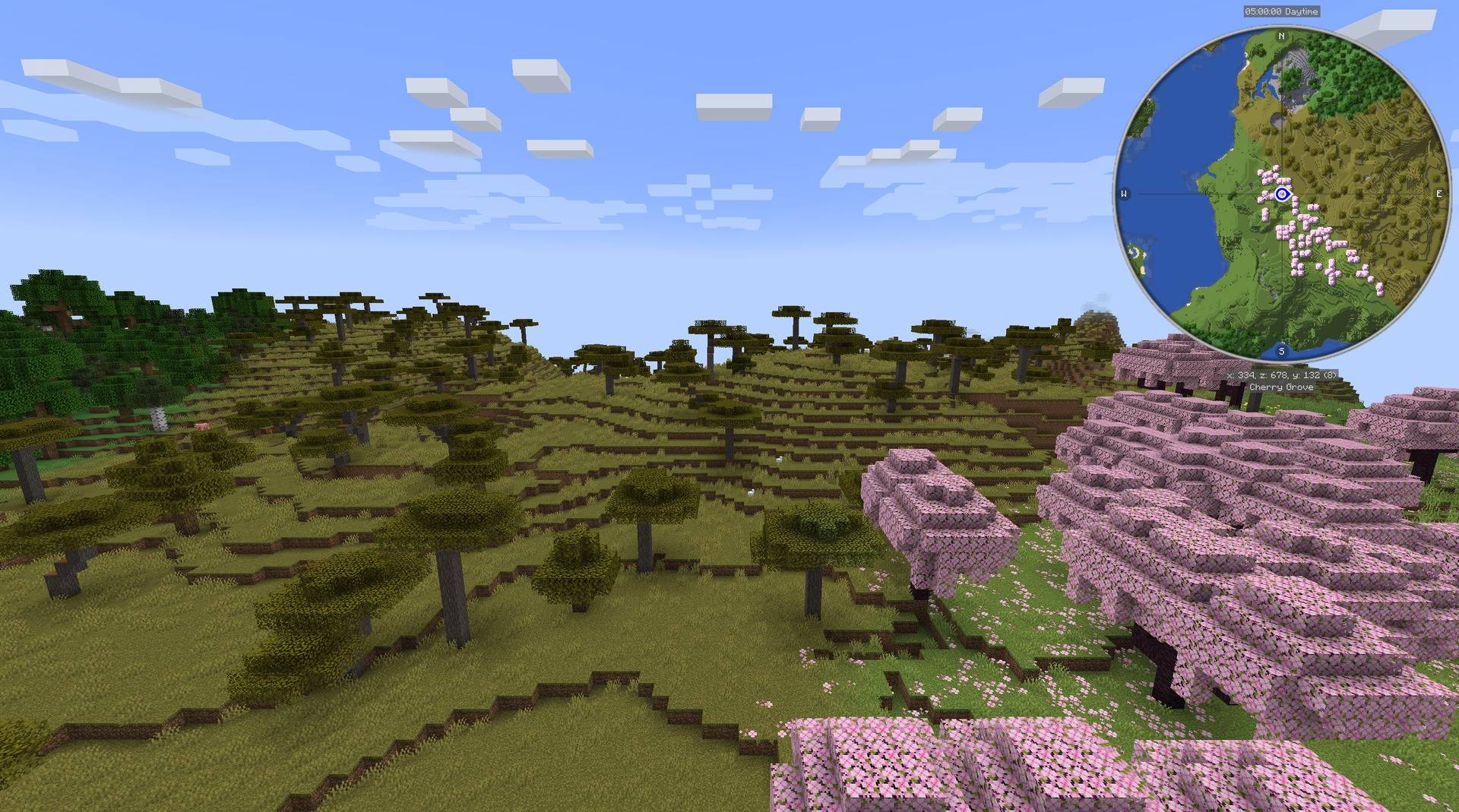
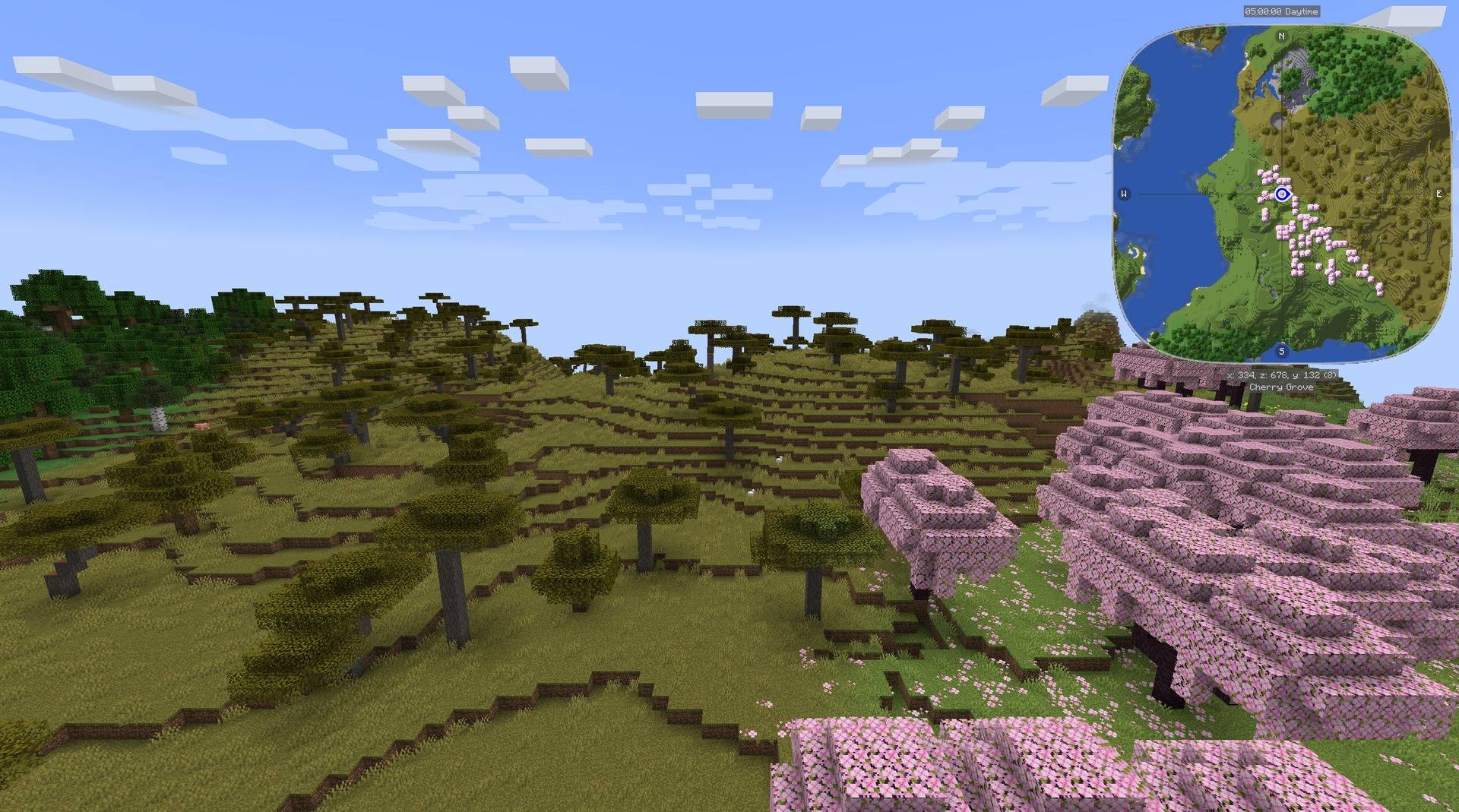
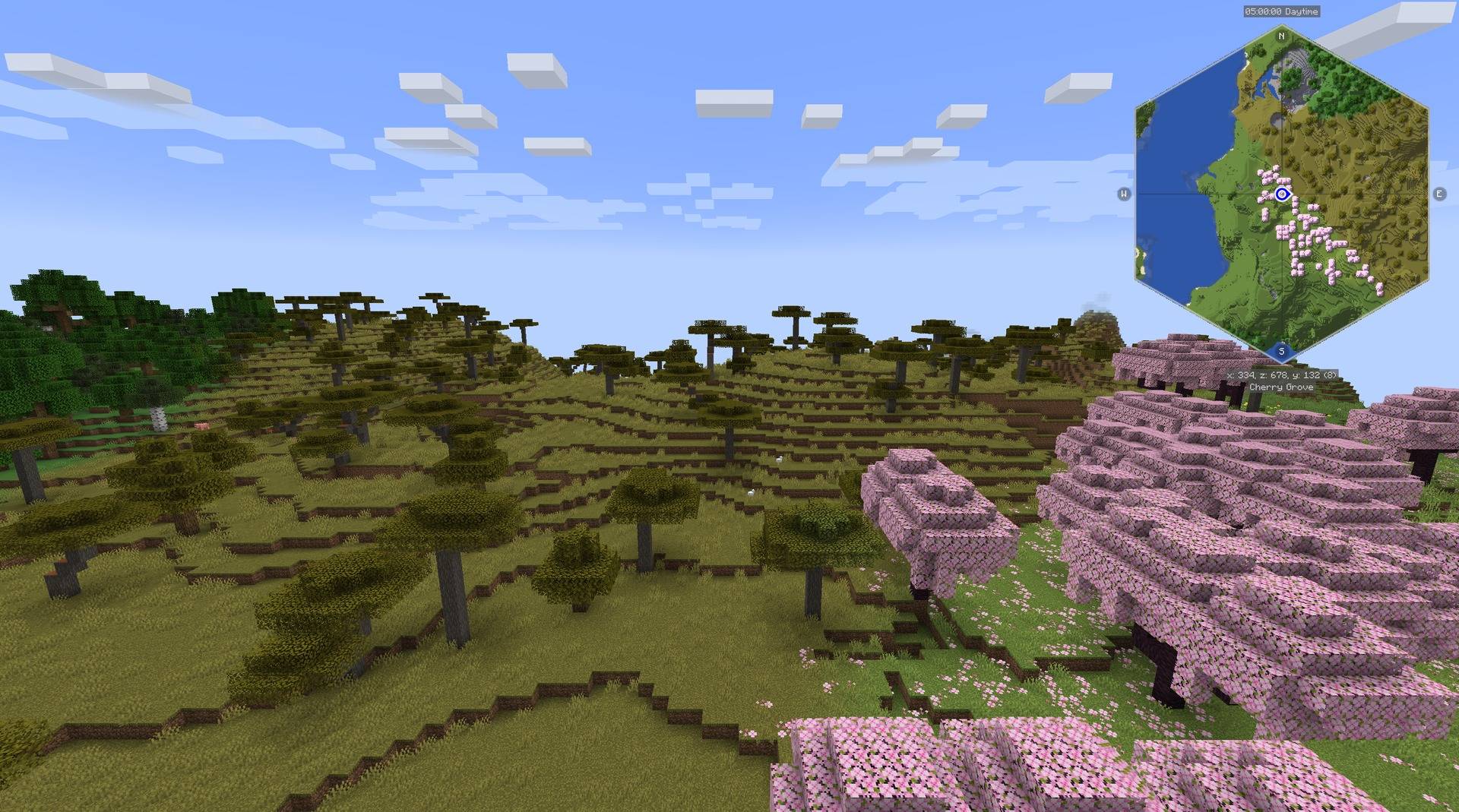
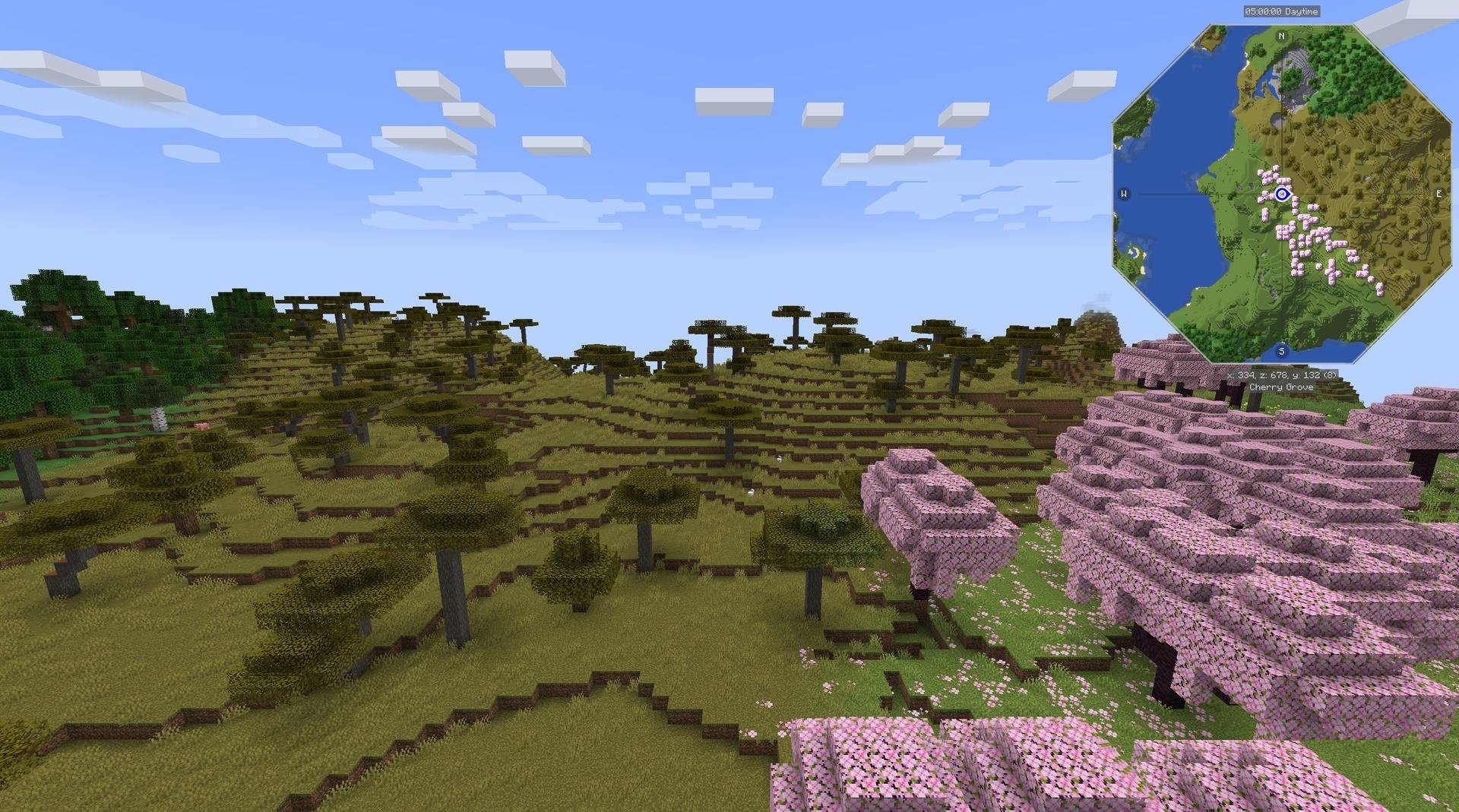
介绍
Build minimap shape add-ons with shared contour geometry, a selection screen, and a separate saved preference for each map.
Minimap Shapes Core is the library used by the JourneyMap and Xaero shape add-ons. Install it when an add-on requires it. Each add-on connects Core to its map’s renderer and registers the shapes that renderer supports.
Core alone does not change a minimap. With the JourneyMap add-on installed, the minimap can use these outlines:
Geometry
The shared shapes are a rounded square, hexagon, octagon, horizontal rectangle, and vertical rectangle. A Default selection delegates rendering to the map’s native shape. Geometry is expressed in a centered unit square, so an integration can apply the same contour to a terrain mask, frame, and marker boundary.
A minimal radius query uses the public Java API:
import com.kuronami.minimapshapes.Shape;
import com.kuronami.minimapshapes.ShapeGeometry;

double angle = Math.PI / 4;
double radius = ShapeGeometry.radius(Shape.HEXAGON, angle);
The rectangle overload accepts an aspect ratio and crops the short axis while keeping the map texture’s scale. Integrations provide their own coordinate transformations and offscreen projection.
Selection and saved preferences
Register a stable map ID, a list of supported shapes, and an apply callback through ClientShapes.register. The add-on registers its key binding and calls ClientShapes.tick from its client tick handler. Core opens the selector, saves the chosen enum value, and requests application when it changes.
Preferences are separate for each registered map. The JourneyMap and Xaero integrations can therefore share one Core installation while retaining independent selections. A new integration supplies its screen-title translation and connects the contour to its host’s rendering, rotation, and marker rules.
API scope
Core provides these shared building blocks. Map-specific rendering hooks, host dependencies, texture ownership, and version compatibility remain the integration’s responsibility. The source includes API documentation and a small geometry consumer example.




Paid commissions for videos, streams and servers. Send me your idea: [email protected]

MIT licensed. Free to use, modify, and distribute under the terms of the MIT license.
Bugs and questions: comment on the CurseForge page, or DM @kuronami333 on X.
Source: Minimap Shapes.
常见问题
Minimap Shapes Core 支持哪些 Minecraft 版本?
Minimap Shapes Core 支持 Minecraft Java 版 1.20.1–1.21.1,共 2 个版本,可用的加载器:Fabric / Forge / NeoForge。下载时注意选择和你游戏版本一致的文件。
Minimap Shapes Core 怎么安装?
先用 PCL2 或 HMCL 启动器安装对应版本的 Fabric / Forge / NeoForge,再把下载的 .jar 文件放进游戏目录的 mods 文件夹,重新启动游戏即可。开启了版本隔离的,mods 文件夹在 versions/版本名 下面。
KURONAMl 的其他作品
查看全部 →
Compass to Map: Xaero’s Minimap & Explorer’s Compass & Nature’s Compass Addon
将 Explorer's Compass 和 Nature's Compass 找到的地点添加为 Xaero's Minimap 路标。

Compass to Map: JourneyMap & Explorer’s Compass & Nature’s Compass Addon
将 Explorer's Compass 和 Nature's Compass 与 JourneyMap 联动,在支持的版本中自动创建路径点。

Ping to Map: Xaero’s Minimap & Ping Wheel Addon
将 Ping-Wheel 标记显示为临时的 Xaero的小地图 路标。

Ping to Map: JourneyMap & Ping Wheel Addon
将 Ping-Wheel 标记显示为临时旅行地图路标。
评论
登录后评论和评分