
介绍
Minecraft-AI-ChatBot (CLIENT ONLY)
Working InGame Minecraft ChatBot
Fabric – 1.16-1.17
Forge – 1.16.5
PLEASE IF YOU RUN INTO ANY PROBLEMS DO THE FOLLOWING
1. Replicate the problem
2. Check if their is a fix is in the new version
3. If not make a bug report on the github by hitting source on the curseforge page.
When making a report add 2 labels the Forge or Fabric label and the Version label
Instructions Chat Version:
Open chat and type ( !chat ) to enter in chat mode with ai
You can type in chat and talk with the ai
When you are done you can type ( !chat ) to exit
Sources Used:
pandorabots default test api
Github Repo: pierredavidbelanger / chatter-bot-api
https://github.com/pierredavidbelanger/chatter-bot-api
常见问题
AI-Chatbot 支持哪些 Minecraft 版本?
AI-Chatbot 支持 Minecraft Java 版 1.16–1.17,共 7 个版本,可用的加载器:Fabric / Forge。下载时注意选择和你游戏版本一致的文件。
AI-Chatbot 怎么安装?
先用 PCL2 或 HMCL 启动器安装对应版本的 Fabric / Forge,再把下载的 .jar 文件放进游戏目录的 mods 文件夹,重新启动游戏即可。开启了版本隔离的,mods 文件夹在 versions/版本名 下面。
Jacobwasbeast 的其他作品
查看全部 →
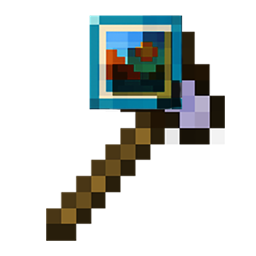
Picture Axe
Place images from the web into your Minecraft world in various ways. From beds, banners, and shields you can put images onto vast array of things.
Picture Axe
PicAxe (Picture Axe) can put images from the internet onto beds, banners, a custom 6 sided block, and a sizable image frame.
评论
登录后评论和评分