
截图


介绍



Hidden Armour
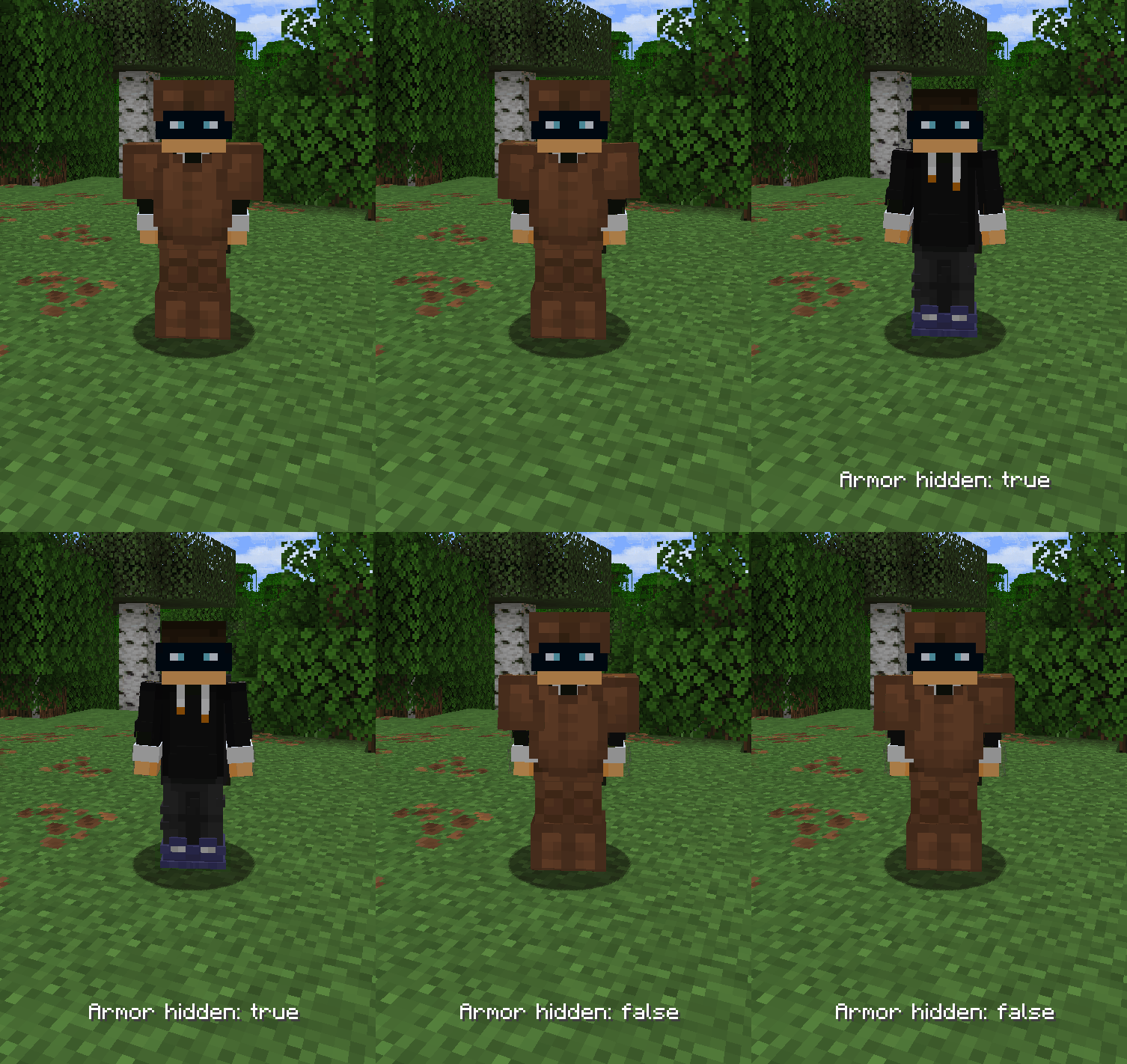
Hidden Armour is a lightweight Fabric mod that gives you full control over the rendering of armor, elytra, nametags, enchantment glint, and selected mob equipment.
Key Features
- 🔒 Toggle Player Armor Show or hide armor rendering on players at the press of a button.
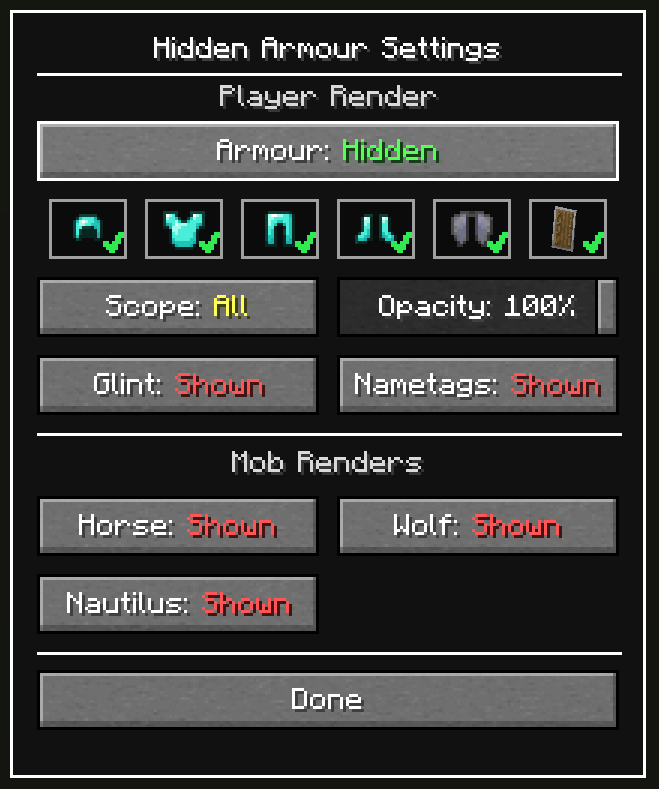
- 🧭 Scope Modes (All / Self / Others) Choose whether hidden armor applies to everyone, only yourself, or only other players.
- 🎚️ Opacity Slider Use Opacity (0-100%) instead of a strict on/off look while armor hiding is active.
- 👕 Per Piece Toggles
Toggle exactly which armor pieces are hidden.
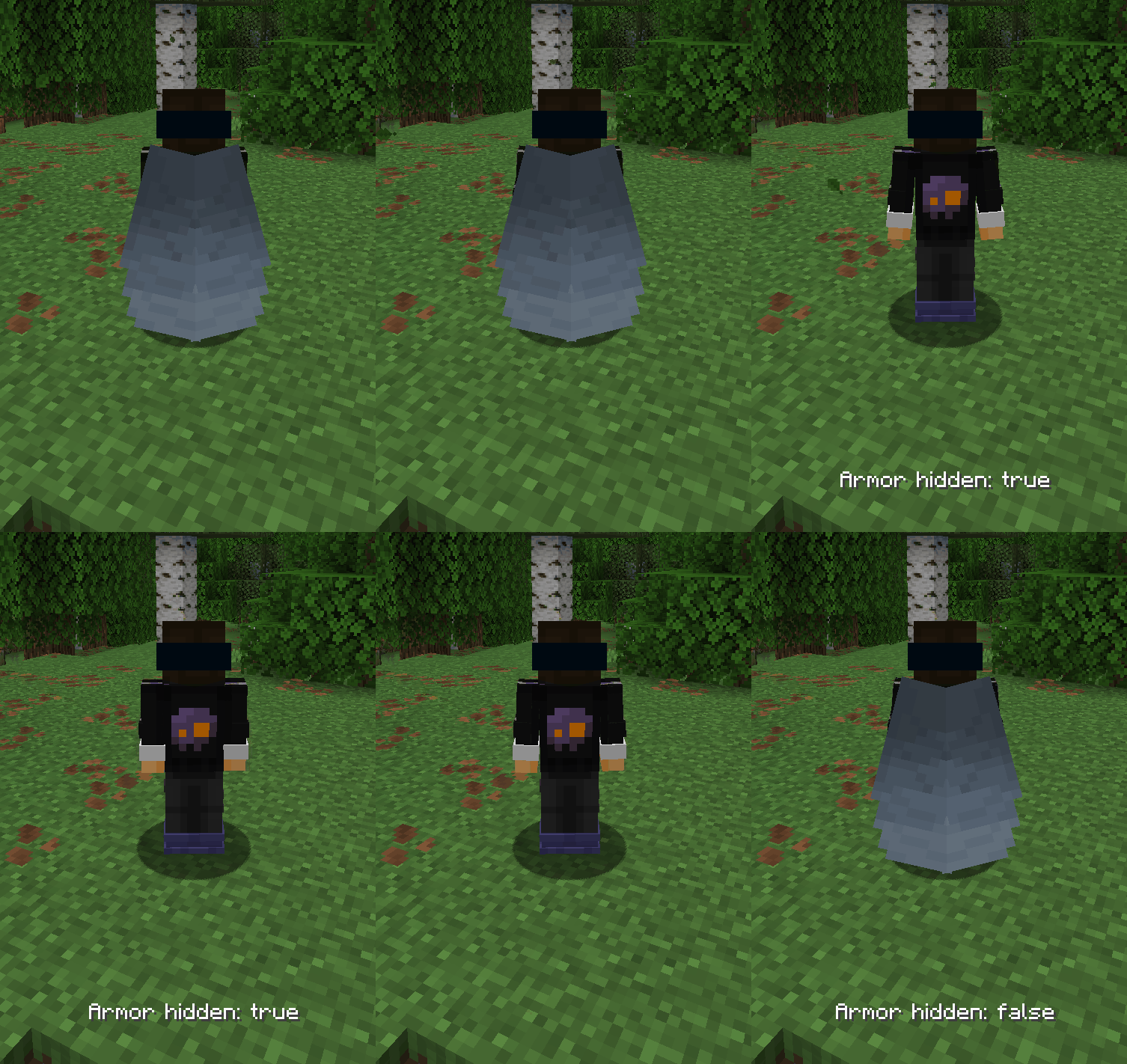
- 🪶 Include/Exclude Elytra Decide whether elytra should be hidden together with armor.
- ✨ Disable Enchantment Glint Toggle the enchantment glint effect on tools and 2D items.
- 🏷️ Hide Nametags Toggle the visibility of nametags.
- 🛡️ Shield Visibility Control Hide or show shields on player renders (non-blocking state).
- 🐴 Mob Equipment Controls Hide or reveal equipment on horses, wolves, and nautilus.
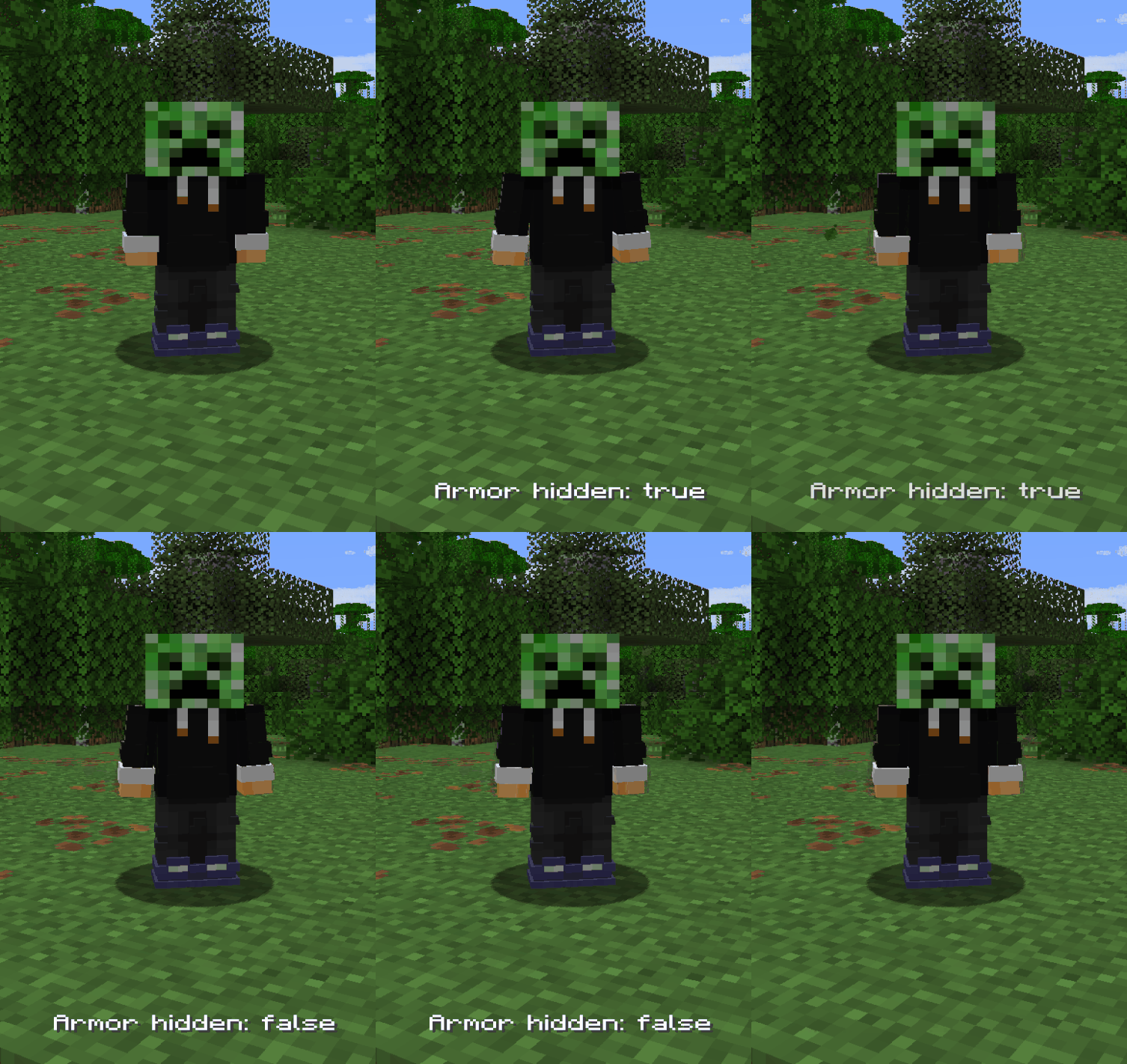
- 🎃 What Won’t Be Hidden Heads, carved pumpkins, and other non-armor items will still render normally.
- ⚙️ In-Game Configuration Accessible via hotkey or ModMenu.
Controls
- Toggle Armor:
J - Open Settings:
U - Both keybinds can be remapped in Settings → Controls.
Commands
/hiddenarmour enable|disable|status/hiddenarmour elytra enable|disable|status/hiddenarmour scope all|self|others|status
src=”https://cdn.modrinth.com/data/cached_images/703e34b131c77ca28d6f73ff13929477047639cc.png”
alt=”Settings”
width=”400″
loading=”lazy”
style=”height: auto; display: block; margin: 0 auto;”
/>
<img
src=”https://cdn.modrinth.com/data/cached_images/2d42c85de9c8a03e679aa5d162814ace1eced5fa.png”
alt=”Opacity”
width=”400″
loading=”lazy”
style=”height: auto; display: block; margin: 0 auto;”
/>
<img
src=”https://cdn.modrinth.com/data/cached_images/156f96813e6e5cfb29c271e4a1432d6f78bc887a.gif”
alt=”Toggle”
width=”400″
loading=”lazy”
style=”height: auto; display: block; margin: 0 auto;”
/>
<img
src=”https://cdn.modrinth.com/data/cached_images/4999092ec350127b0c1283c13573265a42a05498.gif”
alt=”Elytra”
width=”400″
loading=”lazy”
style=”height: auto; display: block; margin: 0 auto;”
/>
🔗 Dependencies
Required
src=”https://cdn.modrinth.com/data/cached_images/b541ef52cf8c8e8d990ac261f745a0d405896096.png”
alt=”Fabric API”
width=”100″
loading=”lazy”
/>
Optional (Recommended)
src=”https://cdn.modrinth.com/data/cached_images/14fa9c68a4448b31b3424f1eb55741b4de143348.png”
alt=”Mod Menu”
width=”100″
loading=”lazy”
/>
👥 Credits
- Update Help:
- 1.21.9 / 1.21.10: L3-N0X

常见问题
Hidden Armour 支持哪些 Minecraft 版本?
Hidden Armour 支持 Minecraft Java 版 1.21.5–26.3,共 12 个版本,可用的加载器:Fabric。下载时注意选择和你游戏版本一致的文件。
Hidden Armour 怎么安装?
先用 PCL2 或 HMCL 启动器安装对应版本的 Fabric,再把下载的 .jar 文件放进游戏目录的 mods 文件夹,重新启动游戏即可。开启了版本隔离的,mods 文件夹在 versions/版本名 下面。运行环境:仅客户端。
Haage 的其他作品
查看全部 →
Locator Heads
Show player heads on the locator bar and other usefull settings.
GUI Time
clock hud and a 24-hour digital clock, and an optional sleep indicator to show when you can sleep.

Lunge Launch
Auto-deploy your elytra when you use a Lunge spear mid-jump for even smoother movement tech.

Totem Cow_10zero
Totem cold cow
评论
登录后评论和评分