Ad Skies
AdSkies adds configurable dynamic sky effects to Minecraft. (Credits to Garden of Glass.)
截图
介绍
⚠️ IMPORTANT: This mod is currently undergoing stabilization. If you encounter bugs, please report them in the comments. However, due to the author’s ongoing academic and professional commitments, development and fixes may take longer than expected. The source code will be made public once the mod’s content and features are more complete.
Inspired by Garden of Glass.
Latest Changelog (2026.07.28-0.2.0-alpha): Added support for versions 1.21.2 and 1.21.3! Added new fade‑in/fade‑out effects for rays and meteors, and applied some performance fixes~
AdSkies is an immersive sky enhancement mod that brings dynamic, gorgeous, and deeply customizable skies to Minecraft. Whether it’s a dreamy Milky Way or rainbows and light rays that appear with the sunrise, everything can be tuned to your liking.
Night Sky
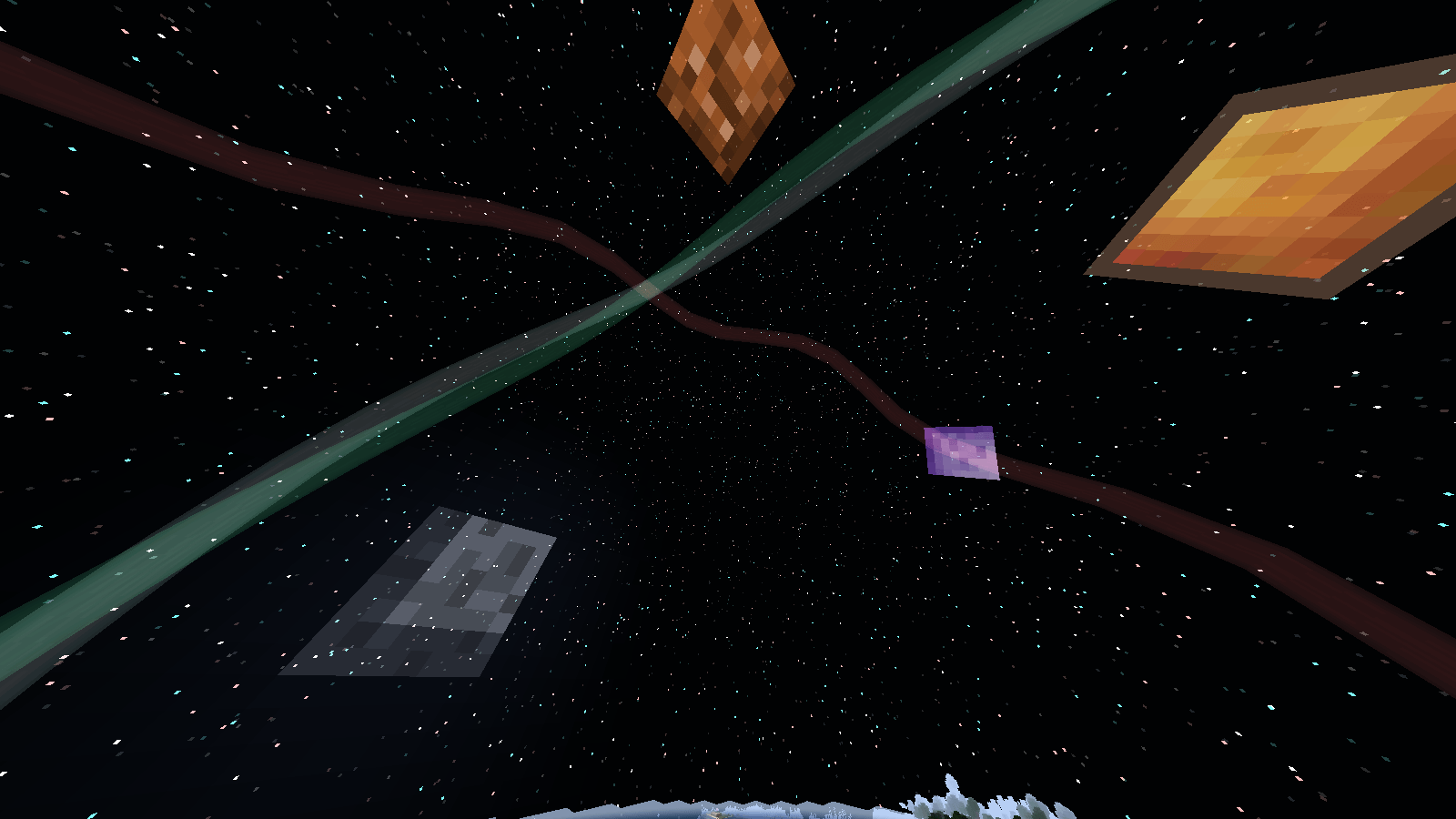
Three star styles — Normal, Twinkling, and Milky Way — with fixed or daily random switching.
Twinkling: adjustable speed, intensity, and base brightness.
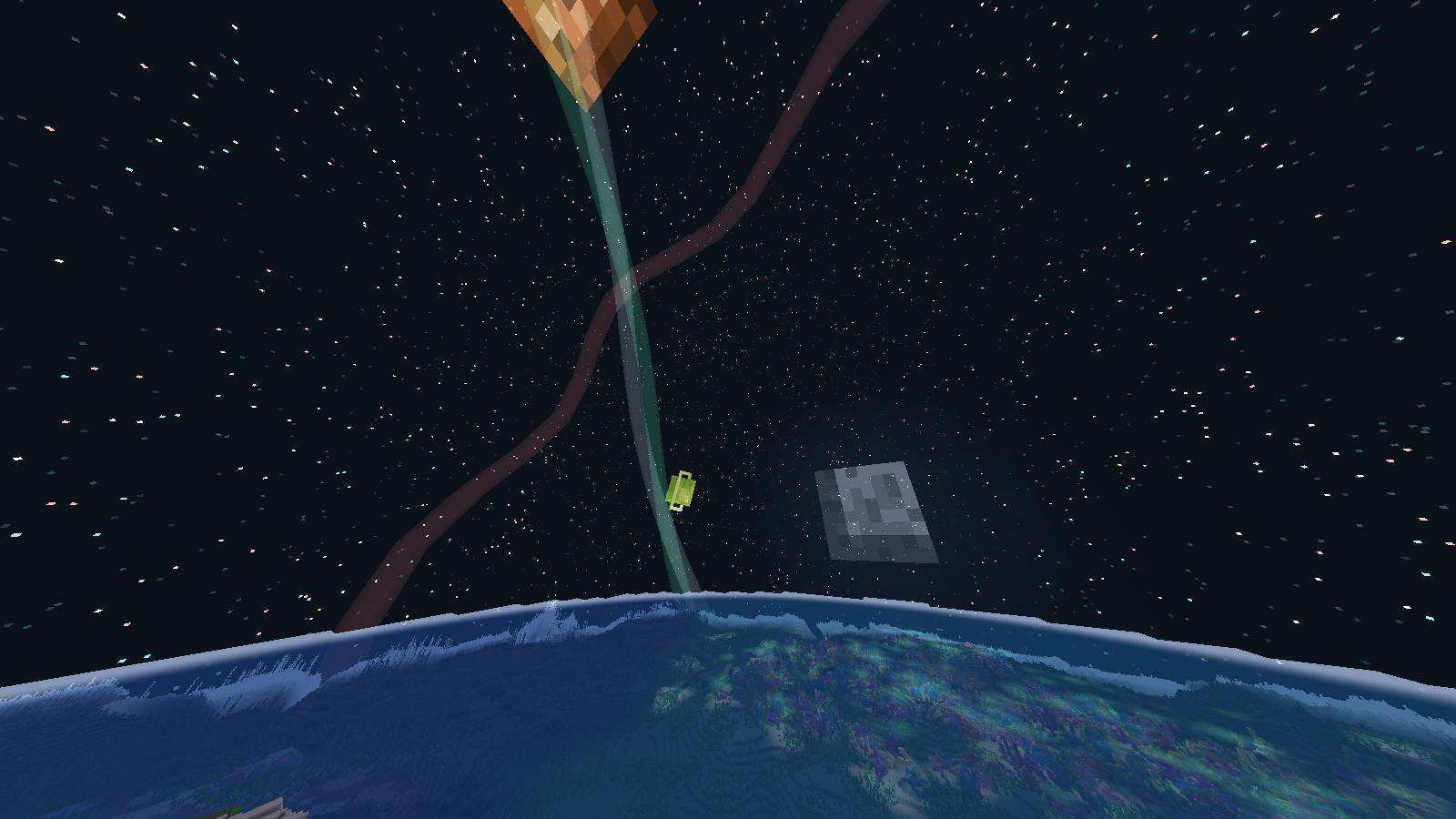
Milky Way: three independent colored bands (white, cyan, red-blue), each with fully independent 3D rotation (yaw/pitch/roll) and width control.
Sun and Moon: independent brightness and size. Moon phases automatically match the in-game phase.
Features
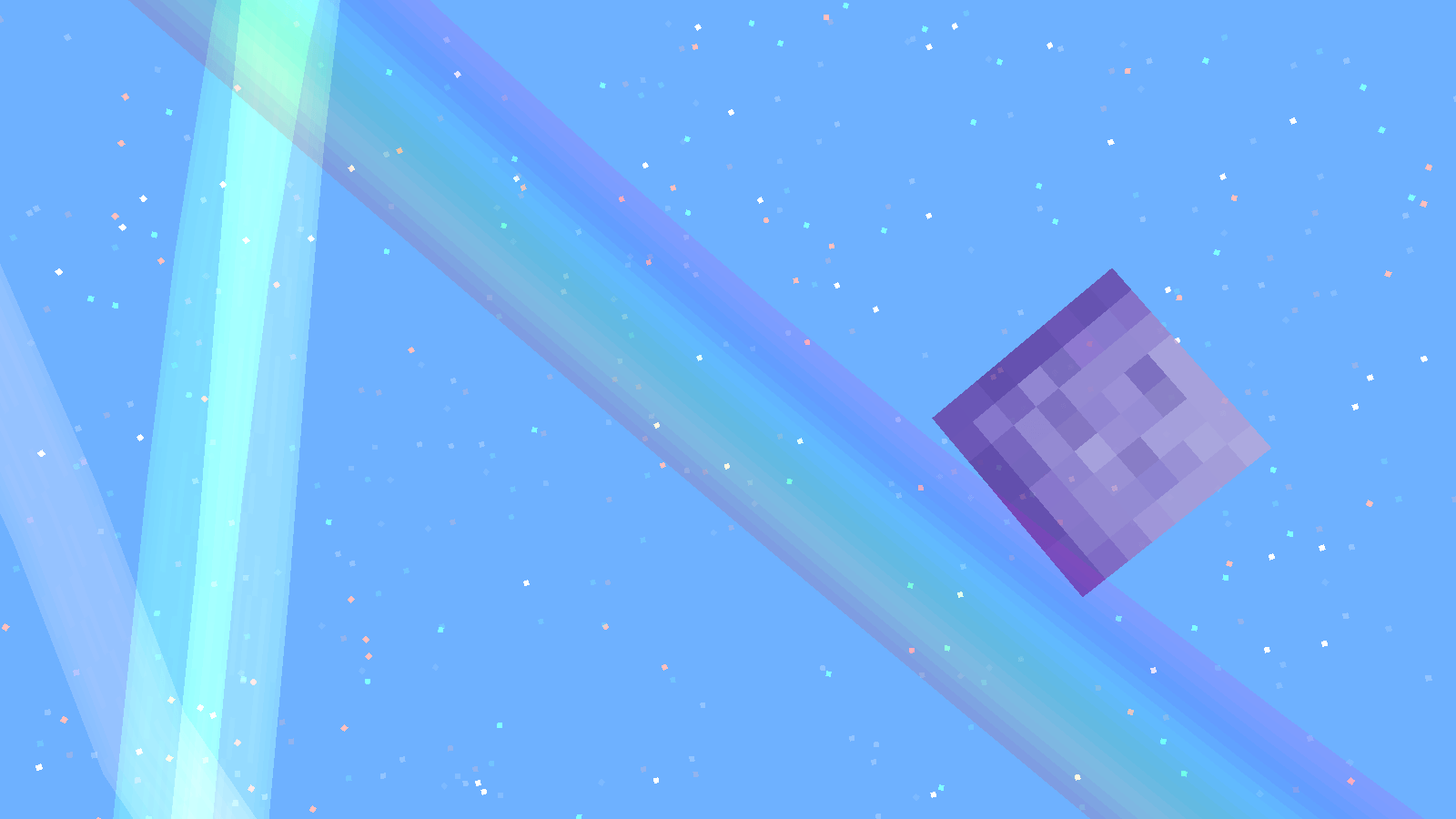
Rainbow – Naturally appears at dawn and dusk. Can be set to a fixed position or randomly placed each day.
Rays – Dual-layer structure with independent colors, rotation speed, and display time (always / day only / night only). Daily position can be random or fixed.
Planets – Up to six fully customizable planets, each independently toggleable. Full 3D orbital plane control (yaw/pitch/roll) with orbital motion. Size, distance, orbit speed, and initial angle are all adjustable per planet.
Sky Background – Customizable night sky color (RGB) with smooth blending into the vanilla sky color. Rainbows and rays feature smooth fade-in/fade-out transitions (slightly rough on 1.21.1 — the author and Codex couldn’t quite pin it down… bear with us 🙏).
Controls & Configuration
Default hotkeys: ALT + M to open the config menu, ALT + R to toggle all rendering on/off. With the exception of custom textures, all config changes take effect immediately — no world restart required.
Custom Textures
On first launch, an adskies folder is generated in the game root directory. Place identically-named .png files in adskies/texture/ to replace the sun, moon, planets, skybox, rainbow, and other textures — no mod editing needed. See the generated README.txt for details.
Note: Custom textures cannot be hot-reloaded. You must restart the client after adding or changing custom textures.
Whether you’re after serene visual immersion or love to tweak every hue in the sky, AdSkies makes your world’s sky truly your own.
This mod is standalone and can also be seen as a high-version revival of the GoG Skybox concept.
There are currently no plans for a Fabric version — the author says they’ll reconsider later. Vulkan? The streamer’s still figuring it out. Living off the old breadcrumbs for now, hehe. Though… Fabric might actually be in the works too. But life’s been hectic — three months and this is all the progress to show for it. Sorry ;(
常见问题
Ad Skies 支持哪些 Minecraft 版本?
Ad Skies 支持 Minecraft Java 版 1.21.1–1.21.3,共 3 个版本,可用的加载器:NeoForge。下载时注意选择和你游戏版本一致的文件。
Ad Skies 怎么安装?
先用 PCL2 或 HMCL 启动器安装对应版本的 NeoForge,再把下载的 .jar 文件放进游戏目录的 mods 文件夹,重新启动游戏即可。开启了版本隔离的,mods 文件夹在 versions/版本名 下面。

评论
登录后评论和评分