
Armor HUD
Armor HUD (or Armour HUD) adds armor durability display to your screen with HUD Lib.
截图


介绍
Armor HUD
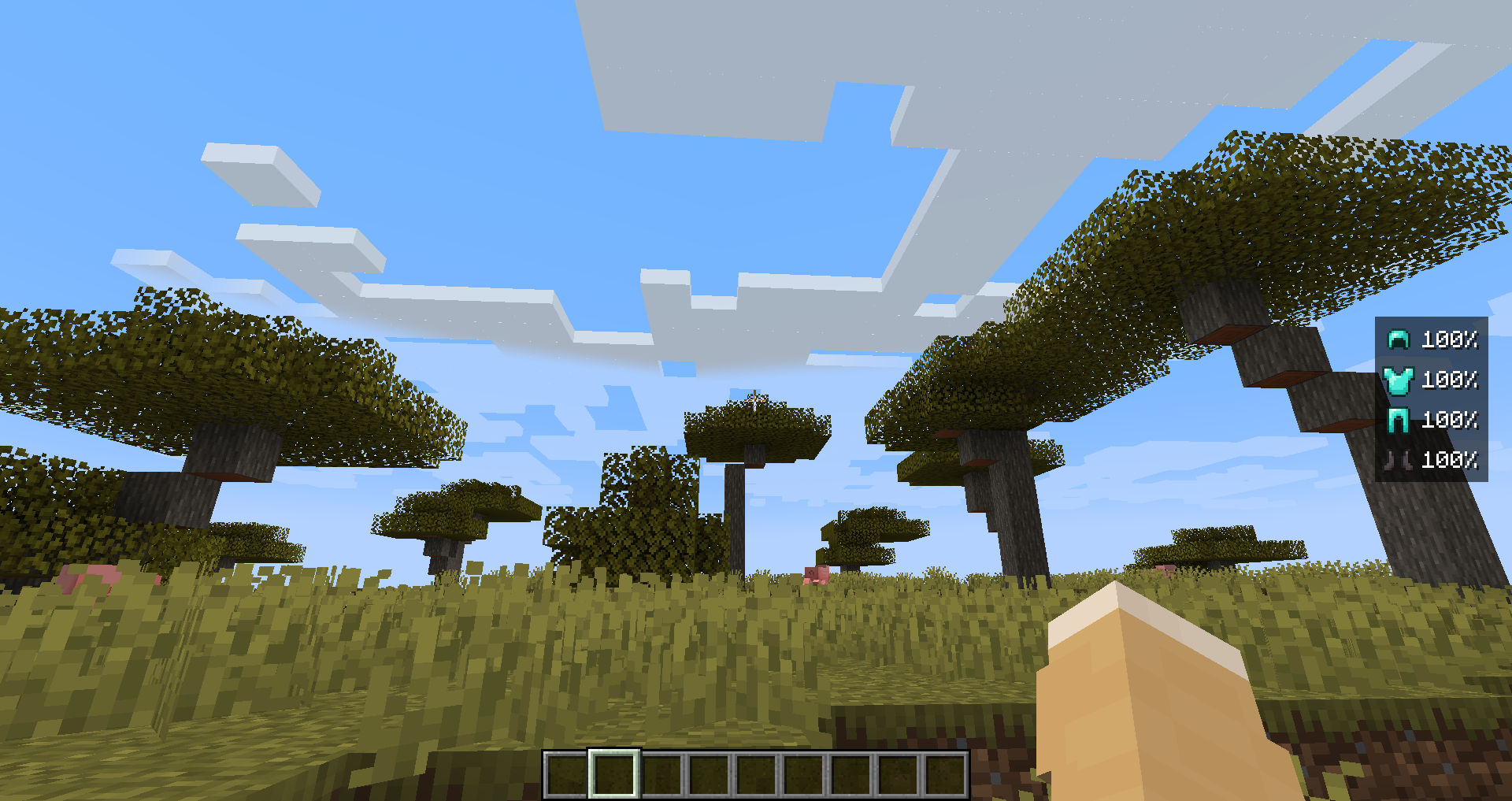
Armor HUD adds an Armor HUD element to HUD Lib, it has options to change the color, background color, and whether or not you want the color to be based on durability (>80% dark green, >50% green, >20% yellow, otherwise red). To open configuration press RIGHT SHIFT.
Screenshot
Here is Armour HUD with the default configuration, the position, and colors can be changed.
常见问题
Armor HUD 支持哪些 Minecraft 版本?
Armor HUD 支持 Minecraft Java 版 1.20.1–1.21.11,共 15 个版本,可用的加载器:Fabric。下载时注意选择和你游戏版本一致的文件。
Armor HUD 怎么安装?
先用 PCL2 或 HMCL 启动器安装对应版本的 Fabric,再把下载的 .jar 文件放进游戏目录的 mods 文件夹,重新启动游戏即可。开启了版本隔离的,mods 文件夹在 versions/版本名 下面。运行环境:仅客户端。
wooferz 的其他作品
查看全部 →
HUD Lib
A library mod that provides a simple way for other mods to add HUD that can be moved with a visual editor.

Status Effect HUD
This adds status effects to the HUD using HUD Lib.

CobblemonTooltips
This adds custom tooltips for items in the mod Cobblemon.

Generic HUD
Generic HUD is an mod which uses HUD Lib. It adds incredibly generic information such as Ping and Coordinates to the HUD.
评论
登录后评论和评分